When importing data using a DAT/CSV load file in Reveal Review Manager, document family relationships are defined in the Field Mapping process. The following steps set out the requirements and considerations for applying this process.
Import Data
Import Mapping with Begin Number and Item ID
When mapping fields, the document Begin Number (i.e., the Control Number or Unique Identifier) should be mapped to the Reveal Begin Number (this is known as BEGDOC in the underlying database table).
The Item ID (known as ITEMID in the database) should be selected with the option “Auto Generated”.
Note
Do not map Item ID to a field.
The Item ID is auto generated with a sequential number starting at 1 for each project.
Import Mapping and Begin Number Attach.
To create family relationships, Begin Number Attach (known as BEGATTACH in the database) must be in the initial documents import, or overlaid with the BEGDOC field.
The Begin Number Attach field must correspond to the parent document’s Begin Number across the entire set. It must therefore be mapped to the BEGATTACH field.
The BEGATTACH is populated across attachments (also known as children) with the parent document’s BEGDOC.
The parent documents will also have BEGATTACH populated.
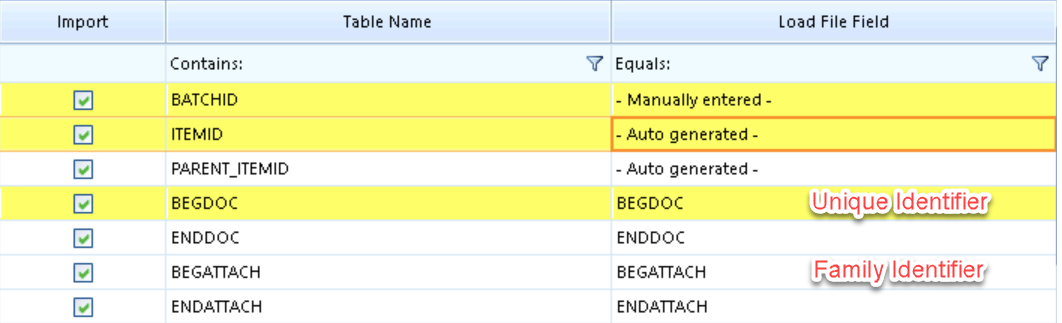
This will set the PARENT_ITEMID, EMT_FAMILYID, FAMILY_RELATIONSHIP, and Has Family metadata fields based on BEGATTACH for all Import Batches.
The display name for EMT_FAMILYID is BD EMT FamilyID.
The display name for FAMILY_RELATIONSHIP is Family Relationship.
EMT_FAMILYID is NULL for any docs that do not have children.
Note
If Begin Number Attach does not match an existing Begin Number, an error will be thrown for the Parent ID field.
Once data has been imported and any Natives/Text has stored successfully, indexing may be initiated, including the Document Metadata Index.
The Family icon and the Family relationship panel should now display for all applicable documents.
Update Data (Creating or Updating Families After Import)
Ensure at minimum that you have the Begin Number and the Begin Number Attach
In Review Manager, open Import > Documents.
Select the Project to be updated.
Select Update Data.
Use a mapping that has the “Begin Number” and “Begin Number Attach” fields.
Choose the load file.
Select Import Data to begin (using Test Mode Only first is recommended to check for errors).
Once the values have been updated successfully, the family relationships must be rebuilt from the Reveal Web interface.
Rebuild Family Relationships
Open the Reveal Web interface.
Navigate to the relevant Project.
Go to Project Admin.
Select Rebuild Document Data.
Click on Rebuild to run the process.
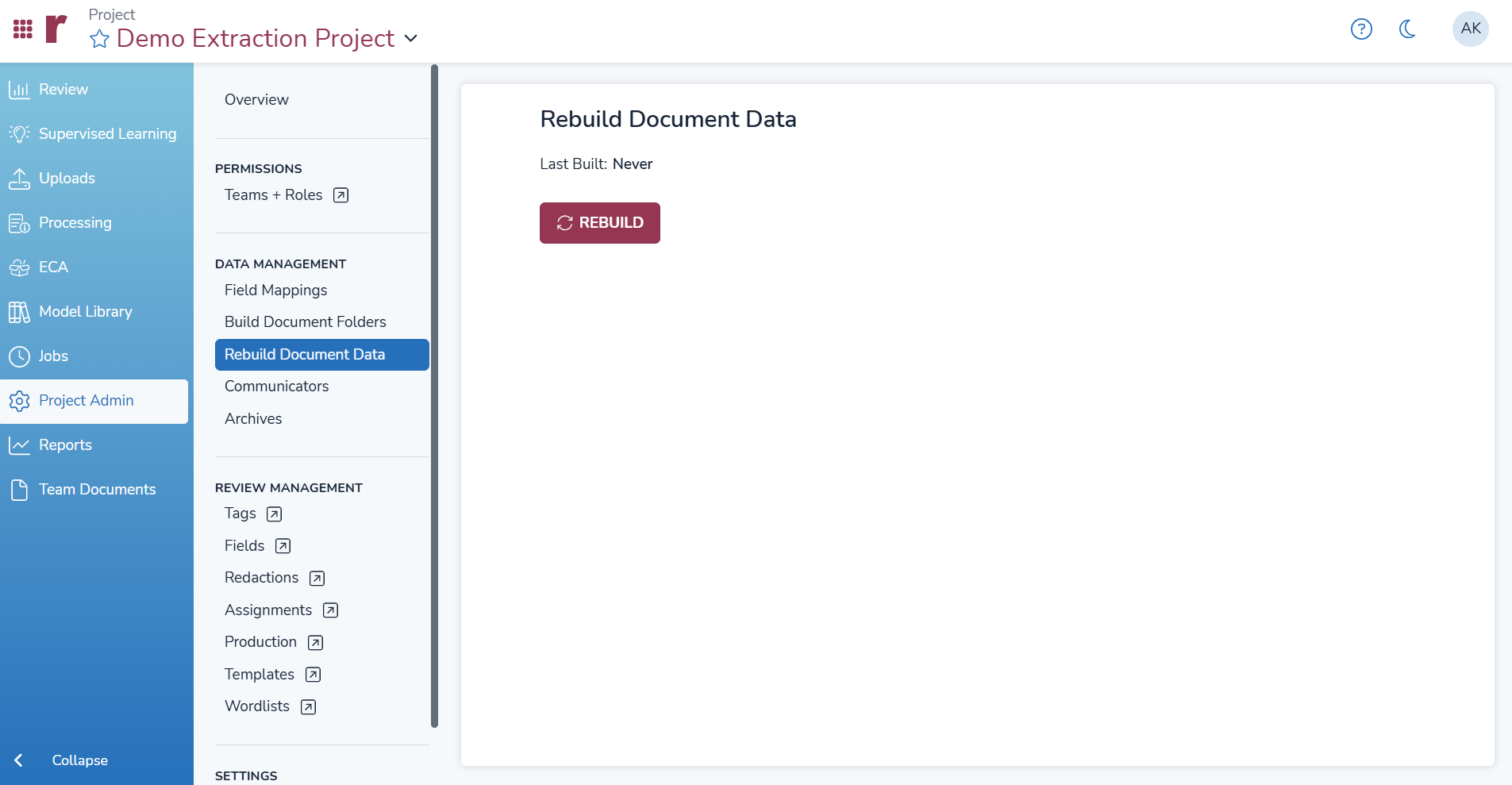
The system will rebuild document families and populate Parent ID for child documents using the parent document’s Item ID
Note
The process may take some time depending on the project size, as the system updates database functions that support family information such as the Family Member Grid icon, Family Relationship panel, and search functionality.
Document metadata indexing is now automatically handled by the system after rebuilding document data. Manual indexing is no longer required.