Overview
CustodianIQ is a custodian centric approach for managing joiners, leavers, and movers in the organization which allows Hold Managers to execute bulk actions, like lifting custodians from multiple Holds.
List of Custodians
To access, open the Admin menu, and select CustodianIQ.
In the CustodianIQ page, you will see all listed Custodians with their respective Email, Department, Hold, Matters, Termination Dates, and Custodian Labels.
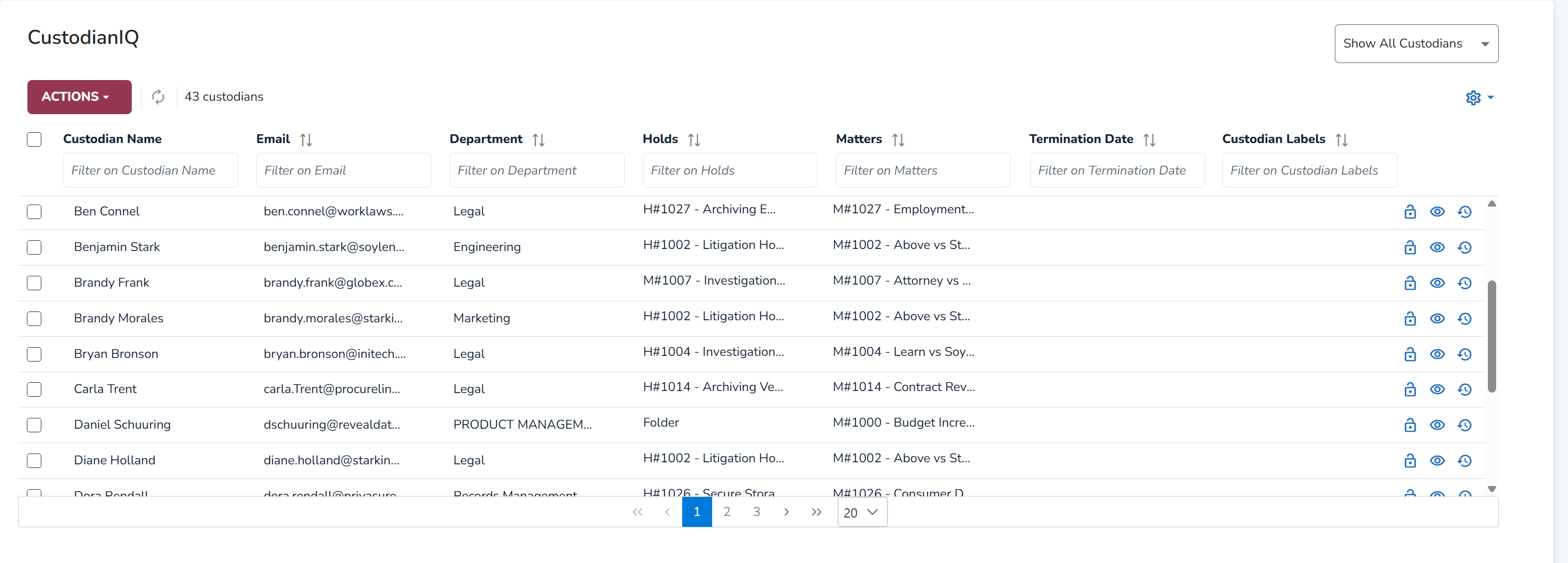
In the top right, you can filter which Custodians you want to see. Users can choose between:
Show All Custodians
Leaves This Week
Leaves Next Week
Leaves This Month
Leaves Next Month
Custodian Actions
Select the  dropdown, and choose whether you want to add custodians to a hold, lift from holds, or manage their communication status.
Add to Holds
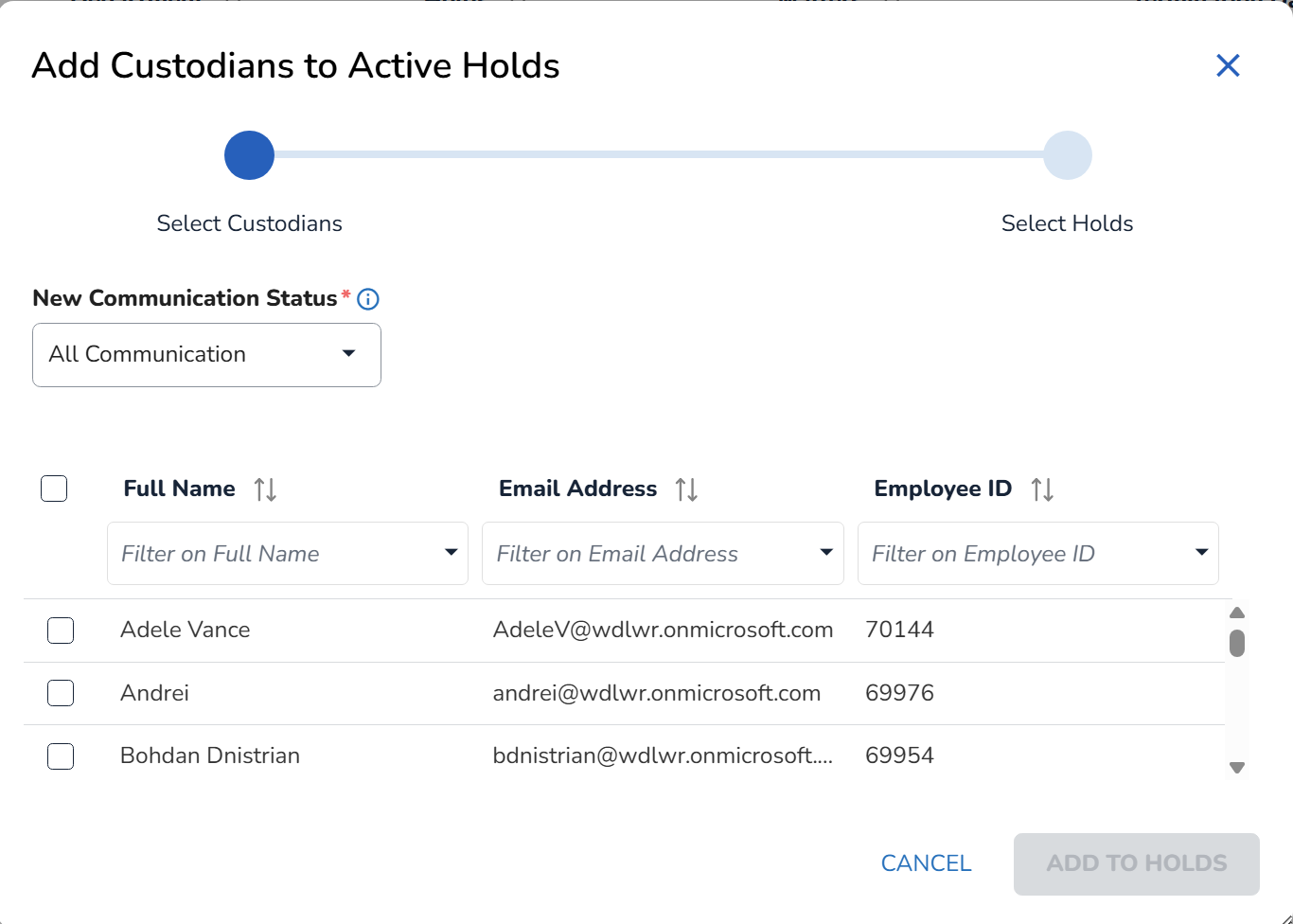
Select the Custodians from the list.
Select Holds. Only active hold will be displayed.
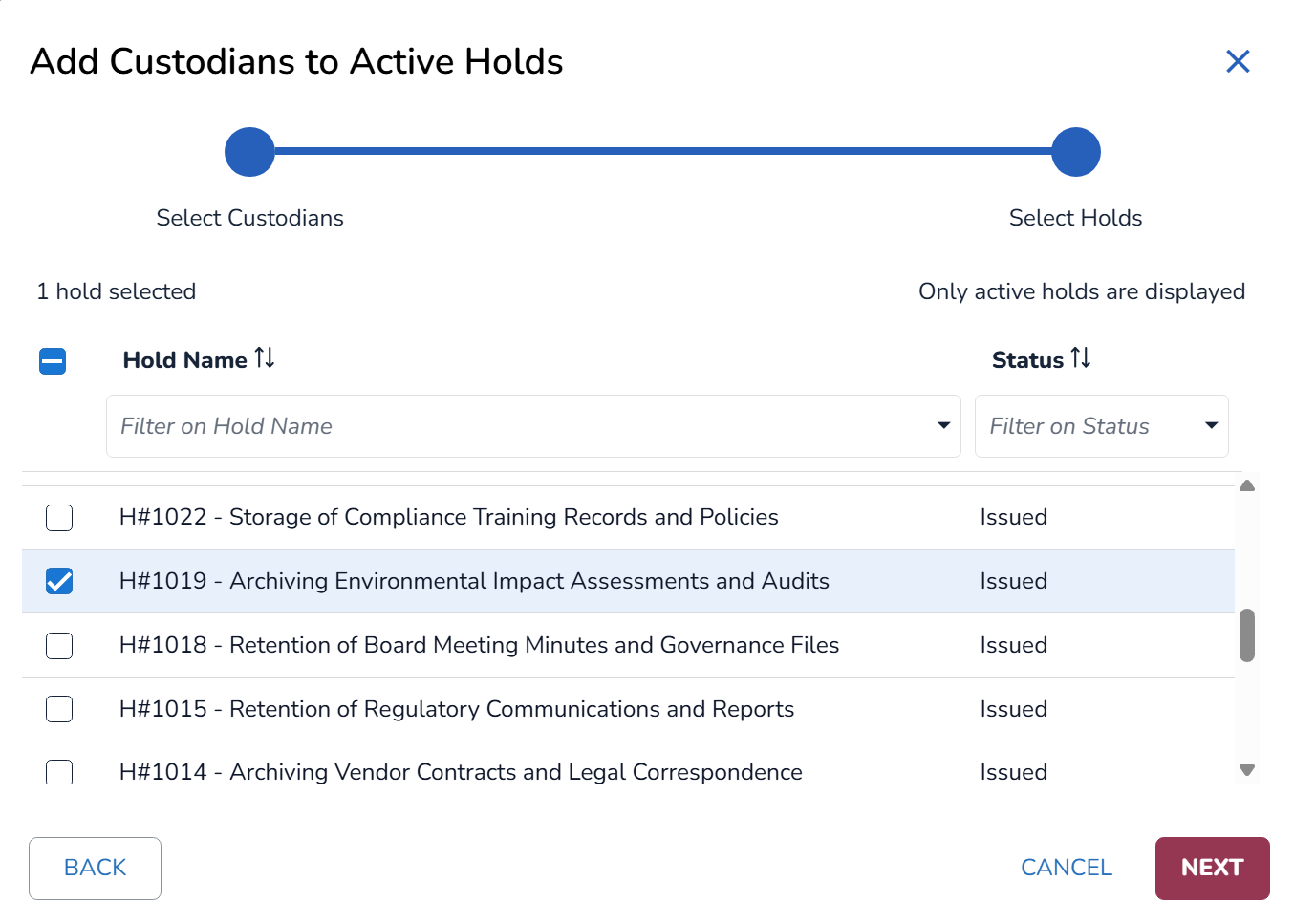
Click Next.
A confirm modal will appear summarizing your selections.
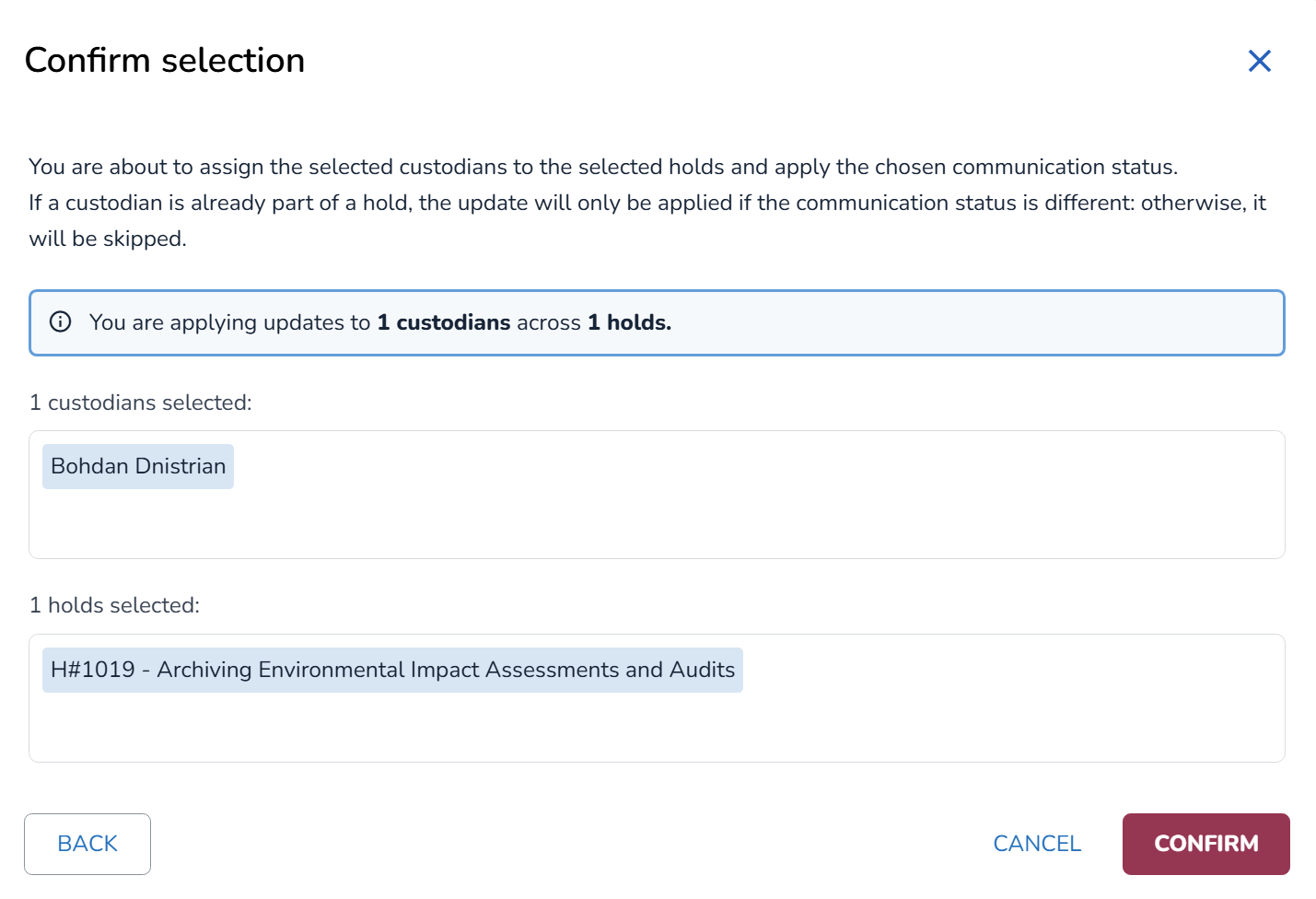
To finalize, click Confirm.
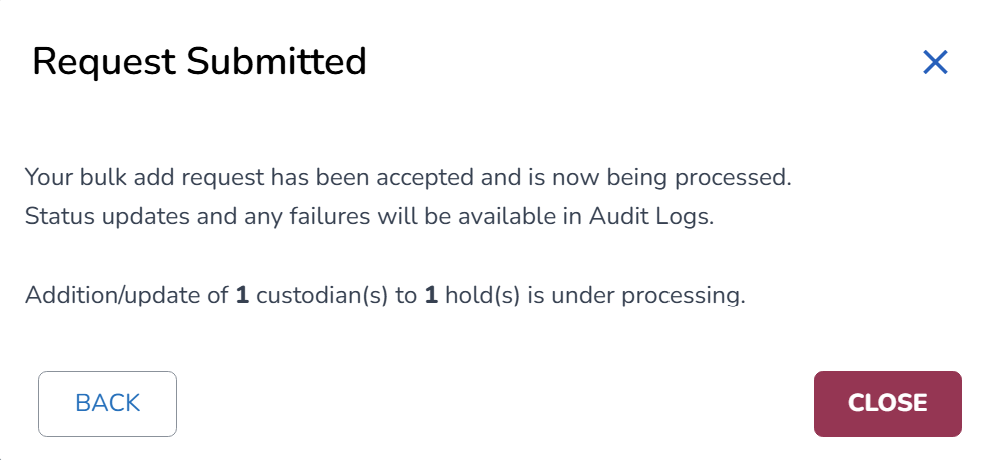
The bulk request is accepted and will be processing. Status updates will be visible in the Audit Logs.
Lift from Holds
After selecting the appropriate Custodians from the Custodian IQ screen, the Lift from Holds modal appears.
Select on the holds you want to lift and click Review & Confirm.
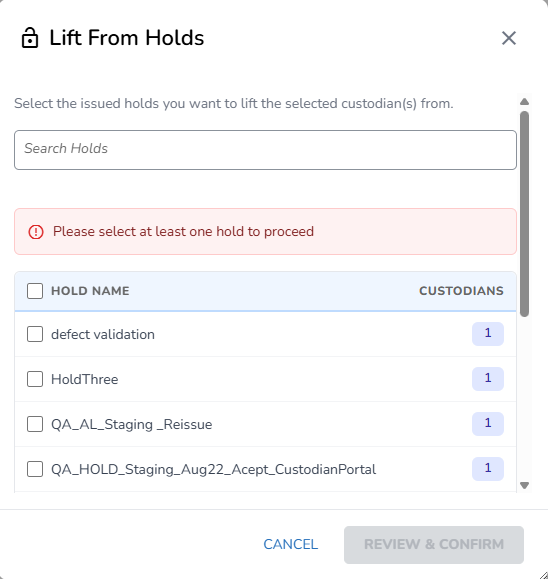
After reviewing the selected holds, click on Lift from Holds.
Important
When choosing to Lift a Custodian from a Hold, the action cannot be reversed.
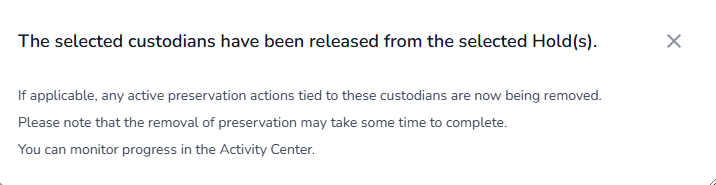
After lifting the Custodian, the following confirmation message will appear:
Manage Communication Status
Select the Custodians whose communication status you want to manage.
Select a New Communication Status in the dropdown:
All Communication
Notice Only
Silent
.png)
Click Continue.
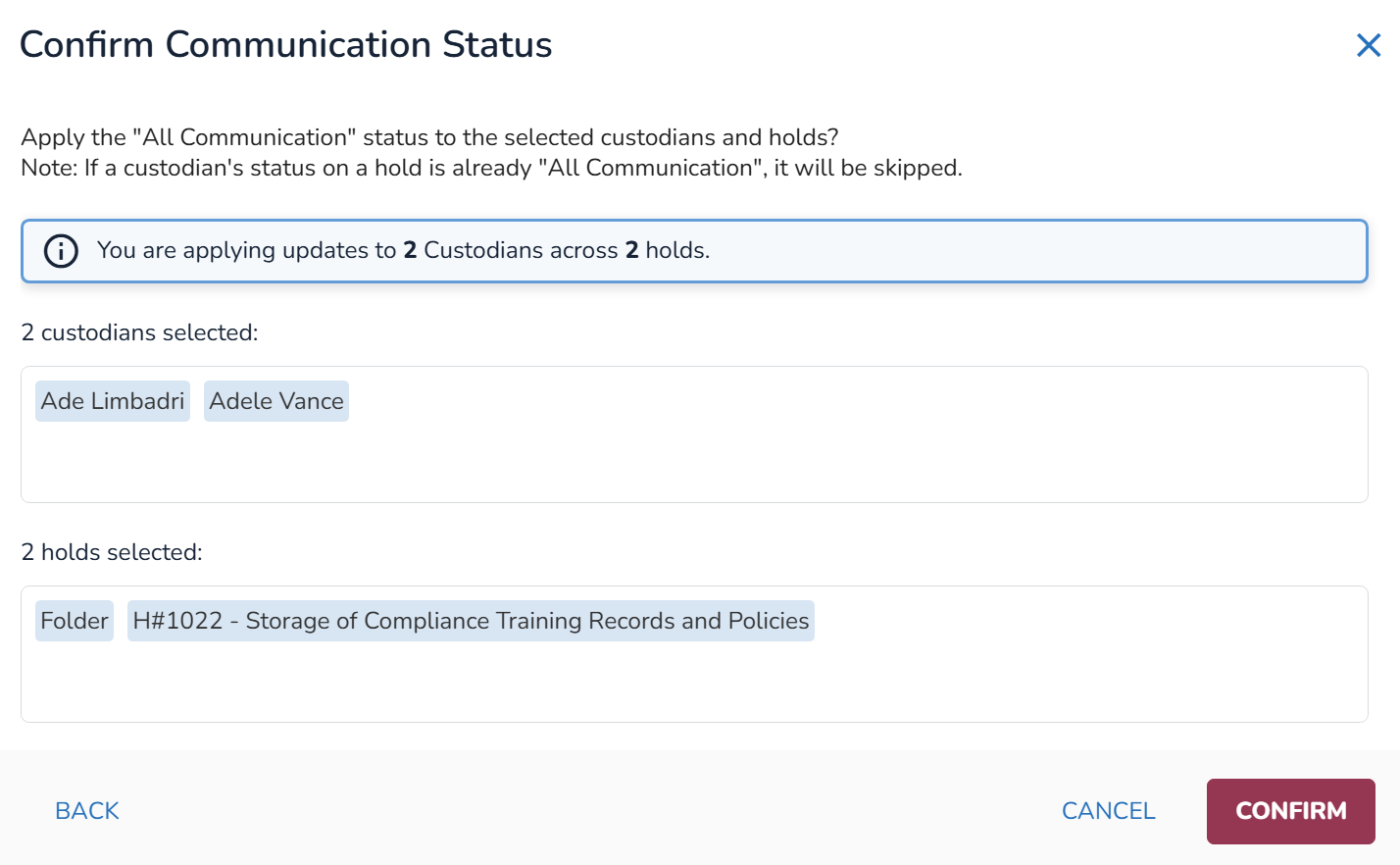
Confirm the Communication Status.
Custodian Details
To view Custodian Details, select the View Details icon  .
.
Before lifting a custodian, Hold Managers can go over the Custodian Details and view all this to check if they can lift that person.
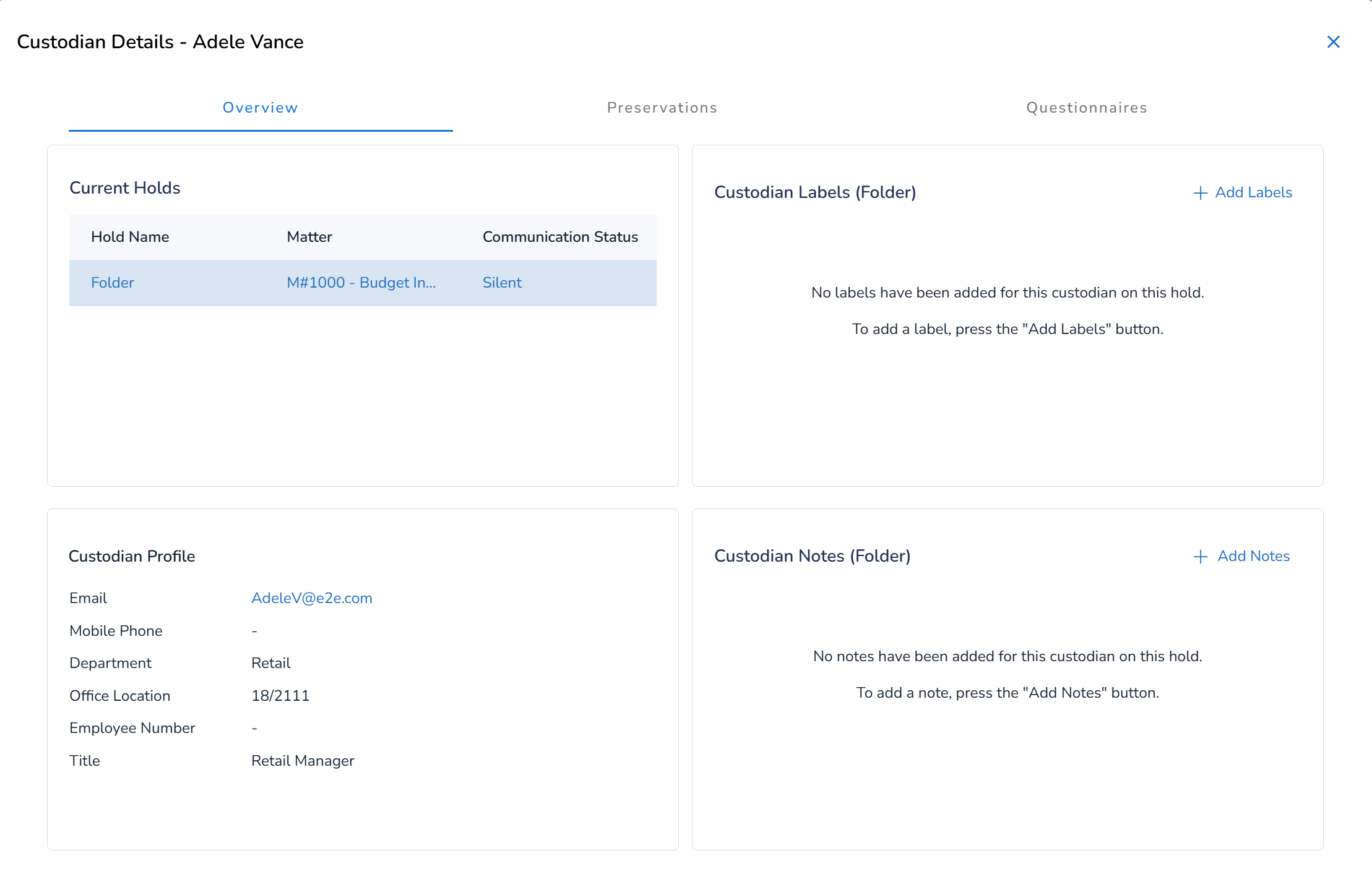
The Overview tab contains the Current Holds in which the custodian is in. Users can select each Hold Name, for which the corresponding Custodial Labels and Custodian Notes will appear.
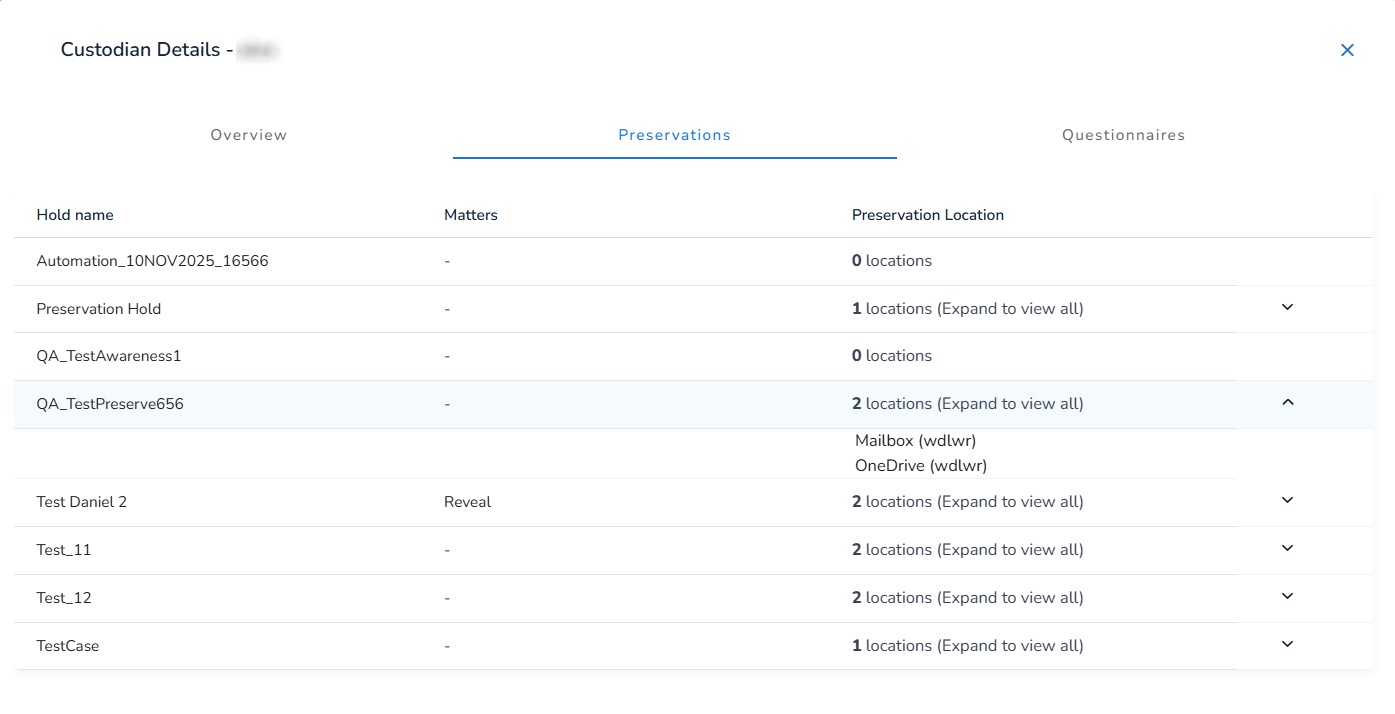
The Preservation tab users can see in which Preservations they are part of. Users can se where the data is being preserved through the Preservation Location column. To see each Holds location, press the down key arrow.
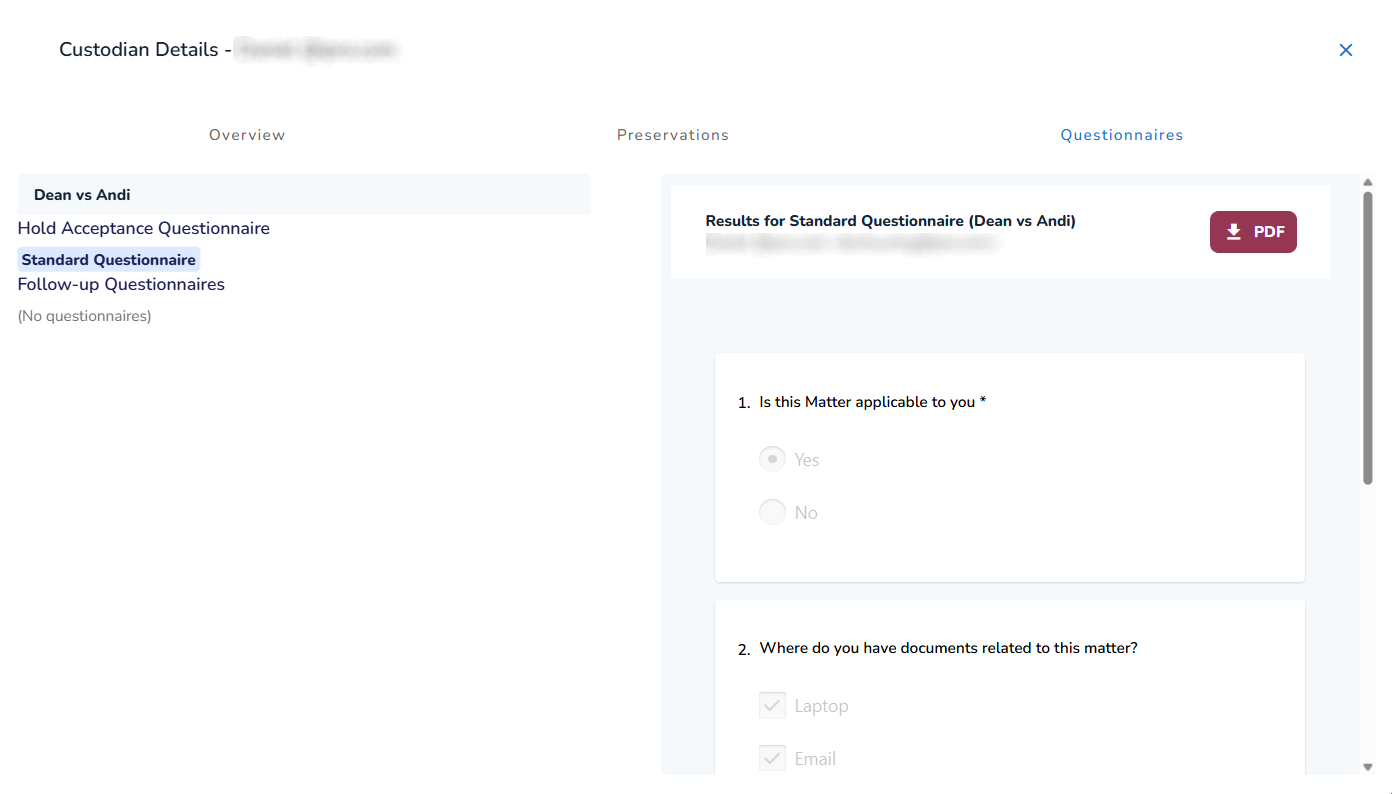
In the Questionnaires tab you can view each Holds questionnaire and review them. The option to download it as PDF is also available.
Hold Managers can also complete a questionnaire on behalf of a custodian who is unavailable, unresponsive, or has left the organization.
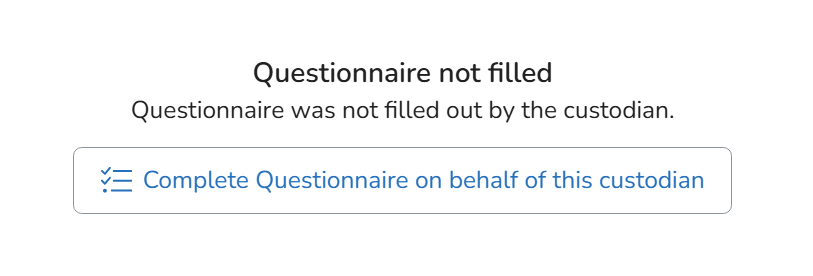
After selecting the Complete Questionnaire on behalf of this custodian button, the following modal appears:
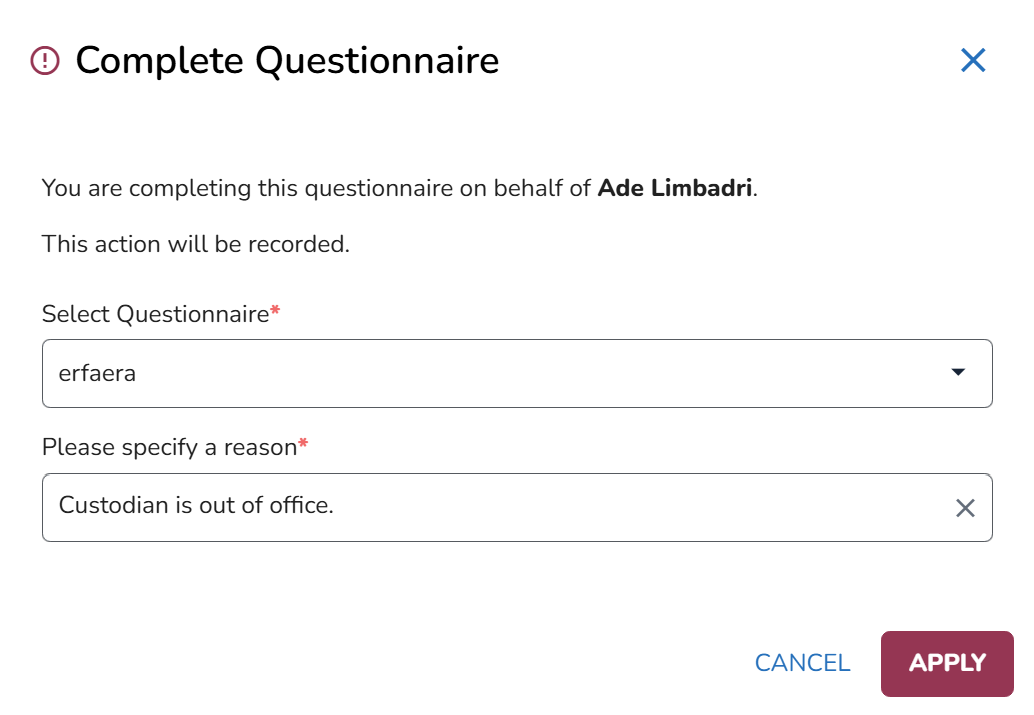
Select your desired Questionnaire.
Specify the reason why you are completing it in behalf of the custodian.
Click Apply.
Fill out the questionnaire.
Click Complete.