The Scheduling tab allows you to configure notification schedules for a hold and view when notifications are scheduled to be sent or have been completed.
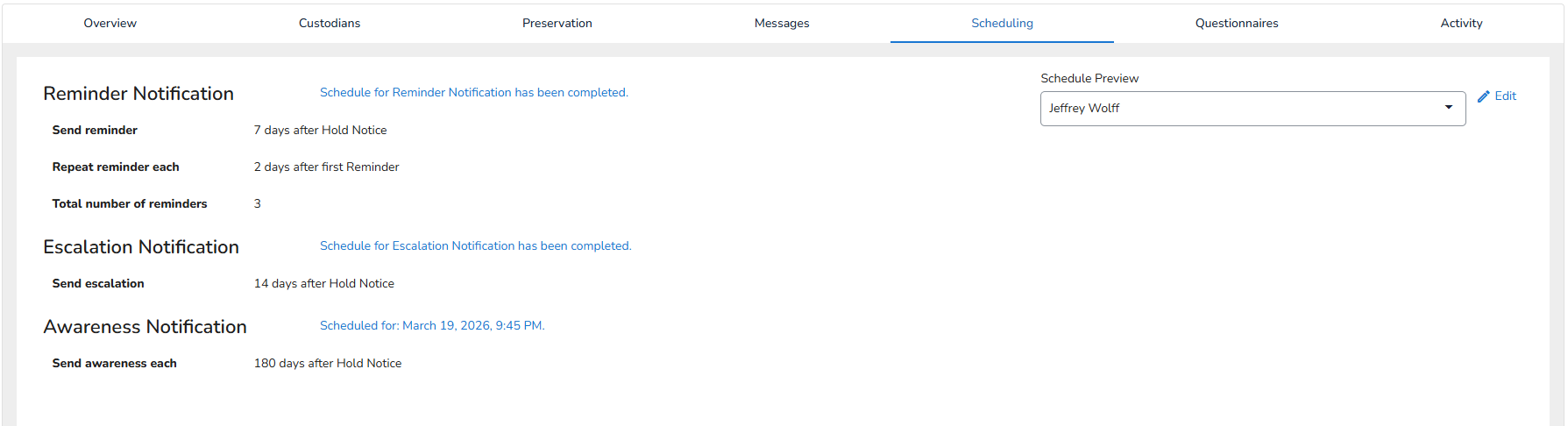
The Schedule Preview allows to review the timing of notifications based on the configured schedule. Click Edit to open up the Hold Schedule modal. Here, you can configure reminder, escalation, and awareness notifications for a hold.
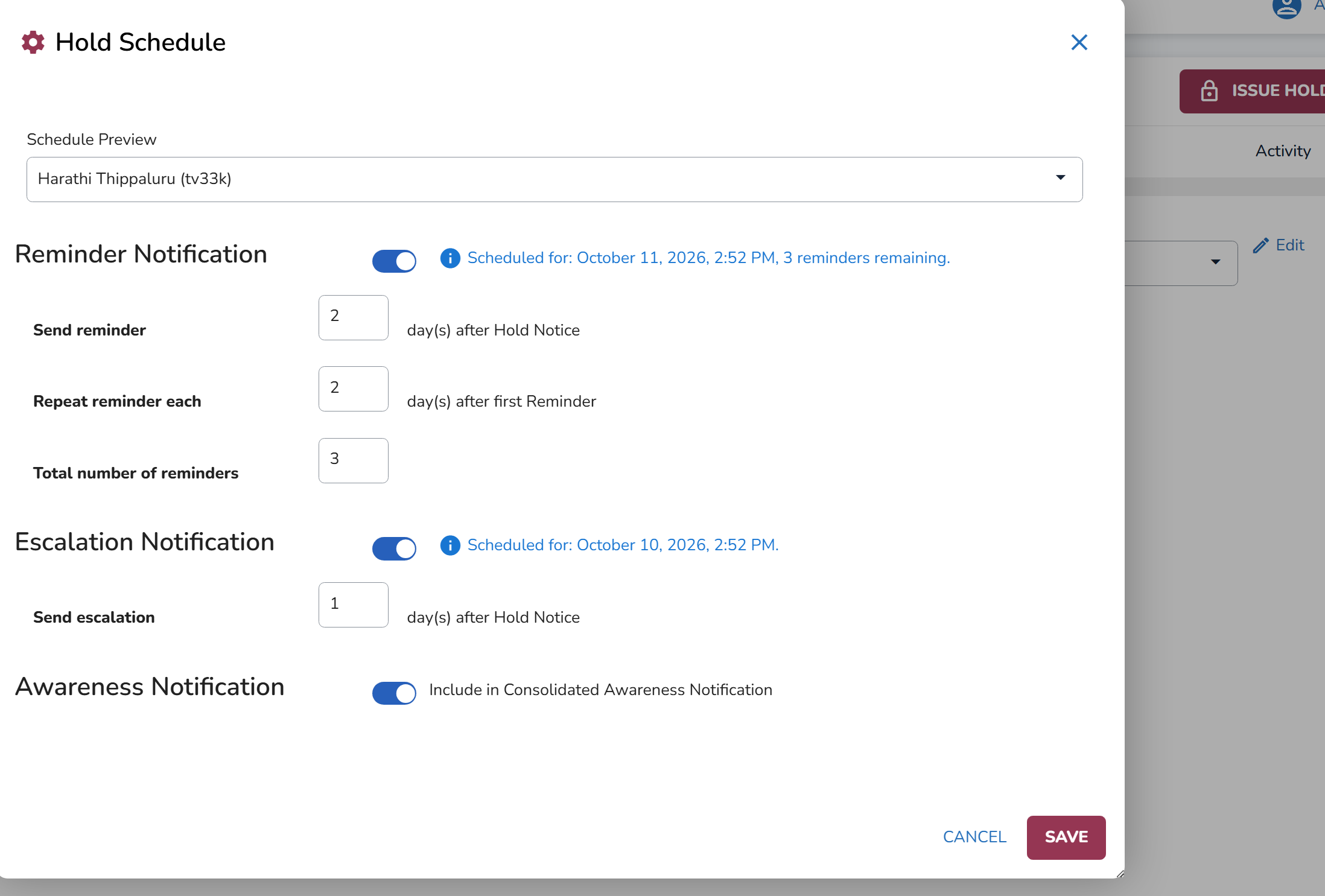
When Consolidated Mode is active, you can also control whether the hold is included in consolidated awareness notifications. The Include/Exclude toggle is enabled by default.
When Consolidated Mode is active, you can choose whether to include the hold in awareness notifications. Holds are included by default, but you can exclude them using the Include/Exclude toggle.
Note
Excluded holds will not receive awareness notifications while Consolidated Mode is active. Excluding a hold does not switch it to Individual Mode, as only one mode can be active per subscription at a time. Reminders and escalations are unaffected.