Relativity Plus-Connected Datasets
In previous versions of Brainspace, deleting documents from a Relativity®-connected dataset required the creation of a new dataset. With the release of Brainspace 7.3.0, documents can be deleted from Relativity®-connected datasets without creating a new dataset in Brainspace.
Prerequisites
To enable Deletions, ensure the following requirements are met:
The dataset is connected using the Brainspace Relativity® Plus Connector.
The connected Relativity® workspace has the Relativity Audit Application enabled.
The connected Brainspace dataset’s DocumentID field is mapped to a Relativity document identifier, most commonly the Control Number field, or alternatively the Relativity document’s ArtifactID.
Workflow
To process document deletions between Relativity® and Brainspace follow these steps.
Enable the Relativity Audit Application in Relativity®.
In Relativity®, delete one or more documents from the connected workspace.
In Brainspace, on the Relativity® Plus Connector settings modal of your dataset, enable the Deletions toggle.
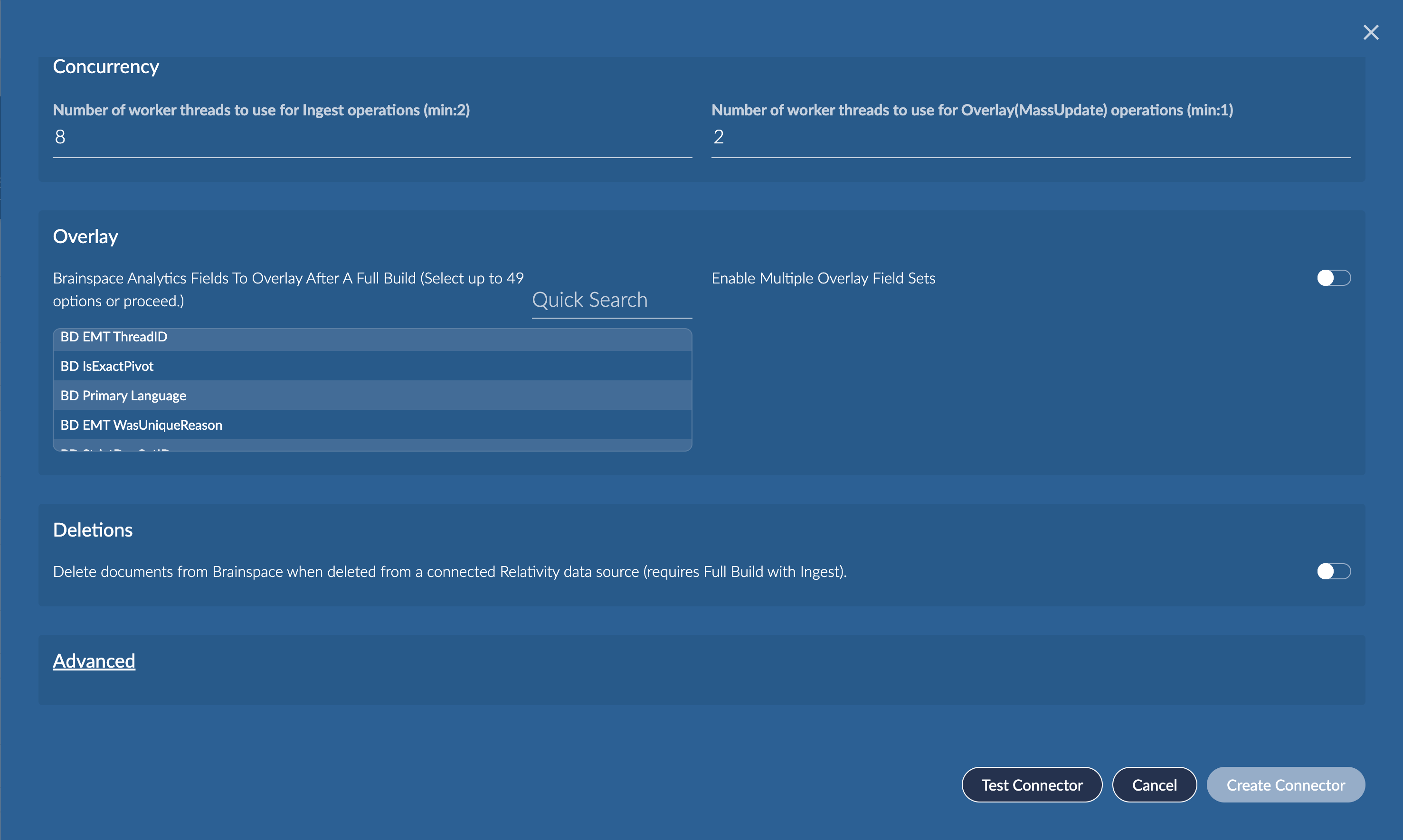
Map the Brainspace DocumentID field to the Relativity® workspace document identifier field, most typically the Control Number field, or optionally the Relativity document’s ArtifactID.
In the Brainspace dataset settings, click Build.
Choose Run Full Analytics with Ingest and click Run This Build Type
After the build completes, documents deleted from Relativity® will be automatically deleted from the Brainspace dataset.
Supervised Learning
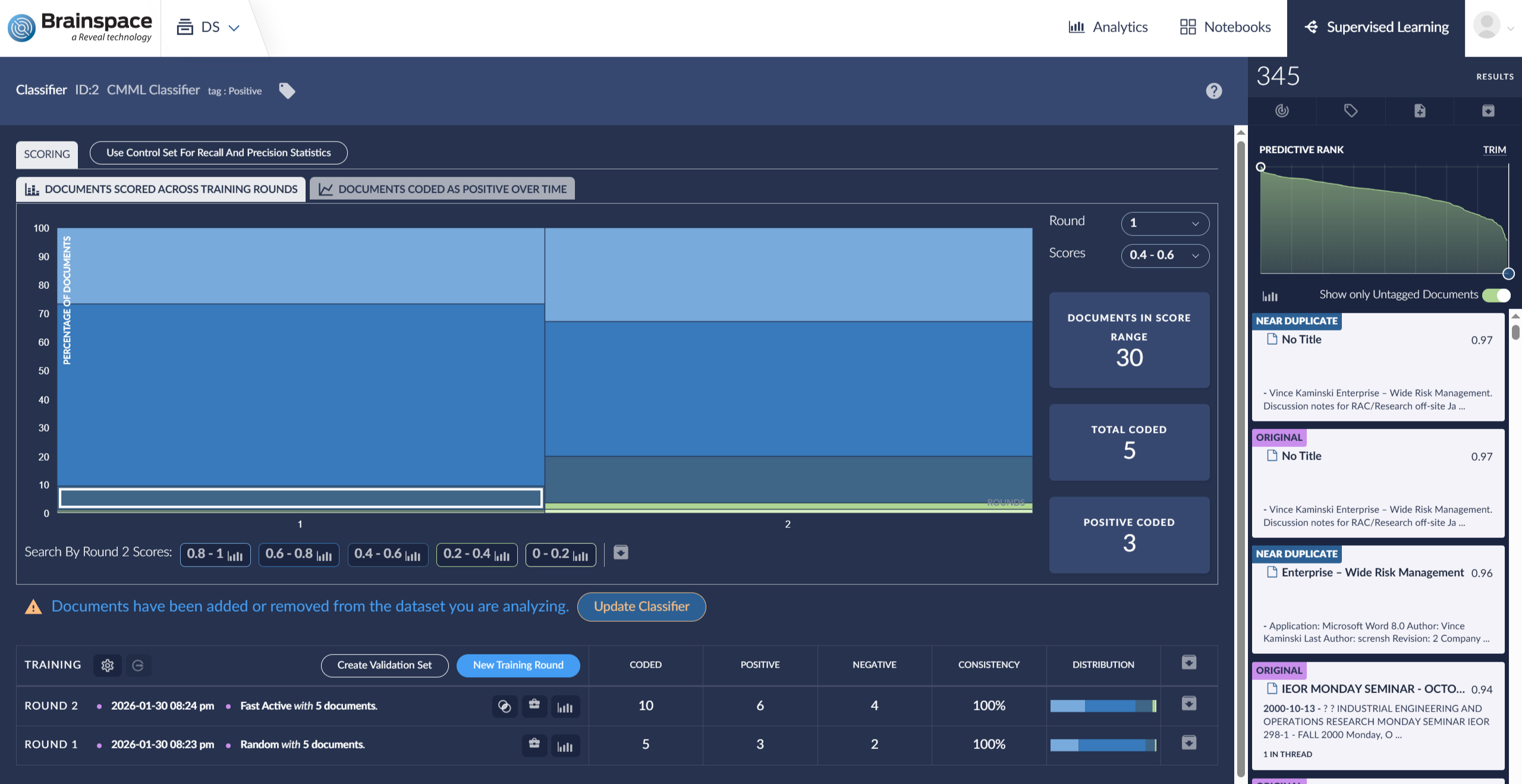
If the dataset has CMML classifiers and documents are deleted, the classifier will need to be updated.
Important
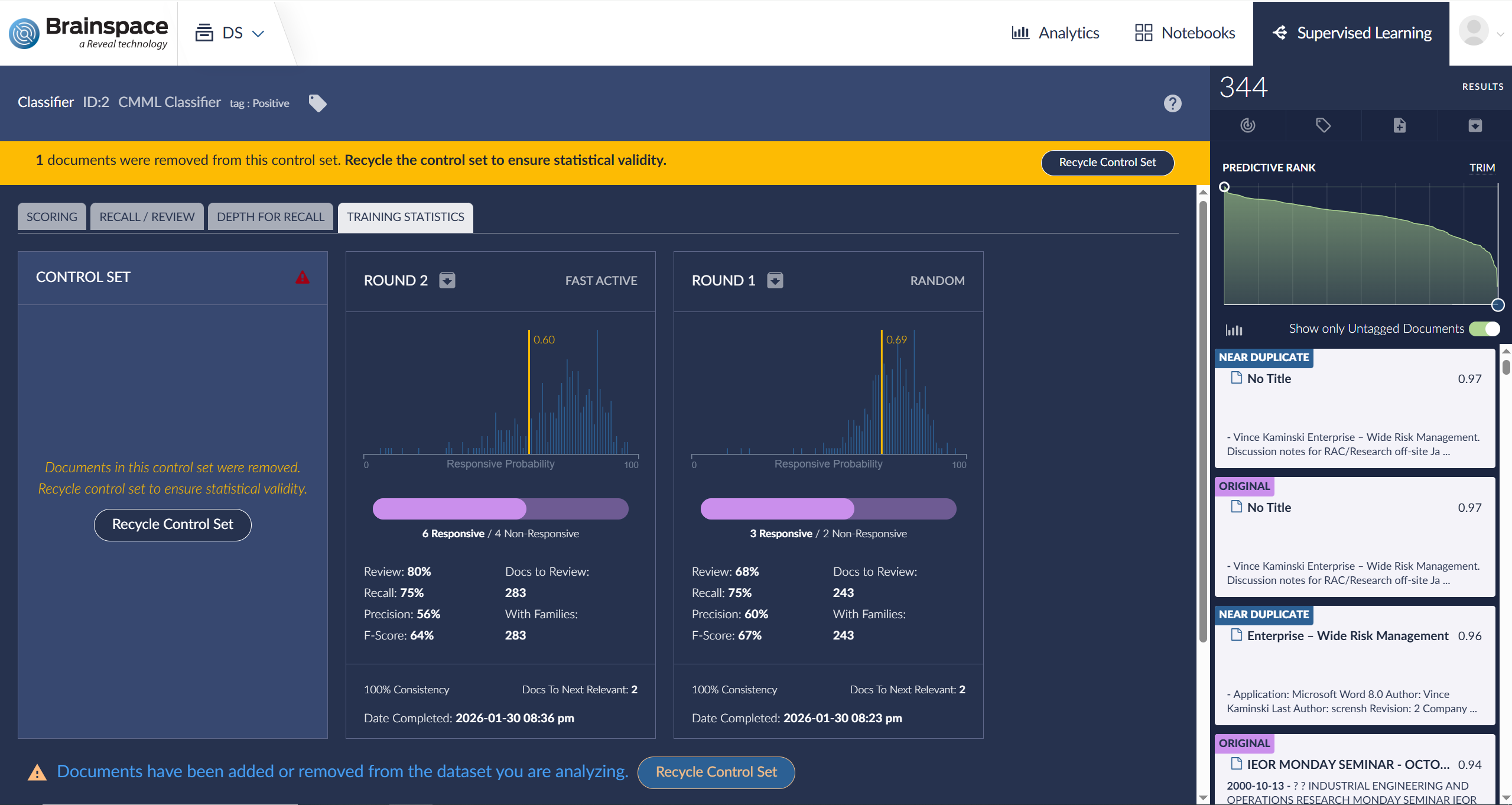
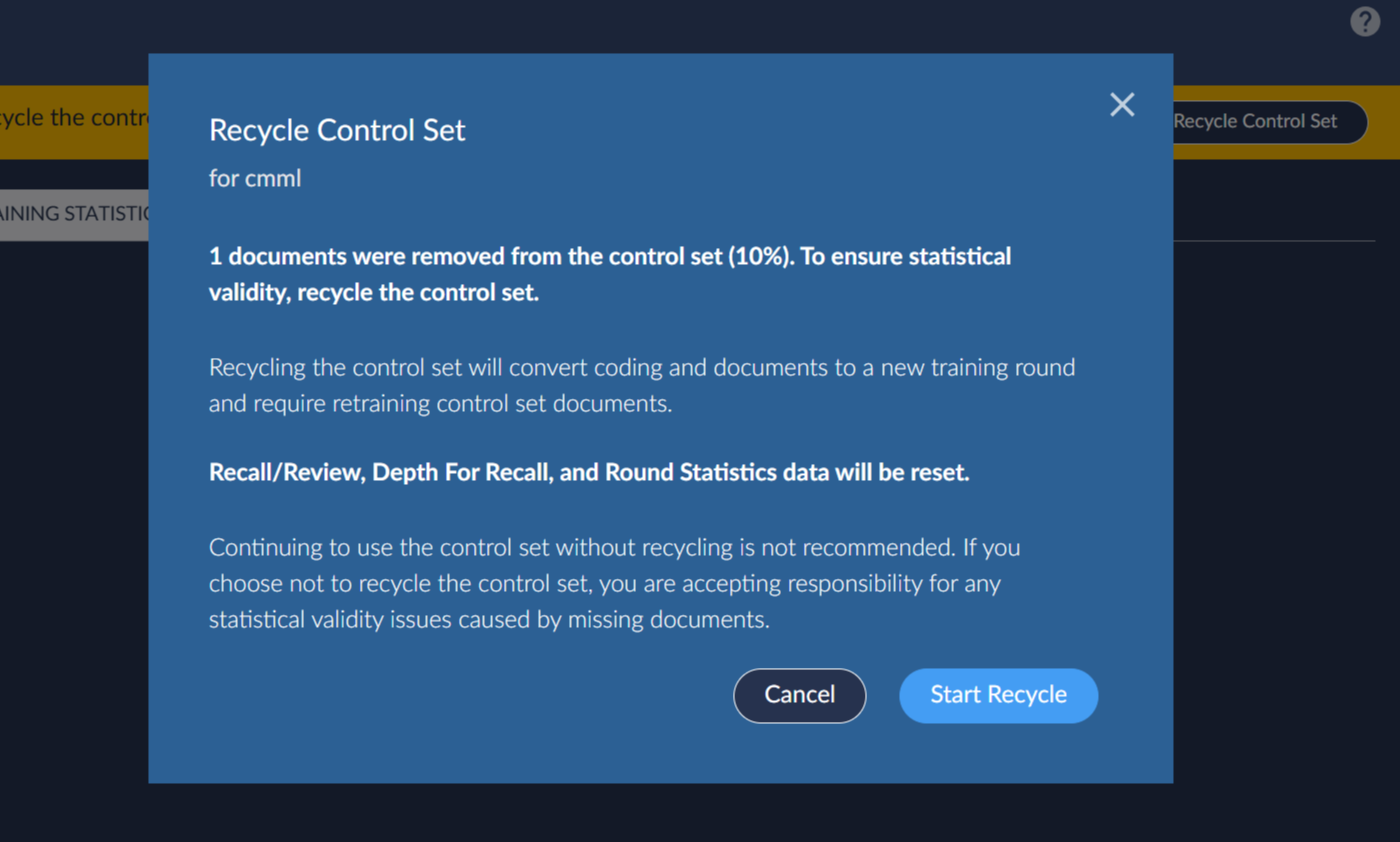
In this release, CMML classifiers with Control Sets that had documents deleted from the Control Set will not be automatically updated. It is strongly recommended to recycle the control set to ensure statistical validity. However, the application will not prohibit the user from continuing to use the control set at their own risk,
Restoring Documents
Documents that were previously deleted from a connected Relativity® workspace and then restored to that workspace will be restored to the Brainspace dataset after running a Full Analytics with Ingest build. In the Brainspace dataset, Control sets that include restored documents will not be automatically updated; users need to recycle the control set to ensure statistical validity.
Note
Documents can only be deleted from the Relativity® workspace via the Relativity® user interface. Deletions cannot be performed through the Brainspace application interface or other Brainspace Connectors. Additionally, documents included in Focuses and Notebooks that were created before deletions are run will have the deleted documents removed automatically, but no notification will be displayed to indicate that documents have been removed.
Deleted documents are logged in the Deleted Documents Report, available via Administration > Datasets > Dataset > Download Reports.
Non-Relativity Plus Connected Datasets
Apart from Relativity® workspaces, Brainspace does not support the use of clawbacks, either within Brainspace itself or in the review platforms from which Brainspace ingests data.
In the event that a document or documents need to be removed from Brainspace after they have been ingested, one of the following approaches can be taken:
Create a new dataset that points to a workspace that does not contain the document(s) that need to be removed.
Redact the document(s) in your review platform:
Redact all extracted text in the document(s) that need to be “removed” in the review platform.
Next, in Brainspace, perform a Full Analytics with Ingest so that the changes to the document(s) are brought and updated in Brainspace.
If the document(s) have already been removed and creating a new dataset is not an option, add the documents back to the workspace Brainspace is ingesting from. These documents must have the same ArtifactID and Key they originally had. Once this is done, perform the steps in option 2.
Important
When a Brainspace dataset is built, the index that powers the Concept Search, the intelligent sort with BDID, the concept clustering, the near duplication process, etc. all create a Brain that ties together complex relationships for all documents and terms. Deleting documents from the Brainspace dataset will not remove all of these complex relationships, and database corruption will occur. Likewise, work products created from a dataset will become invalid if documents are removed.
For these reasons, do not remove documents from a dataset.