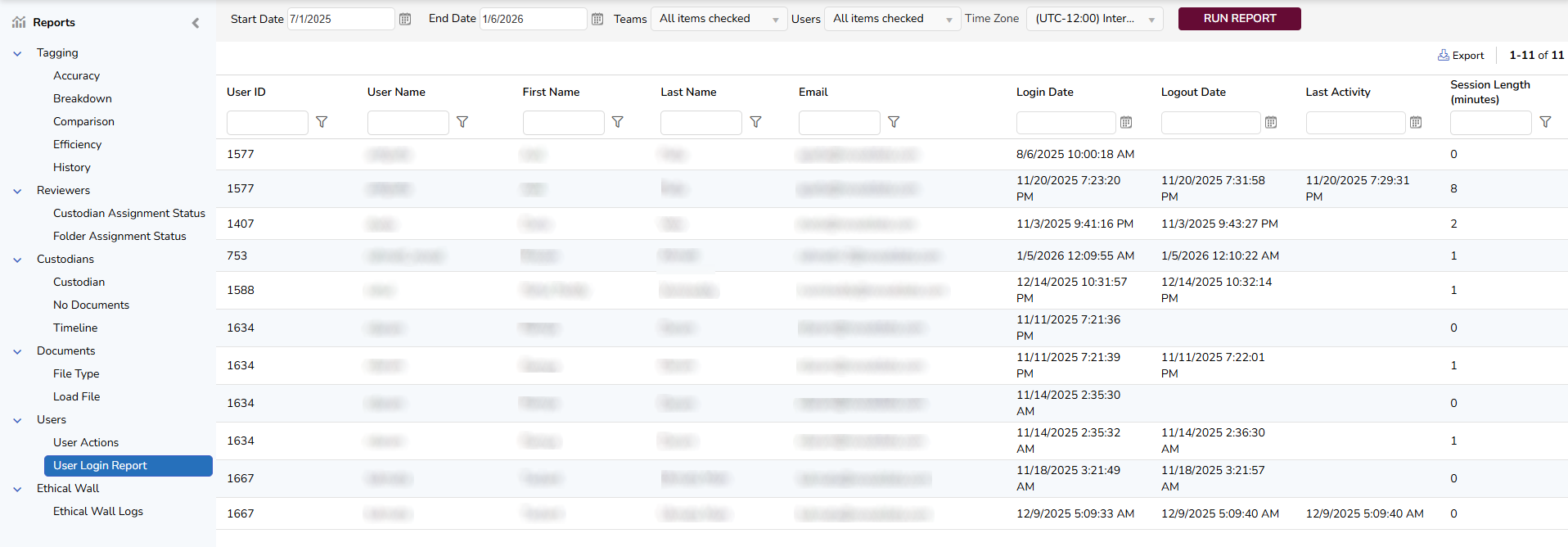
This report provides login and logout history for selected users during a specified time period, including cases where the user closes the browser or their session expires. It helps administrators or supervisors monitor system access and activity.
To generate a login/logout report, you must specify the following criteria:
Start Date - Select or enter the first date of the time period in which you want to review the login history.
End Date - Select or enter the last date of the time period in which you want to review the login history.
Teams - Select one or all teams available in the project.
Users - Select one or more users to review. You can search for users or select from a dropdown list.
Time Zone - Select a time zone for the report. All date-based filters are processed using the selected time zone.
After setting all the criteria, click the “Run Report” button. The report will show User ID, User Name, First Name, Last Name, Email, Login Date, Logout Date, Last Activity, and Session Length measured in minutes for the selected users and time frame.
Note
In cases where a Logout Date is not present, the Session Length will be calculated from the Login Date to Last Activity.