Instantly place your Logikcull Project in cold storage. Retain all settings, documents, work product, saved searches, and downloads.
Access to archiving depends on the terms of your subscription. Contact our support team for more information.
What is Logikcull Archiving?
Logikcull archiving is a smart and instant way to securely store inactive projects. With archiving, everything in your Logikcull Project is preserved:
Users
Tag Settings
Custom Fields
Templates
Document Uploads
Saved Searches
Work Product applied (tags, fields, redactions, annotations, comments, notes, etc)
Downloads (Production volumes, Quick PDFs, CSV exports, etc)
Archiving and unarchiving is as quick and easy as the click of a button.
Archiving Video Walk-Through
Self-Service Archiving
To archive and unarchive your own Projects, you must:
Have Self-Service Archiving enabled on your account
Be an Account Administrator, Account Owner, or Project Admin
Note: Project Admins can only archive projects that they created
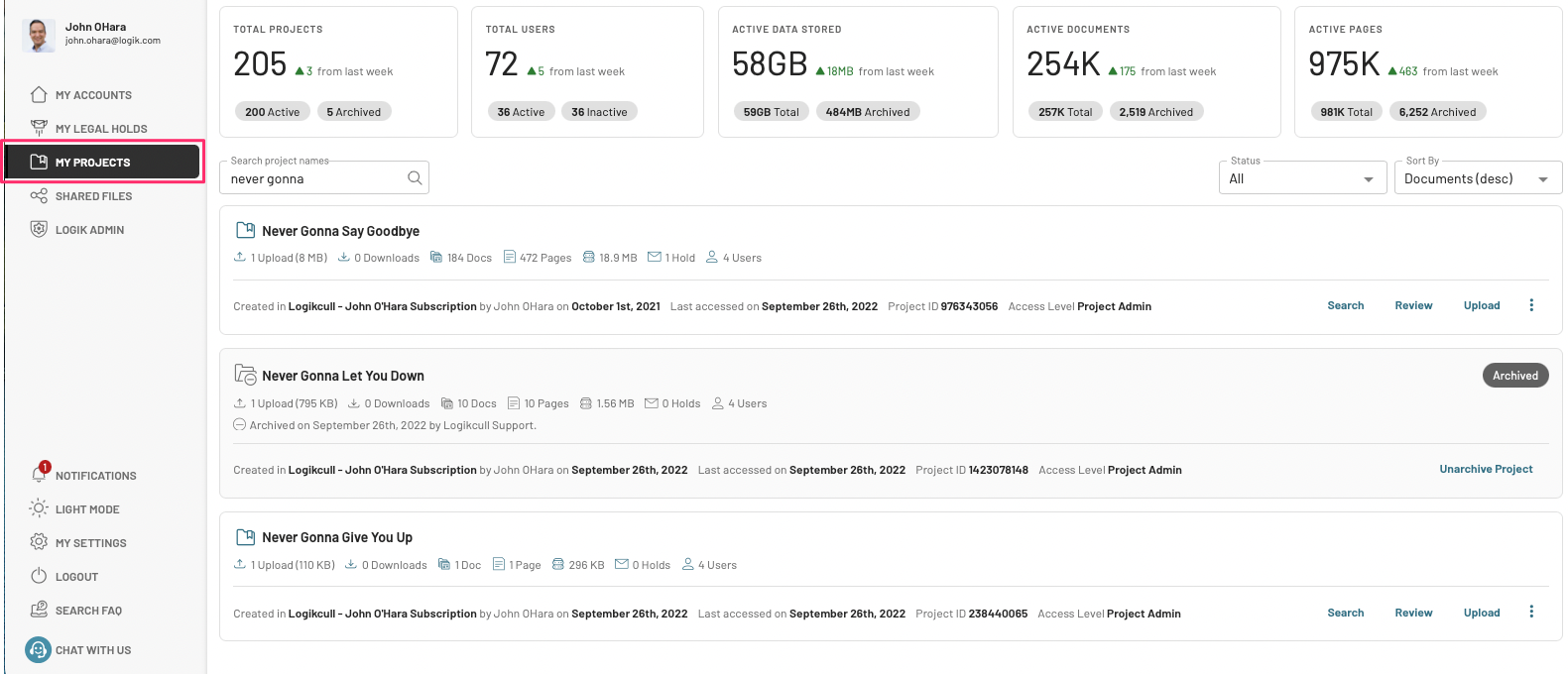
Archiving takes place on the My Projects page.
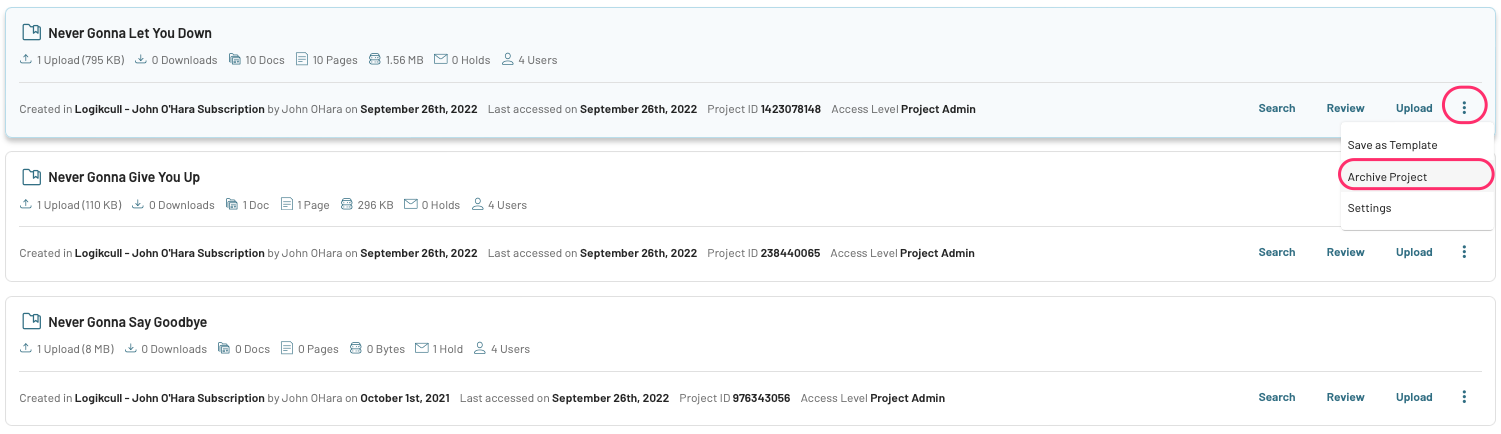
Just click the 3-dot kebab in the lower right corner of the Project you wish to archive and click "Archive Project."
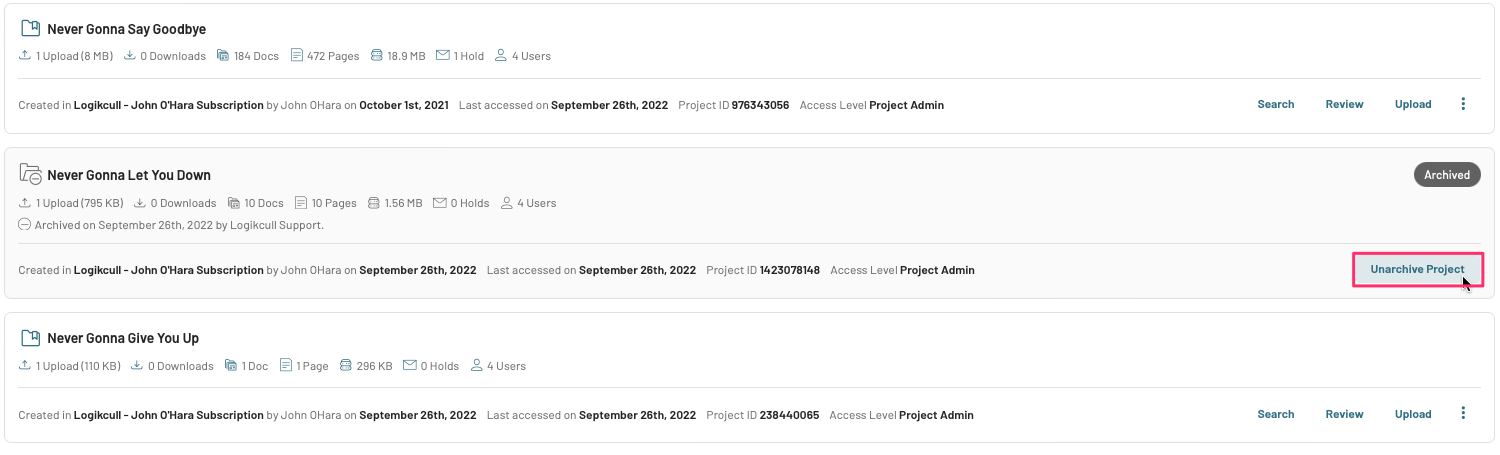
To unarchive, go to your archived project and click "Unarchive Project."
Important
Project users will not receive any notification once a project is archived or unarchived.
Requesting an archive or unarchive
If you are interested in archiving/unarchiving a Logikcull Project but do not have self-service archiving enabled, please reach out to the support team at support@revealdata.com.
Deleting an archived project
Projects can be deleted directly while in an archived state; there’s no need to unarchive your project first. Unarchiving a project for the sole purpose of deletion can cause a sudden increase in active storage (GB), which may result in unexpected overage charges.
Warning
Before deleting an archived project, make sure you retrieved or exported anything you may need from the project. Deletion is permanent, and projects cannot be recovered once deleted.