Logikcull automatically detects Personally Identifiable Information (PII) as part of our world-class processing engine. For a list of PII types that Logikcull identifies, see PII Types in Logikcull.
Certain PII features are available exclusively on an annual subscription plan. Please contact the support team for details.
What is PII detection in Logikcull?
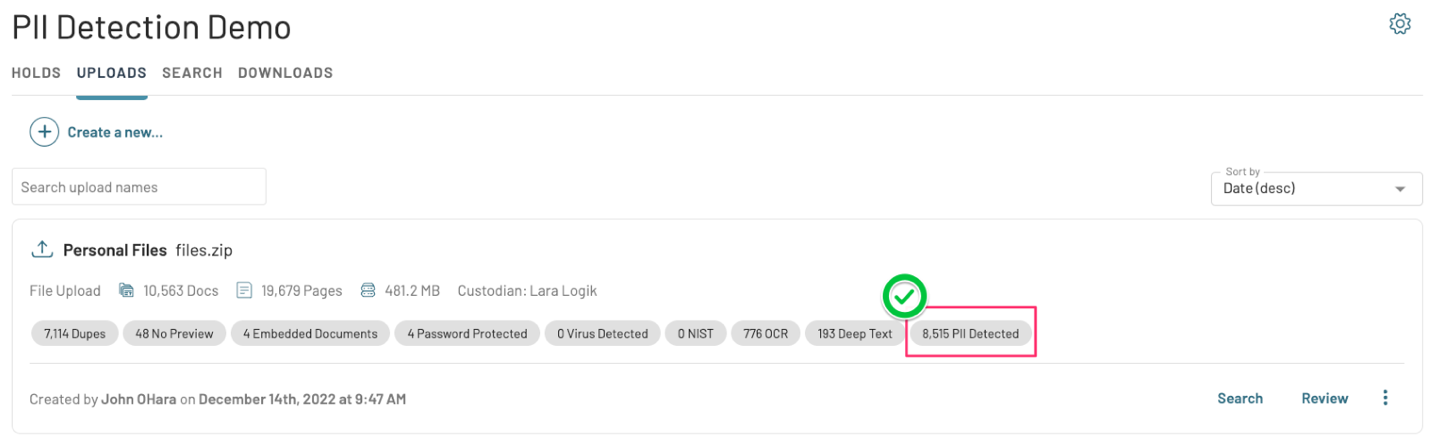
Logikcull automatically scans document text for Personally Identifiable Information, or PII, on all eligible files uploaded into your project. A PII Detected Auto Tag (QC Tag) is assigned to documents in which PII is detected with a 75% or greater confidence level. The document count for PII detected will appear as a Auto Tag on the upload card after processing.
Filtering on the PII Detected Auto Tag
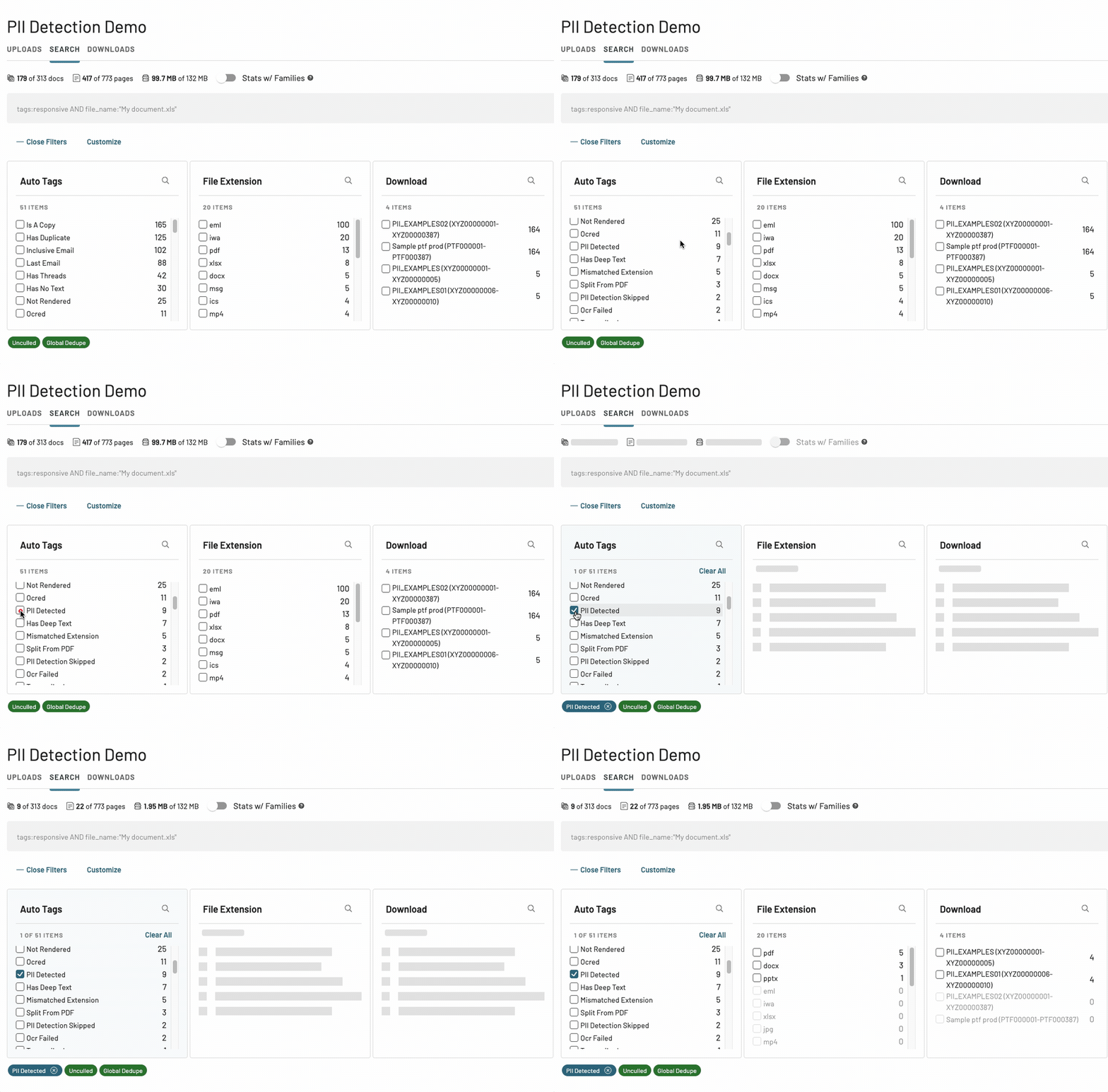
To filter your documents by PII Detected, just select that filter facet from the list in your Auto Tags filter:
ℹ️ The following PII functionality is available to exclusively to customers on an annual subscription plan.
Searching and filtering PII
Running searches on PII
You can run a syntax-based search easily by selecting a PII Type from the Advanced Search Builder.
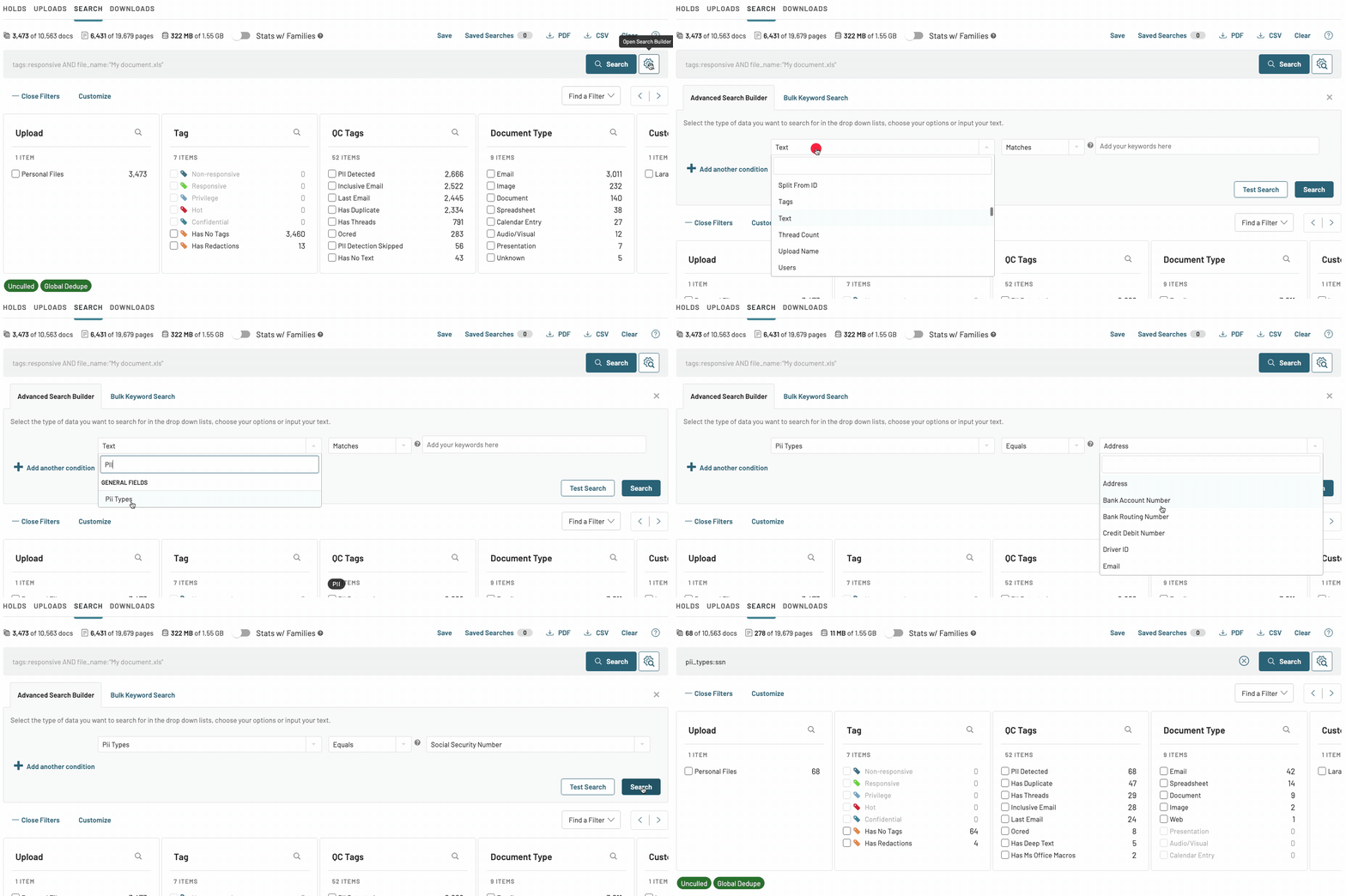
Searches can also be constructed directly from the main search bar by using the field syntax pii_types: and searching on a specific field name, like pii_types:”passport_number”. A list of available PII types can be found in PII Types in Logikcull.
Filtering PII
From the main search page, navigate to the PII Types filter and select one or more of the available filter facets to filter on PII types.
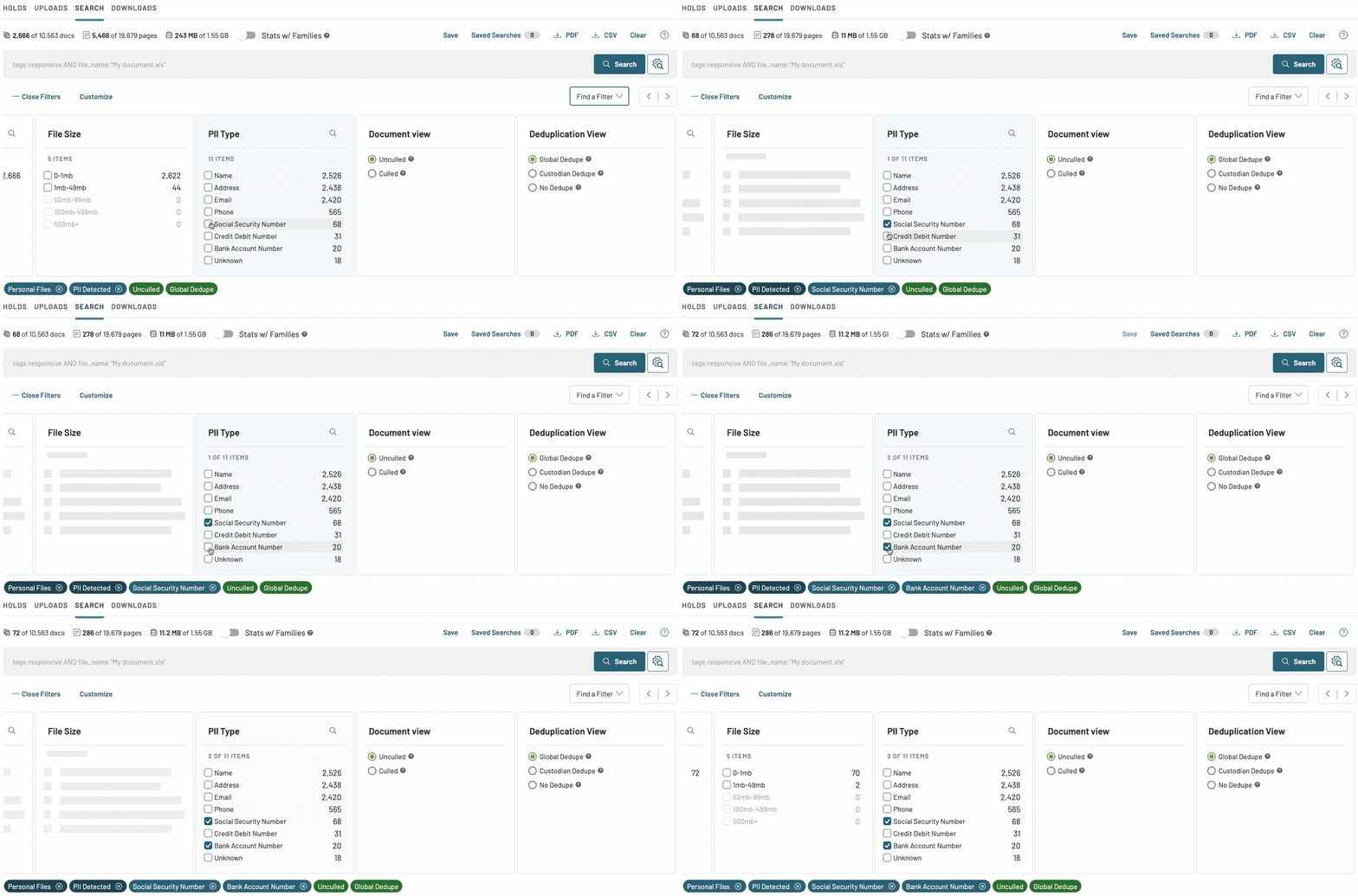
You may need to add the PII Types filter category. Here's how. 🔗
Frequently asked questions
What documents are eligible for Auto Tag-based PII detection?
The document must be English-language recognized text and must have an extracted text style or OCR style smaller than 1 GB in size.My document has PII Detected but doesn’t have PII, or doesn't have PII Detected but contains PII.
While we have generally seen reliable performance, PII Detection is an artificial intelligence based on machine learning and is not 100% perfect.How would I know if a document failed PII detection?
We assign the PII Detection Failed Auto Tags to documents that fail PII detection.