In this article:
Claude Overview
Claude Requirements
How to Connect and Collect using Claude
What Gets Collected
Claude Considerations & Limitations
Claude Overview
Onna's Claude connector allows you to collect and preserve AI conversation data generated by Claude within your organization's Anthropic environment. Onna retrieves this data through Anthropic's Compliance API — the purpose-built interface that gives enterprise organization administrators programmatic access to conversation logs, metadata, and file attachments for eDiscovery, compliance, and data loss prevention (DLP) purposes. The administrative interface used to access and export Claude conversation content for enterprise accounts.
Note
The Claude connector collects Claude chat content only (conversations, files, and artifacts). Content from Claude Code, Cowork, Claude Science, and Claude for Microsoft 365 is not collected.
Unlike some AI vendor compliance APIs, Anthropic's Compliance API does not enforce a single fixed rolling retention window across all content types. Chat and file retention is governed by your organization's configured data retention policy. Regardless of your organization's specific policy, once a chat is hard-deleted — either through the Compliance API or because it aged out of your retention policy — it cannot be recovered. If your organization wants a continuous historical record of Claude activity, set up an auto-sync so Onna keeps capturing conversations going forward, rather than relying on a one-time sync to reach back further than your organization's retention policy allows.
Once collected, Claude conversations become searchable within Onna, giving your team visibility into AI-assisted interactions across your organization
Connector Features | |
|---|---|
Authorized Connection Required? Yes | Is identity mapping supported? Yes |
Audit logs available? Yes | Admin Access? Yes |
Supports a full archive? Yes | Custodian based collections? Yes |
Sync modes supported: One-time sync, Auto-sync, Auto-sync and archive | Is file versioning supported? No |
Claude Requirements
To connect and collect Claude Enterprise data in Onna, the following must be in place:
An active Claude Enterprise subscription with Anthropic
A Compliance Access Key issued by Anthropic for your organization, scoped with at least the read:compliance_user_data permission. Keys can be scoped to a single Claude Enterprise organization, or — for a primary owner — to an entire parent organization covering every linked organization
Organization owner or primary owner access in Claude to manage API credentials and confirm compliance settings
Note
The Claude connector is not compatible with Claude Free, Pro, or Team plans, or with standalone Claude Console (API-only) organizations — none of these have access to the full Compliance API needed for conversation content. (Standalone Console organizations can use a narrower Admin API key to reach Activity Feed event metadata only.) If you manage multiple Claude Enterprise organizations under separate scopes, each requires a separate connection and data source configuration in Onna, unless a single parent-scoped Compliance Access Key covers all of them.
How to Connect and Collect using Claude
Setting up a Claude data source in Onna is a two-part process:
Create an authorized connection using your Anthropic credentials
Create a data source to configure what gets collected and for which custodians.
Step 1 — Authorized Connection Setup
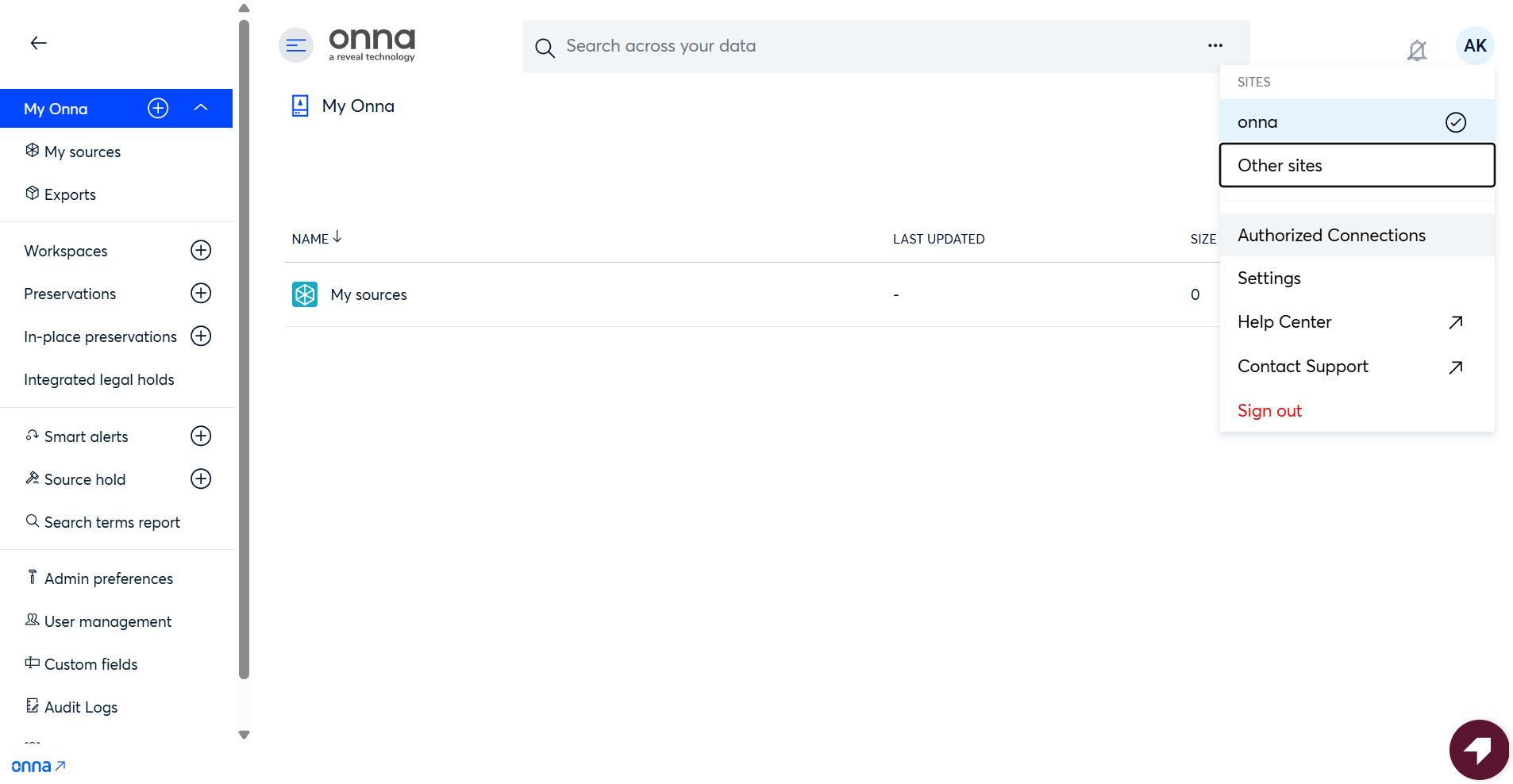
Before creating a data source, configure an authorized connection in Onna using your organization's Compliance Access Key and Organization ID. Open the Admin user menu from the top-right corner of the interface and select Authorized Connections from the menu options.
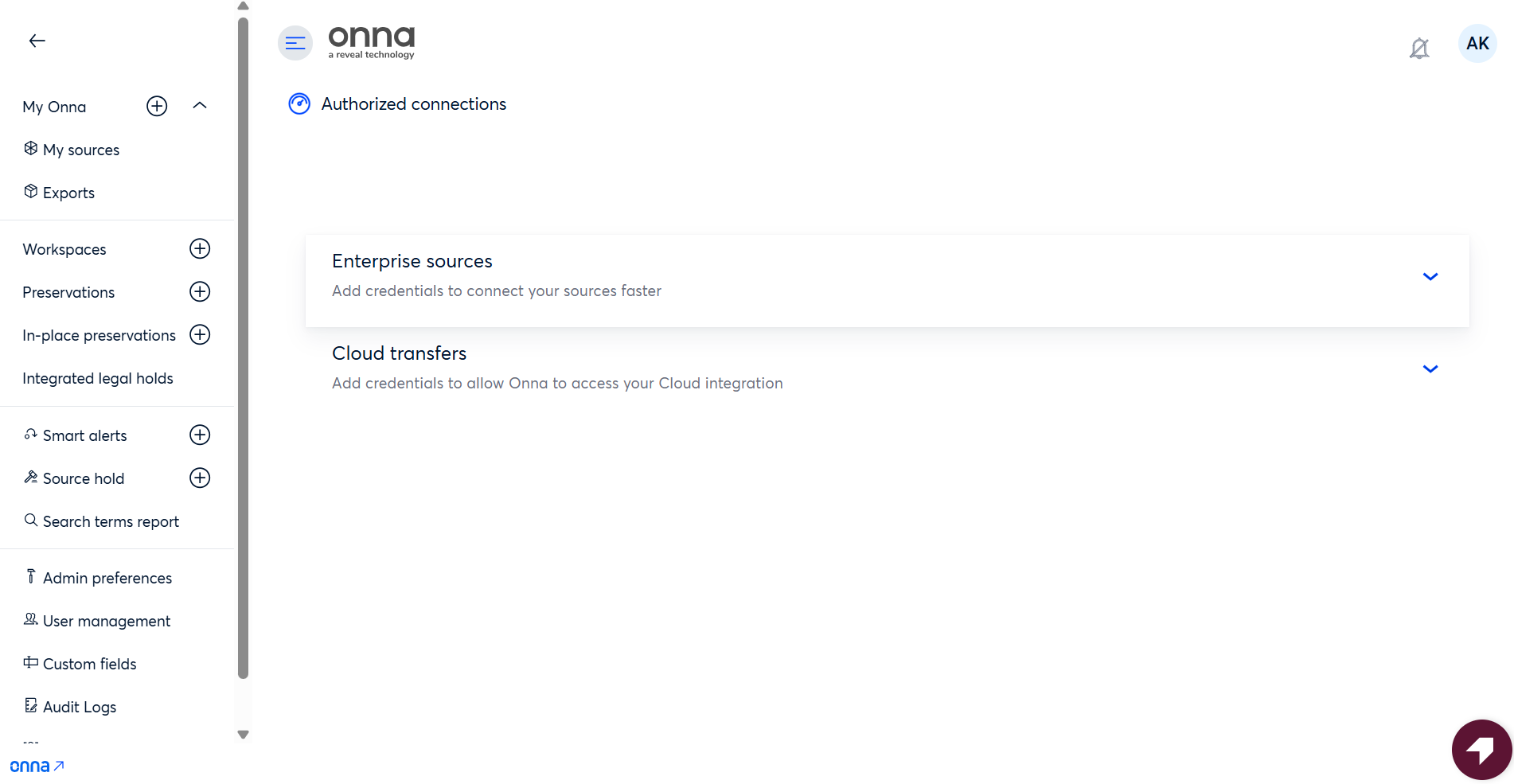
Choose Enterprise sources as the source type.
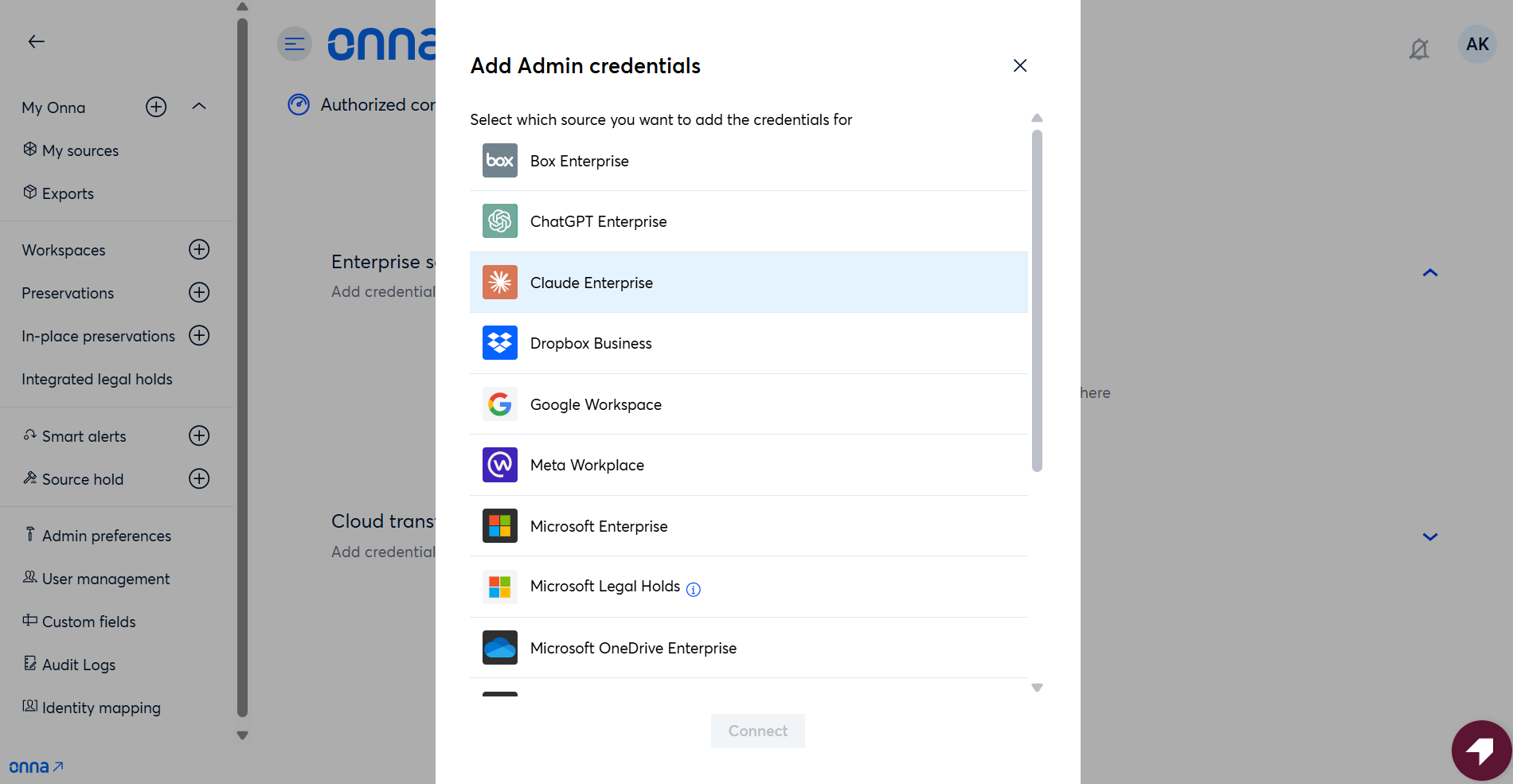
From the list of available enterprise connectors, select Claude Enterprise.
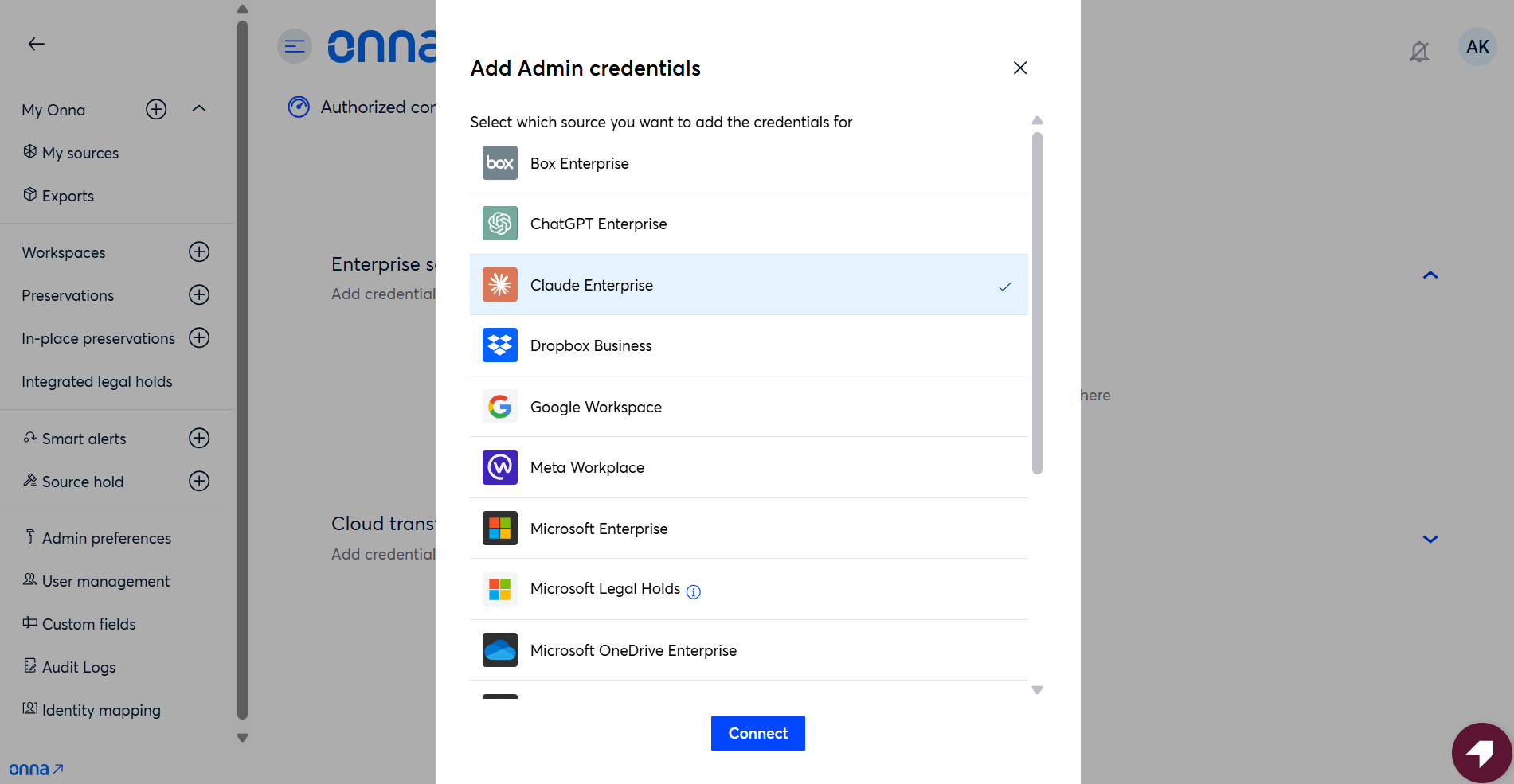
Click Connect to start the setup.
Enter your Compliance Access Key. Onna requests access to your Claude Enterprise organization with the Compliance Access Key.
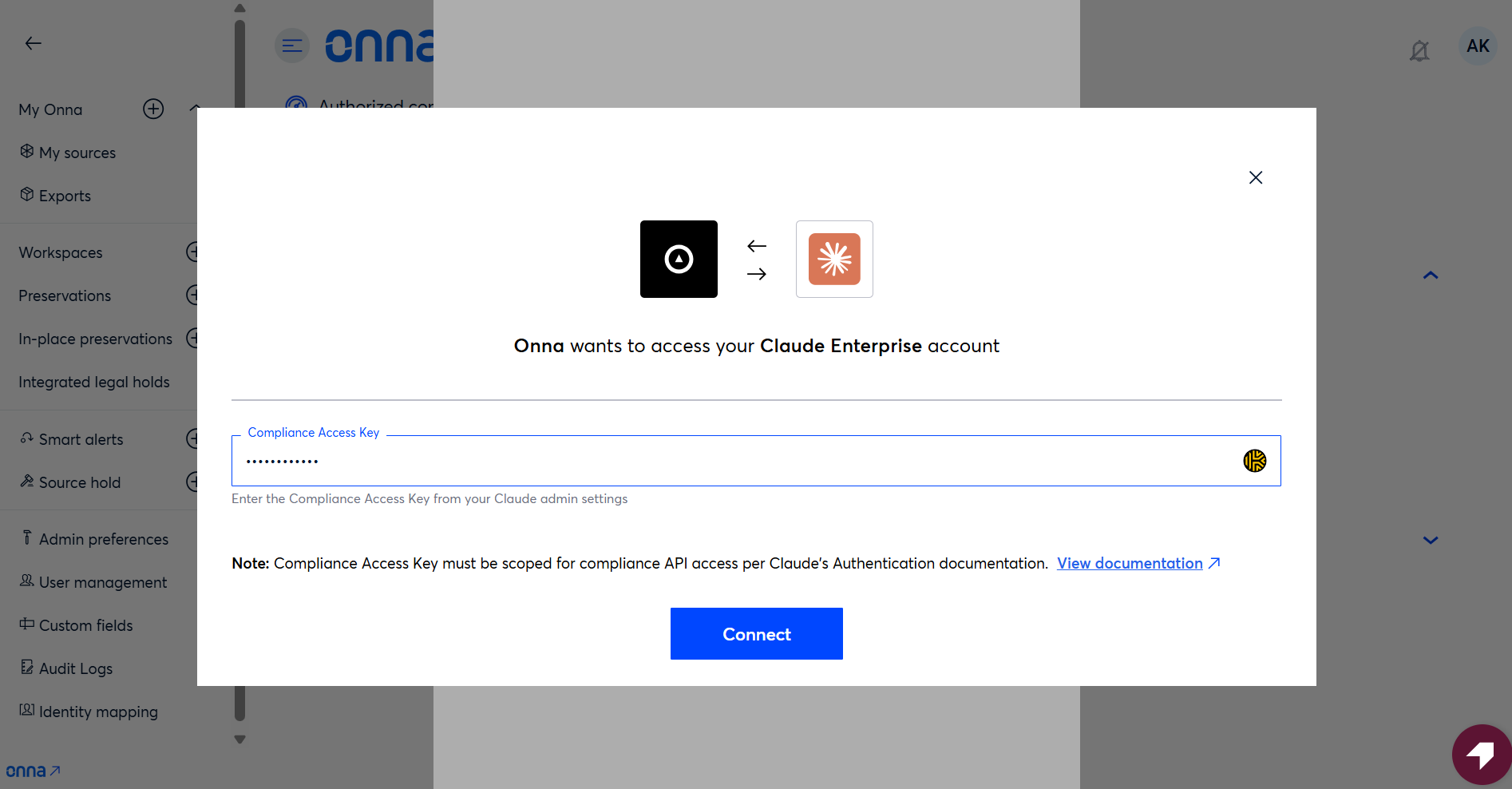
A Compliance Access Key can be scoped to a single Claude Enterprise organization or to an entire parent organization covering all linked organizations. If you're configuring authorized connections for multiple Claude Enterprise organizations under separate scopes, generate or select the appropriate key for each one and create a separate connection entry with its corresponding Compliance Access Key.
Step 2 — Add a New Data Source
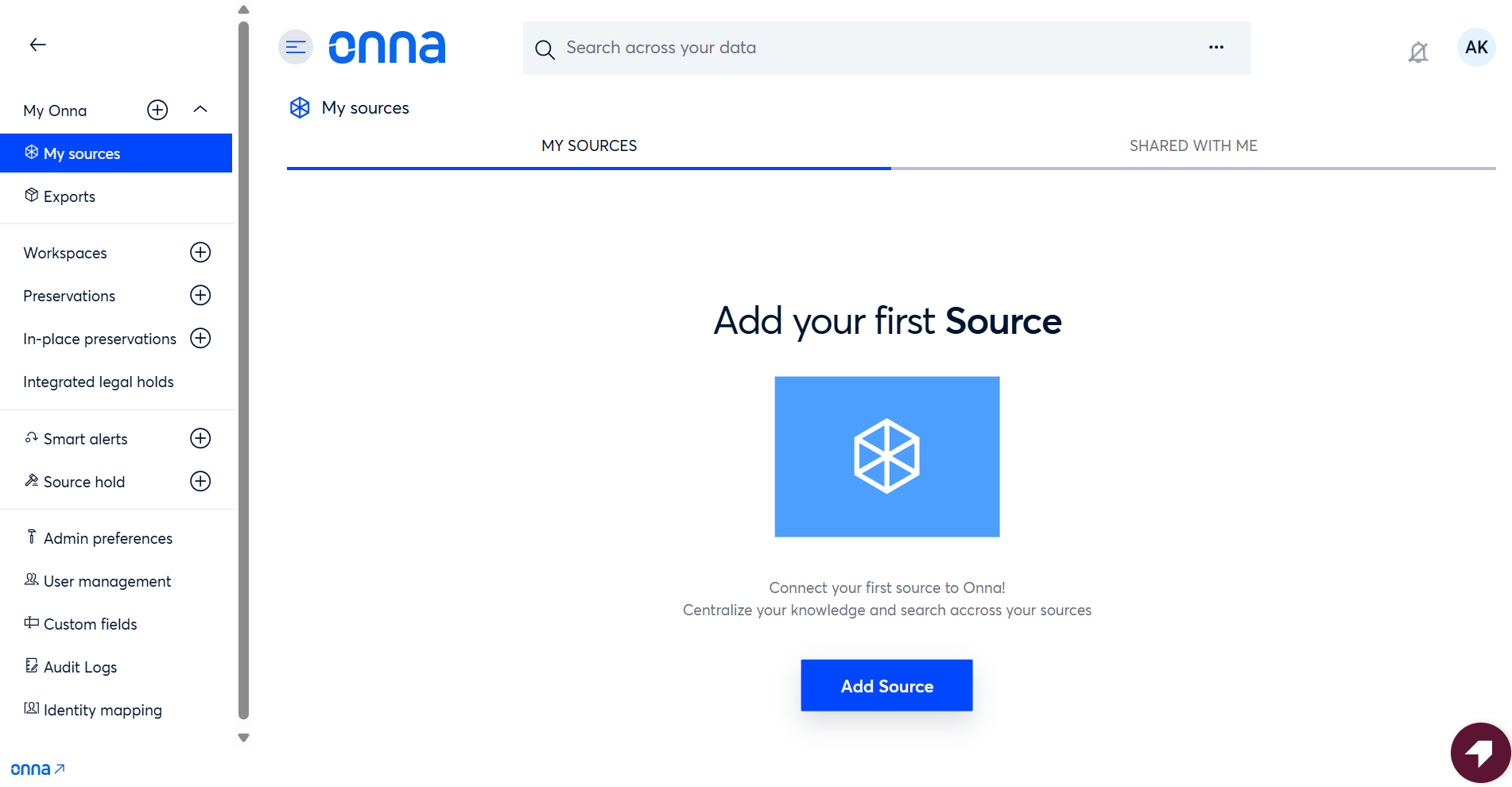
From the left navigation, go to My Sources and click Add new source.
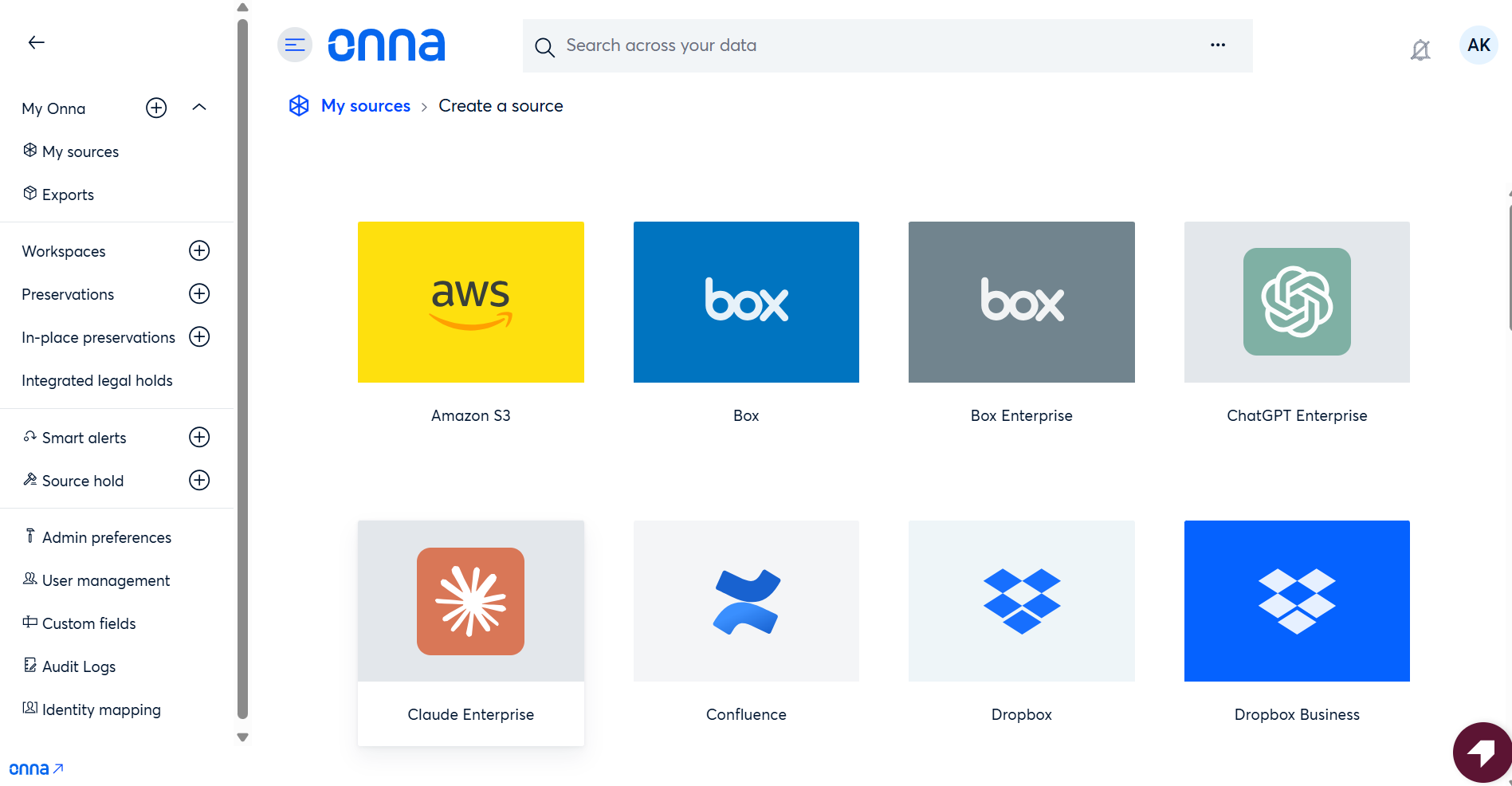
Select Claude Enterprise from the list of available connectors.
Step 3 — Select an Authorized Connection
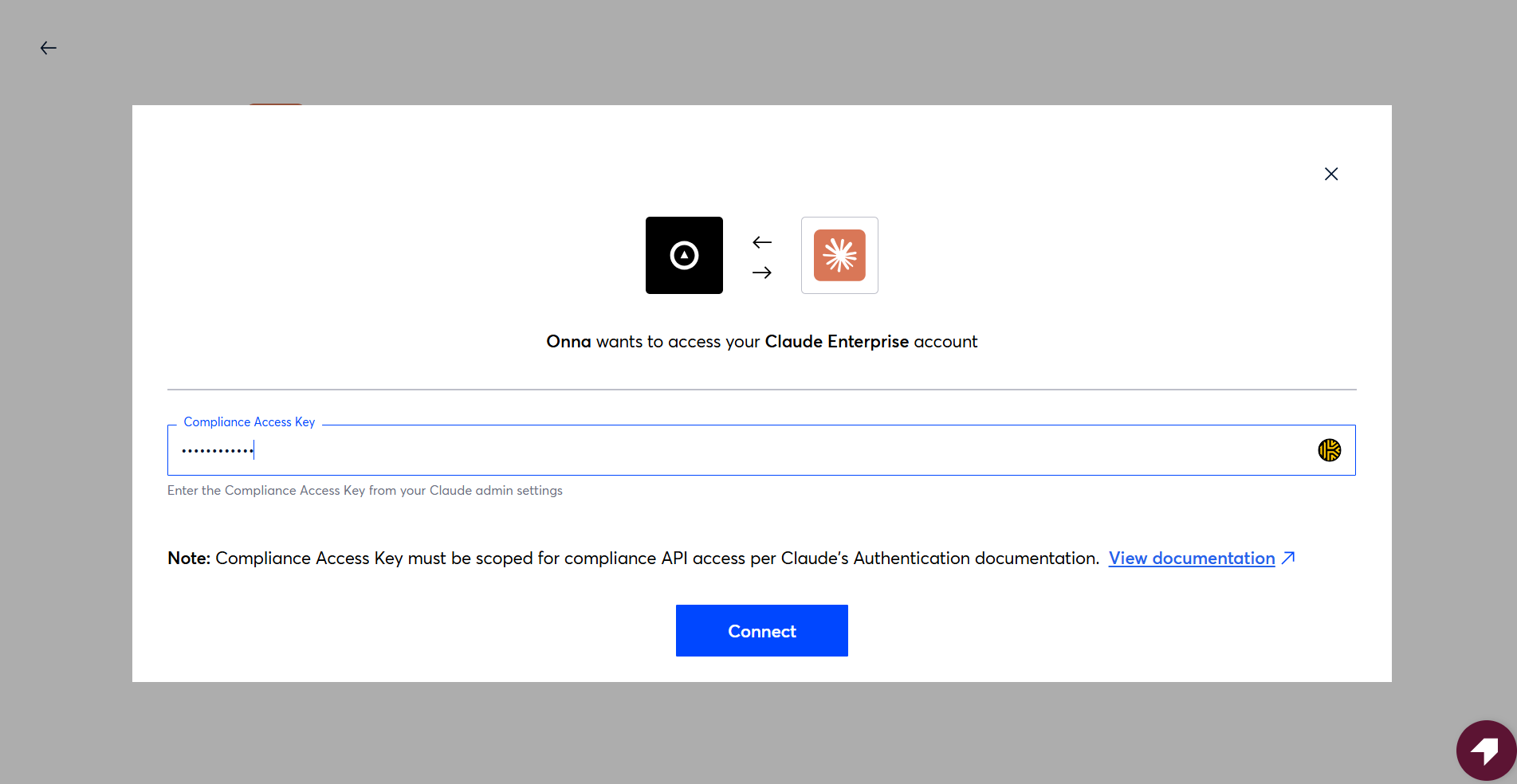
Choose the authorized connection you configured in Step 1. If your organization has multiple Claude Enterprise authorized connections, each will appear as a separate entry — select the one that corresponds to the organization you want to collect from.
Step 4 — Configure the Data Source
Enter a name for the data source, select a sync mode, and set a start date for the collection.
One-time sync — collects data once for the defined date range (you can also set an optional Sync end date — Onna will only collect conversations up through that date).
Auto-sync — collects data continuously from the start date forward
Auto-sync and archive — collects and archives data continuously
Step 5 — Select Custodians
Choose the custodians whose Claude conversations you want to collect. You can add custodians individually by entering their email addresses, or load them in bulk using a list or CSV file.
Step 6 — Choose Content Types
When creating a Claude data source, you can choose which supplemental content types to collect alongside conversations. Conversations are always collected — these selections control the additional content captured with them.
Selection | What it collects |
|---|---|
User Uploaded Files | Files users uploaded during conversations. Collected as attachments on the parent conversation. |
Generated Files | Files Claude generated in response to prompts. Collected as attachments on the parent conversation. |
Artifacts | Documents created with Claude's Artifacts feature (code, markdown, and similar). Each artifact is collected as a standalone item containing the text of its most recent version. Artifacts are not linked to a specific conversation |
Project metadata is captured per conversation where it exists and is included in the metadata export only. Projects are not a selectable content type.
What Happens During a Sync
Once the data source is created, Onna handles collection automatically. Here is what happens each time a sync runs:
Custodian Resolution
Onna identifies the custodians included in your sync by mapping user accounts from your connected Claude organization directory. Each custodian is resolved to their corresponding Claude user identity by name and email.
Data Request via Anthropic Compliance API
Onna submits requests to the Anthropic Compliance API for each custodian, using the configured date range criteria. Anthropic's Compliance API supports both a start-date and an end-date bound directly, so a one-time sync's Sync end date is enforced at the API level rather than filtered out afterward. The API returns chats for the selected custodians within that date range, Onna then retrieves the full message content, attachments, and artifacts for each chat. Depending on the volume of conversations, this process may take a few minutes to complete.
Download and Ingestion
Once Anthropic returns the requested data, Onna downloads the returned conversation data and parses each thread for ingestion. Attachments such as uploaded files, Claude-generated files, and artifacts are captured alongside conversation content. Each conversation thread is ingested as a standalone item within Onna.
Search and Access
Ingested conversations become searchable within Onna alongside your other collected content. Each conversation thread is ingested as a standalone item that can be reviewed, tagged, and exported independently.
Note
Chats deleted by the end user still resolve during a sync but are ingested with their content and title removed. Chats deleted through the Compliance API, or that have aged out of your organization's retention policy, are not retrievable at all and won't appear in future syncs.
What Gets Collected
Onna collects Claude Enterprise AI conversations as dedicated conversation resources. Each conversation thread is ingested as a standalone item that can be searched, reviewed, and exported independently.
Content | Details |
|---|---|
Conversation threads | The full exchange between a user and Claude, including prompts and responses, preserved in chronological order. |
Participants | The organization user (custodian) associated with the conversation, including user ID, name, and email address. |
Timestamps | Individual created and updated timestamps for the conversation and for each message within it. |
Model information | Metadata identifying the Claude model used during the conversation (e.g., claude-opus-5). |
Conversation title | The title assigned to the conversation, either by the user or auto-generated by Claude. |
Attachments | Files uploaded by the user during the conversation and files generated by Claude in response to prompts. |
Artifacts | Documents created with Claude's Artifacts feature, collected as standalone items containing the text of the artifact's most recent version, each revision keeps a distinct version ID. Artifacts are collected per custodian and are not attached to a conversation. |
Project Metadata | Project metadata associated with a conversation, where it exists. Available in the metadata export only. |
Claude Considerations & Limitations
Enterprise Subscription Required
The Claude connector is only compatible with Claude Enterprise accounts. Organizations using Claude Free, Pro, or Team plans do not have access to the full Compliance API and cannot use this connector. Standalone Claude Console organizations can reach a narrower Activity Feed only, via an Admin API key, and are not covered by this connector's conversation-collection flow.
Compliance API Must Be Enabled
The Compliance API is not automatically active for every Enterprise account. Your organization's primary owner must enable it under claude.ai → Organization settings → API — this cascades to all linked organizations — before configuring the connection in Onna. For instructions on how to enable the API and generate a Compliance Access Key, visit Anthropic's Compliance API documentation.
Retention Window — Compliance API
Unlike some AI vendor compliance APIs that enforce a single fixed rolling retention window, Claude's chat, and file retention is governed by your organization's configured data retention policy rather than a fixed number of days — how far back a sync can reach depends on that policy. Onna collects chat content only, so session retention for Claude Code, Cowork, and other surfaces doesn’t affect what a sync can reach.
Date Filtering
Anthropic's Compliance API supports genuine start- and end-date range filtering at the chat level, so a one-time sync's end date is enforced by the API itself rather than filtered out by Onna afterward.
Note
When a chat query is filtered to specific custodians, results are always sorted and filtered by the chat's creation date rather than its last-updated date, and Anthropic is deprecating combined last-updated-date-plus-custodian filtering after September 22, 2026.
Multiple Account Support
If you have more than one Claude Enterprise accounts, each generally requires its own authorized connection and data source configuration in Onna, unless a single parent-scoped Compliance Access Key is used to cover multiple linked accounts. Onna recommends clearly naming each data source to distinguish between accounts.
Claude Code, Cowork, and Other Surfaces Not Supported
Note
The Claude connector collects claude.ai chat content only. Sessions from Claude Code, Cowork, Claude Science, and Claude for Microsoft 365 use separate Compliance API endpoints and are not collected by Onna.
Cowork, Claude Code, Claude Science, and Claude for Microsoft 365 conversations are not part of the same chat/message endpoints used for claude.ai conversations — they're retrieved through separate local- and remote-session endpoints. Session transcripts also carry their own content exclusions: extended-thinking content, system prompts, images and PDFs, and citation metadata are never included, and local sessions aren't captured at all when an organization has HIPAA readiness or zero data retention enabled, or for Claude Code used with a bare API key or a third-party cloud platform.
No Real-Time Collection
The Claude connector does not support real-time or near-real-time collection. Content captured during a sync reflects what was available through the Compliance API at the time the request was submitted.
Content Format
Conversation content is ingested as structured text. Code blocks, lists, and other rich formatting generated by Claude are preserved to the extent provided in the Compliance API response payload. Uploaded and generated files are collected in their original format.