In this article:
ChatGPT Overview
ChatGPT Requirements
How to Connect and Collect using ChatGPT
What Gets Collected
ChatGPT Considerations & Limitations
ChatGPT Overview
Onna's ChatGPT connector allows you to collect and preserve AI conversation data generated by ChatGPT within your organization's OpenAI environment. Onna retrieves this data through the OpenAI Compliance Export API — the purpose - built interface that gives enterprise workspace administrators programmatic access to conversation logs, metadata, and file attachments for eDiscovery, compliance , and data loss prevention (DLP) purposes.
Onna previously supplemented log exports with OpenAI's Stateful Compliance API. OpenAI sunset that API in July 2026, and all ChatGPT collection in Onna now goes through the Compliance Logs API. The Compliance Logs API keeps a rolling 30-day window of conversation logs — OpenAI only retains the last 30 days of activity at any given time, so a collection configured to look further back than 30 days (for example, a start date 60 days ago) will still only be able to retrieve messages from within that 30-day window. If your organization wants a longer historical record of ChatGPT activity, set up an auto-sync so Onna keeps capturing and retaining conversations going forward, rather than relying on a one-time sync to reach back further than OpenAI's retention allows.
Once collected, ChatGPT conversations become searchable within Onna, giving your team visibility into AI-assisted interactions across your organization.
Connector Features | |
|---|---|
Authorized Connection Required? Yes | Is identity mapping supported? Yes |
Audit logs available? Yes | Admin Access? Yes |
Supports a full archive? Yes | Custodian based collections? Yes |
Sync modes supported: One-time sync, Auto-sync, Auto-sync and archive | Is file versioning supported? No |
ChatGPT Requirements
To connect and collect ChatGPT Enterprise data in Onna, the following must be in place:
An active ChatGPT Enterprise or ChatGPT Edu subscription with OpenAI
The OpenAI Compliance API enabled for your organization's workspace — contact your OpenAI account team to confirm this is active
An API Key issued by OpenAI for your organization's workspace — each ChatGPT Enterprise workspace requires its own unique API Key, minted for that specific workspace when you generate it in the OpenAI admin credentials portal. API Keys are 1:1 with workspaces and are not shared or reused across workspaces.
The Workspace ID for the ChatGPT Enterprise workspace you wish to connect
Workspace owner or admin access in OpenAI to manage API credentials and confirm compliance settings
Note
The ChatGPT Enterprise connector is not compatible with ChatGPT Free, Plus, or Team plans. The OpenAI Compliance API is available exclusively to Enterprise and Edu subscribers. If you manage multiple ChatGPT Enterprise workspaces, each workspace requires a separate connection and data source configuration in Onna.
How to Connect and Collect using ChatGPT
Setting up a ChatGPT data source in Onna is a two-part process:
Create an authorized connection using your OpenAI credentials
Create a data source to configure what gets collected and for which custodians.
Step 1 — Authorized Connection Setup
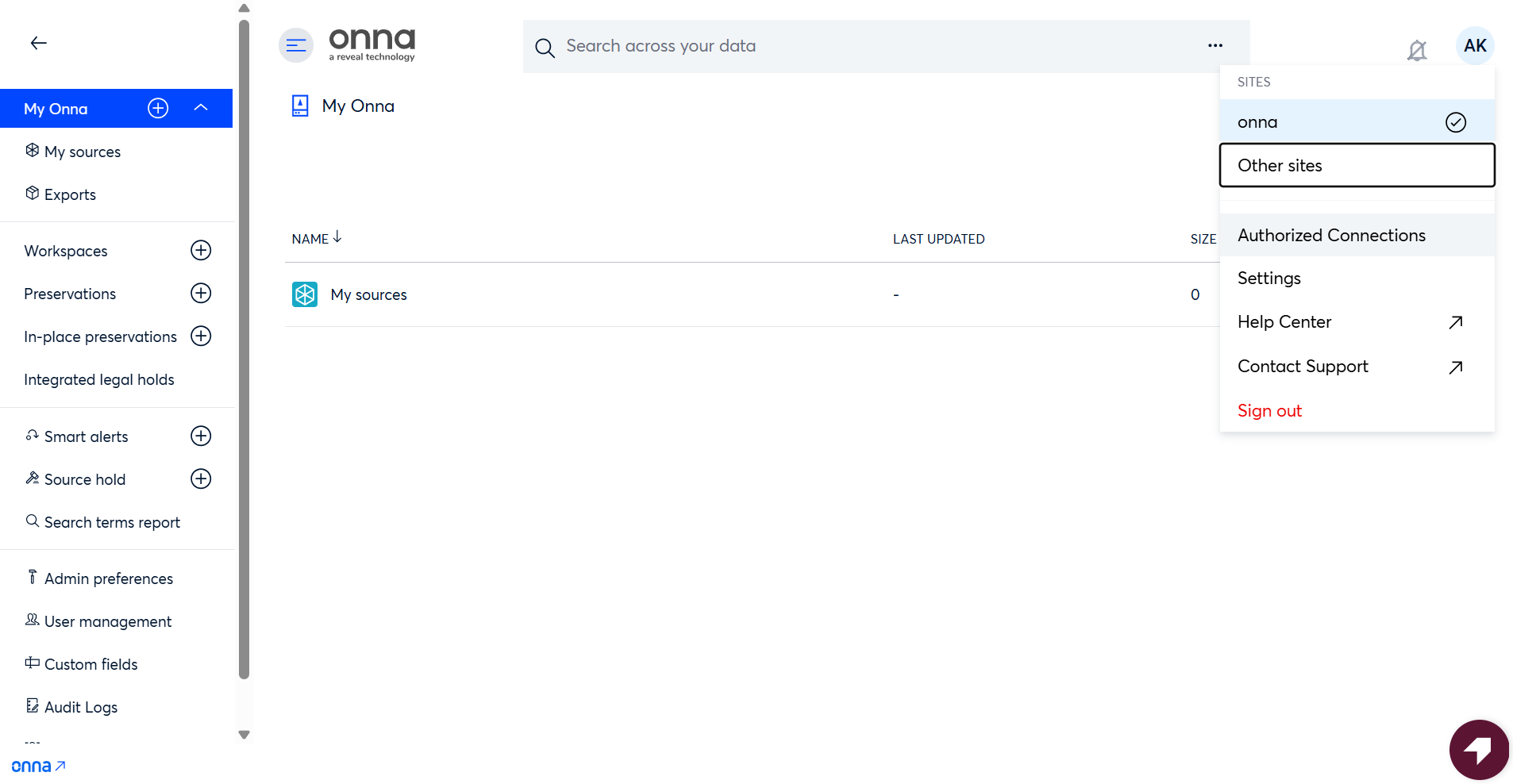
Before creating a data source, configure an authorized connection in Onna using your organization's OpenAI API Key credentials and Workspace ID. Open the Admin user menu from the top-right corner of the interface and select Authorized Connections from the menu options.
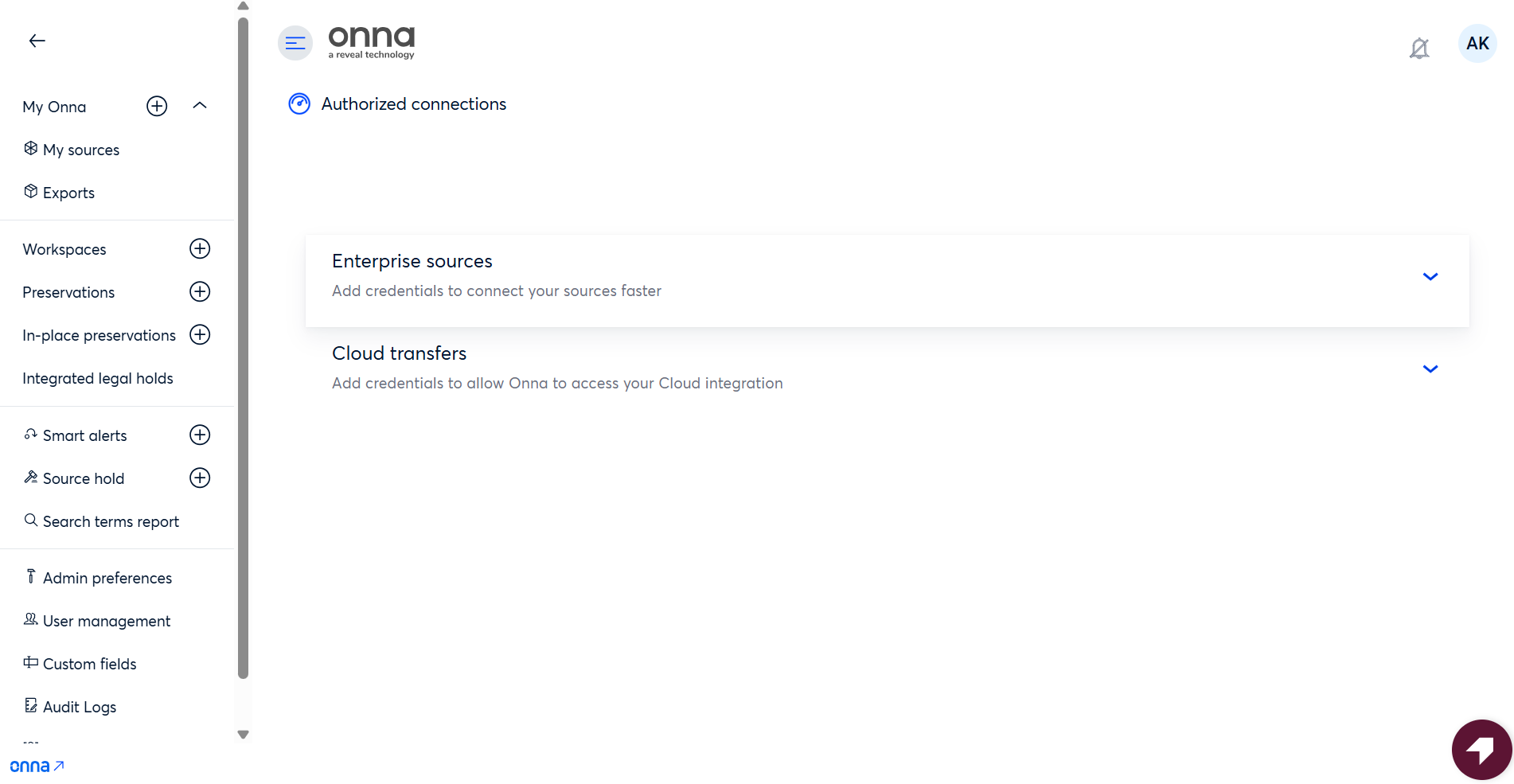
Choose Enterprise sources as the source type.
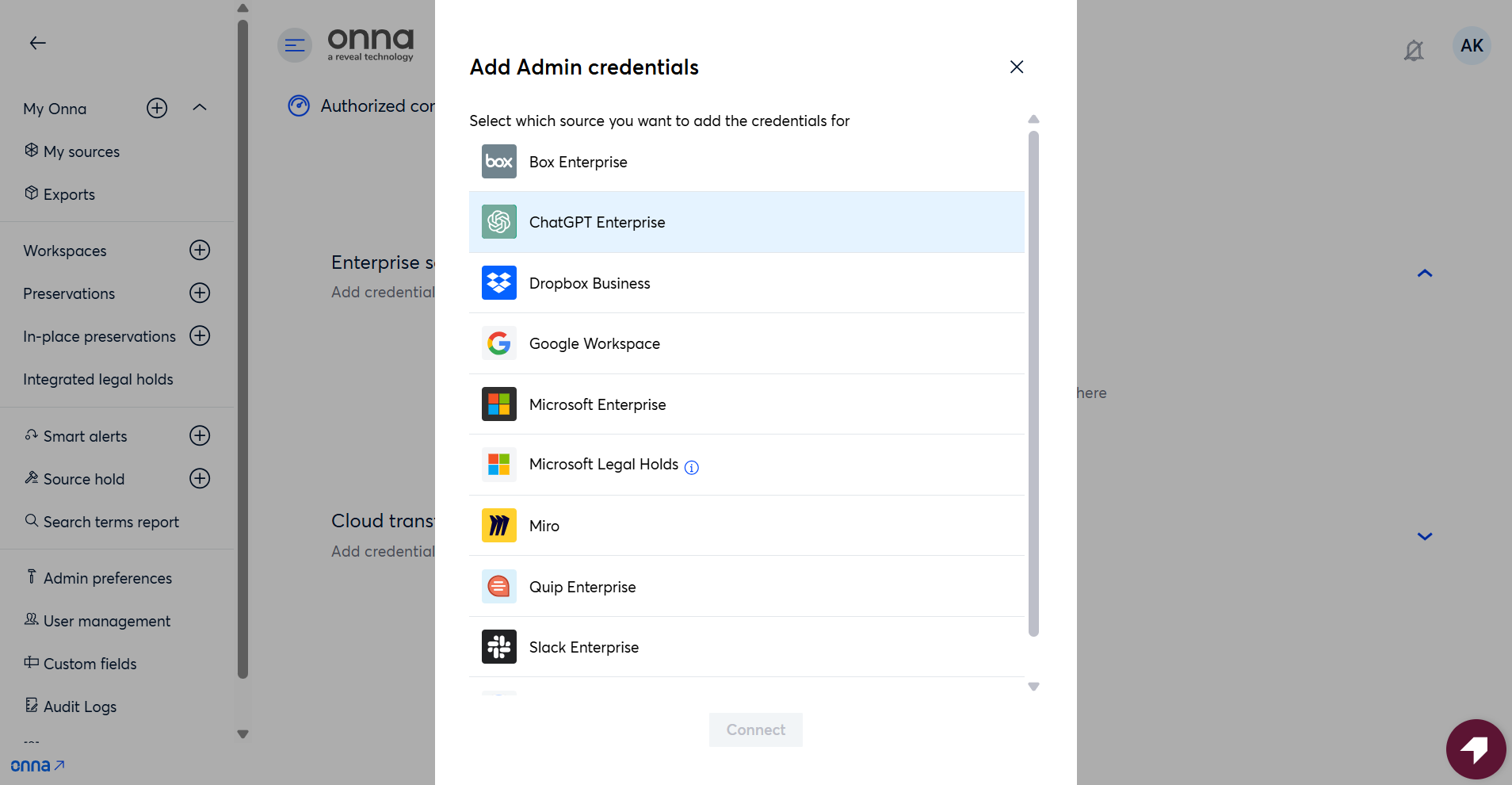
From the list of available enterprise connectors, select ChatGPT Enterprise.
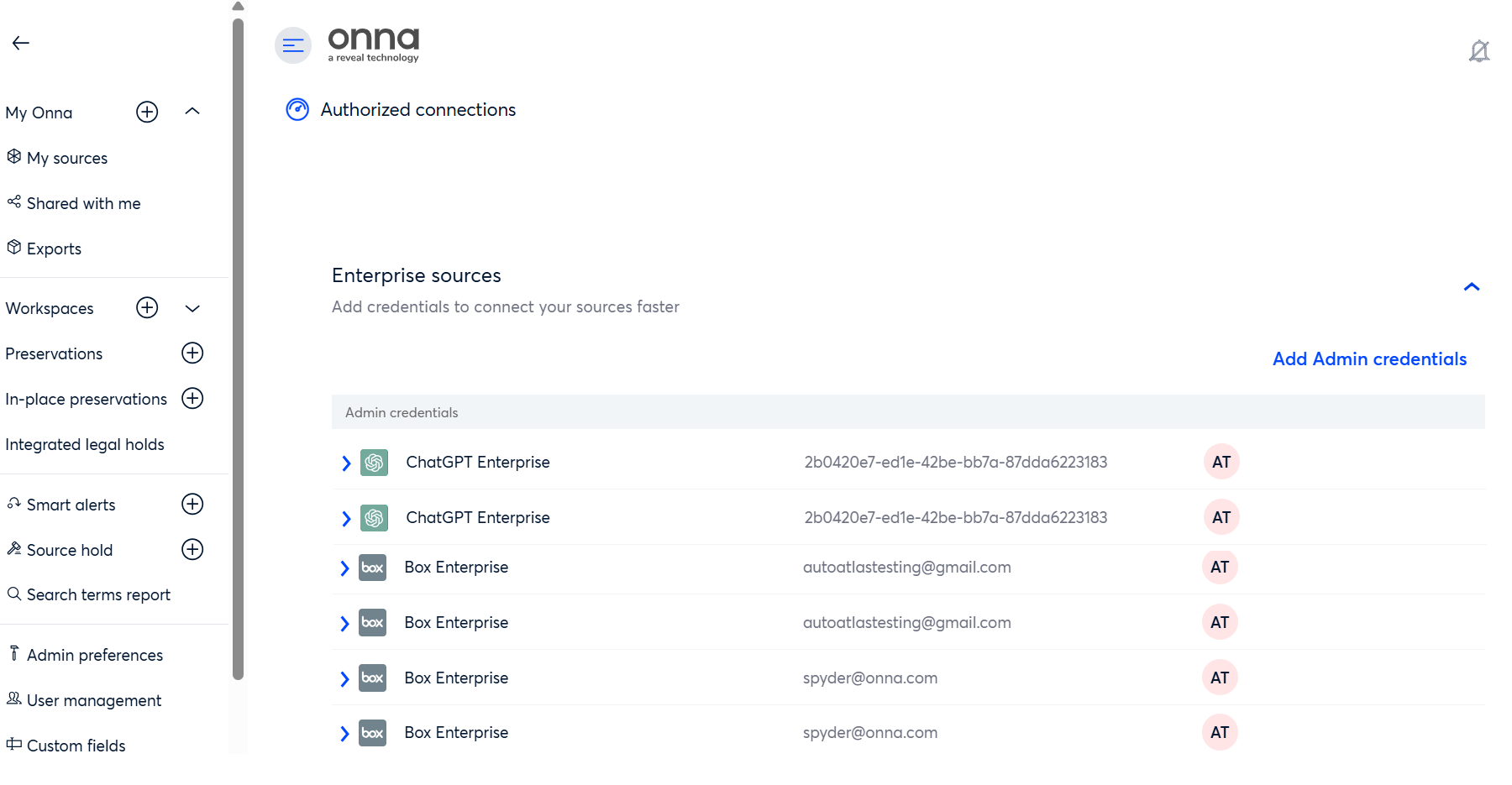
Enter your organization's Workspace ID and OpenAI API Key in the fields provided, then click Connect to complete the setup.
.png)
Each ChatGPT Enterprise workspace requires its own unique API Key — API Keys are minted per workspace in the OpenAI admin credentials portal and cannot be shared or reused across workspaces. If you're configuring authorized connections for multiple ChatGPT Enterprise workspaces, generate a separate API Key for each one and create a separate connection entry with its corresponding Workspace ID.
Step 2 — Add a New Data Source
From the left navigation, go to My Sources and click Add new source.

Select ChatGPT Enterprise from the list of available connectors.

Step 3 — Select an Authorized Connection
Choose the authorized connection you configured in Step 1. If your organization has multiple ChatGPT Enterprise workspaces connected, each will appear as a separate entry — select the one that corresponds to the workspace you want to collect from.

Step 4 — Configure the Data Source
Enter a name for the data source, select a sync mode, and set a start date for the collection.
One-time sync — collects data once for the defined date range (you can also set an optional Sync end date — Onna will only collect conversations up through that date.)
Auto-sync — collects data continuously from the start date forward
Auto-sync and archive — collects and archives data continuously
Step 5 — Select Custodians
Choose the custodians whose ChatGPT conversations you want to collect. You can add custodians individually by entering their email addresses, or load them in bulk using a list or CSV file.
Step 6 — Choose Content Types
When creating a ChatGPT data source, you can choose which supplemental content types to collect alongside conversations. Conversations are always collected — these selections control the additional content captured with them.
Selection | What it collects |
|---|---|
Files | Files uploaded by users during conversations and files generated by ChatGPT in response to prompts (e.g., PDFs, DOCX, images, CSVs). Collected as attachments on the parent conversation. |
Canvases | Documents created with ChatGPT's Canvas feature. Each canvas is collected as a standalone item containing the text of its most recent version. Canvases are not linked to a specific conversation. |
Recordings | Audio from ChatGPT voice conversations. When enabled, the audio file is collected as an attachment on the parent conversation. |
Note
Voice conversations are automatically transcribed by OpenAI, and the transcript is always collected as part of the conversation thread — even if Recordings is not selected. Enabling Recordings additionally captures the audio file itself.
What Happens During a Sync
Onece the data source is created, Onna handles collection automatically. Here is what happens each time a sync runs:
Custodian Resolution
Onna identifies the custodians included in your sync by mapping user accounts from your connected OpenAI workspace. Each custodian is resolved to their corresponding OpenAI user identity. User name and email are resolved at this stage where the user is logged in.
Data Request via OpenAI Compliance API
Onna submits requests to the OpenAI Compliance Export API for each custodian, using the configured date range criteria. Because ChatGPT Enterprise’s API only supports a greater than or equals date operator, the collection retrieves all prompts and responses from the specified start date through to the current date. The API returns all conversations updated on or after that date, including both persistent conversations and ephemeral (temporary chat) sessions, subject to the Compliance Logs API's rolling 30-day retention window (see 30-Day Retention Window below). When a Sync end date is set on a one-time sync, Onna filters out anything received after that cutoff so only conversations within your specified date range are ingested. Depending on the volume of conversations, this process may take a few minutes to complete.
Download and Ingestion
Once OpenAI returns the exported data, Onna downloads the returned conversation data — including both persistent and ephemeral (temporary) conversations — and parses each thread for ingestion. Attachments such as uploaded files and ChatGPT-generated files are captured alongside conversation content.Each conversation thread is ingested as a standalone item within Onna.
Search and Access
Ingested conversations become searchable within Onna alongside your other collected content. Each conversation thread is ingested as a standalone item that can be reviewed, tagged, and exported independently.
Note
Ephemeral chats — conversations where OpenAI's Memory feature is disabled and the session is not saved to the user's history — are also captured via the Compliance API, provided they fall within the Compliance Logs API's rolling 30-day retention window. These conversations do not appear in the end user's ChatGPT history but are included in Onna if the date filters are appropriately configured.
What Gets Collected
Onna collects ChatGPT Enterprise AI conversations as dedicated conversation resources. Each conversation thread is ingested as a standalone item that can be searched, reviewed, and exported independently.
Content | Details |
|---|---|
Conversation threads | The full exchange between a user and ChatGPT, including prompts and responses, preserved in chronological order. |
Participants | The workspace user(custodian) associated with the conversation, including user ID, name, and email address(when the user is logged in) |
Timestamps | Individual timestamps for each prompt and each response within a conversation. |
Model information | Metadata identifying the GPT model version used during the conversation. (e.g., GPT-4o, GPT-4 Turbo) |
Conversation title | The title assigned to the conversation, either by the user or auto-generated by ChatGPT. |
Edit history | When a user edits a prompt, the revised message is captured as a new entry in the conversation thread. The original prompt and its subsequent responses are preserved alongside the edited version. |
Source attributions | URLs of publicly cited websites referenced by ChatGPT when web browsing was enabled during the conversation. |
Attachments | Files uploaded by the user during the conversation (e.g., PDFs, DOCX, images, CSVs) and files generated by ChatGPT in response to prompts. ChatGPT only makes user-uploaded files available for 48 hours after upload — see User-Uploaded File Retention below. |
Voice conversations (recordings) | Voice conversations are transcribed by OpenAI and collected as part of the conversation thread, preserved like any other prompt-and-response exchange. When the Recordings content type is enabled, the audio file is also collected as an attachment on the conversation. |
Canvases | Documents created with ChatGPT's Canvas feature, collected as standalone items containing the text of the canvas's most recent version. Canvases are collected per custodian and are not attached to a conversation. |
Note
User prompts and ChatGPT responses are clearly distinguishable within each collected thread, preserving the conversational structure for review. Both persistent conversations and ephemeral (temporary) chats are collected, subject to OpenAI's retention window. Threads are generally preserved in the correct prompt-then-response order. Where the Compliance API returns a response timestamped before its prompt, Onna auto-corrects ordering if the gap is under 1 second. For larger gaps, the API-provided ordering is kept as-is, which may result in some threads appearing out of sequence.
ChatGPT Considerations & Limitations
Enterprise Subscription Required
The ChatGPT Enterprise connector is only compatible with ChatGPT Enterprise and ChatGPT Edu accounts. Organizations using ChatGPT Free, Plus, or Team plans do not have access to the OpenAI Compliance API and cannot use this connector.
Compliance API Must be Enabled
The Compliance API is not automatically active for all Enterprise accounts. Your organization must confirm with OpenAI that the Compliance API has been enabled for your workspace before configuring the connection in Onna. For instructions on how to enable the API and generate your API token, visit the OpenAI Compliance Platform page.
30-Day Retention Window — Compliance Logs API
The interface Onna now uses for all ChatGPT collection — keeps a rolling 30-day window of conversation logs. Regardless of the start date configured for a collection, only messages from within the last 30 days are retrievable at the time the sync runs, anything older has already aged out of OpenAI's logs and cannot be recovered. Deleted conversations and ephemeral (temporary) chat data fall under this same 30-day window, unless legally required otherwise. If continuous historical retention matters to your organization, set up an auto-sync so Onna captures conversations as they happen and retains them going forward — waiting to run a sync means any messages older than 30 days at that point are no longer available from OpenAI.
User-Uploaded File Retention
OpenAI retains user-uploaded files for only 48 hours after they're uploaded to ChatGPT. Once that window lapses, the original file is no longer retrievable through the Compliance API, even though the conversation text that referenced it remains. Because of this, an initial sync that covers older historical conversations will often surface a number of "File not available" resources in Onna for attachments whose 48-hour window has already passed by the time the sync runs — the file can no longer be retrieved from OpenAI. Auto-sync does not have this problem: since Onna checks for new conversations on an ongoing basis, files are picked up well within the 48-hour window and are captured and brought into Onna going forward.
Date Filtering Limitation
To scope a collection more precisely, one-time syncs in Onna support an optional Sync end date: set both a start date and an end date when configuring the sync, and Onna will respect that cutoff, excluding anything received after the end date from what's ingested.
Note
Date filters apply at the message level, not the conversation level. If a conversation was created before your specified start date but contains messages sent after it, only those messages will be captured. Some collected conversation threads may therefore appear incomplete, as earlier messages outside the selected time frame will not be included.
Multiple Workspace Support
If your organization has more than one ChatGPT Enterprise workspace, each workspace requires its own authorized connection and data source configuration in Onna. Onna recommends clearly naming each data source to distinguish between workspaces.
Custom GPTs
Conversations conducted using custom GPTs built within your organization's workspace are captured via the Compliance API alongside standard conversations. Coverage of third-party or externally published GPTs may vary depending on how those interactions are stored in OpenAI's backend.
Shared Conversations
Conversations shared between users via OpenAI's sharing feature are associated with the originating custodian. If a recipient branches a shared conversation —continuing it as their own thread — OpenAI treats this as a new independent conversation in the API. In this case, the same original conversation may appear under multiple custodians, each with their own branched version collected as a separate item.
Note
OpenAI makes 99% of conversations available via the Compliance API within 30 minutes of being sent.
No Real-Time Collection
The ChatGPT Enterprise connector does not support real-time or near-real-time collection. Content captured during a sync reflects what was available through the Compliance API at the time the request was submitted.
Content Format
Conversation content is ingested as structured text. Code blocks, lists, and other rich formatting generated by ChatGPT are preserved to the extent provided in the Compliance API response payload.