Revel Hold’s Public API gives users control over Reveal Hold functionality directly from within their own application/administrative portal. Public APIs provide access to the configuration and orchestration of certain tasks, thereby enabling external developers to control some of the product's functionality required for workflow automation.
The API tab allows you to create your own API keys.
Note
Users with the Developer role can create API keys to explore the API and build integrations, but these keys do not provide access to customer data.
To access customer data through the API, the API key must be created by a user with the Global Hold Manager role. API keys inherit the data access of the user who creates them and cannot be restricted to specific matters or holds.
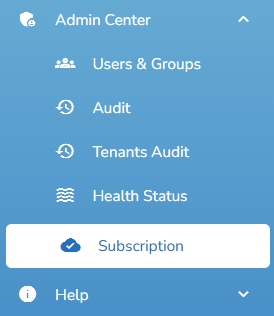
Open Admin Center>Subscriptions.
Click
 .
Click
 .
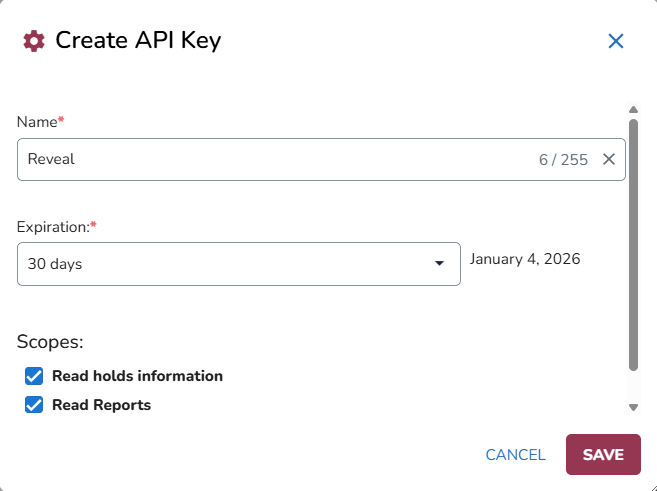
Enter a Name.
Set an Expiration date.
Will default to two available Scopes:
Read holds information: Allows access to hold and matter information, including names, statuses, dates, and related details.
Read Reports: Allows access to Custodian and Questionnaire Answers reports, including custodian details, hold assignments, statuses, and questionnaire responses.
Note
Both scopes provide read-only access. API keys cannot be used to create, modify, or delete records. To retrieve custodian information, create an API key with only the Read Reports scope selected. This allows you to retrieve the full Custodian report, including custodian details, hold assignments, and statuses.
The Read Reports scope also provides access to questionnaire answers. There is currently no separate scope that limits access to custodian information only.
Click Save.
The API Key will be created. Copy the API key and click Close.
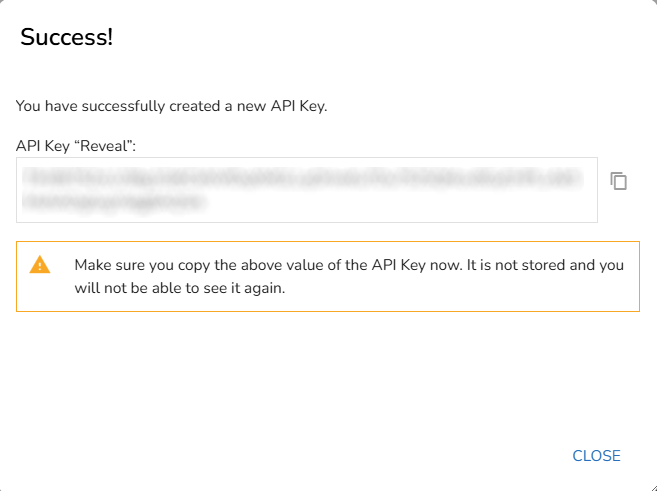
Important
Make sure you copy the API key now as it is not stored and you will not be able to see it again.
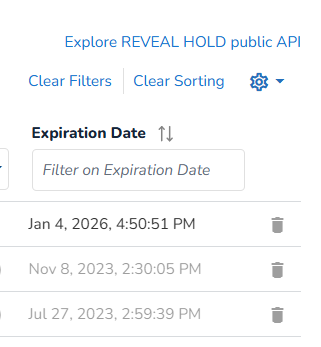
The API window will appear . You will be able to view and filter the Name, Key Value, Scope, Active status, Created By and Expiration date.

API keys can be deleted by clicking
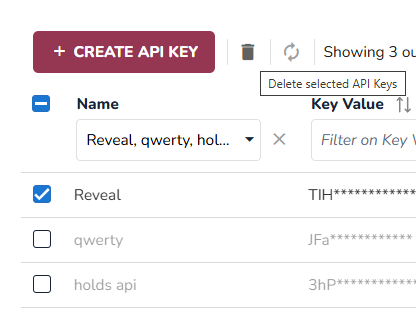
 at the end of the row. You can also select one or more keys and click the Delete icon at the top of the window.
To view the public Reveal Hold API, click the link located at the top right of the window.