Updates in feature releases, product improvements, and bug fixes.
PII workflow enhancers for public records requests
A host of new features have been designed to speed up the fulfillment of public records requests from laws like FOIA (US), FOI (UK), and Woo (Netherlands).
Redaction label management
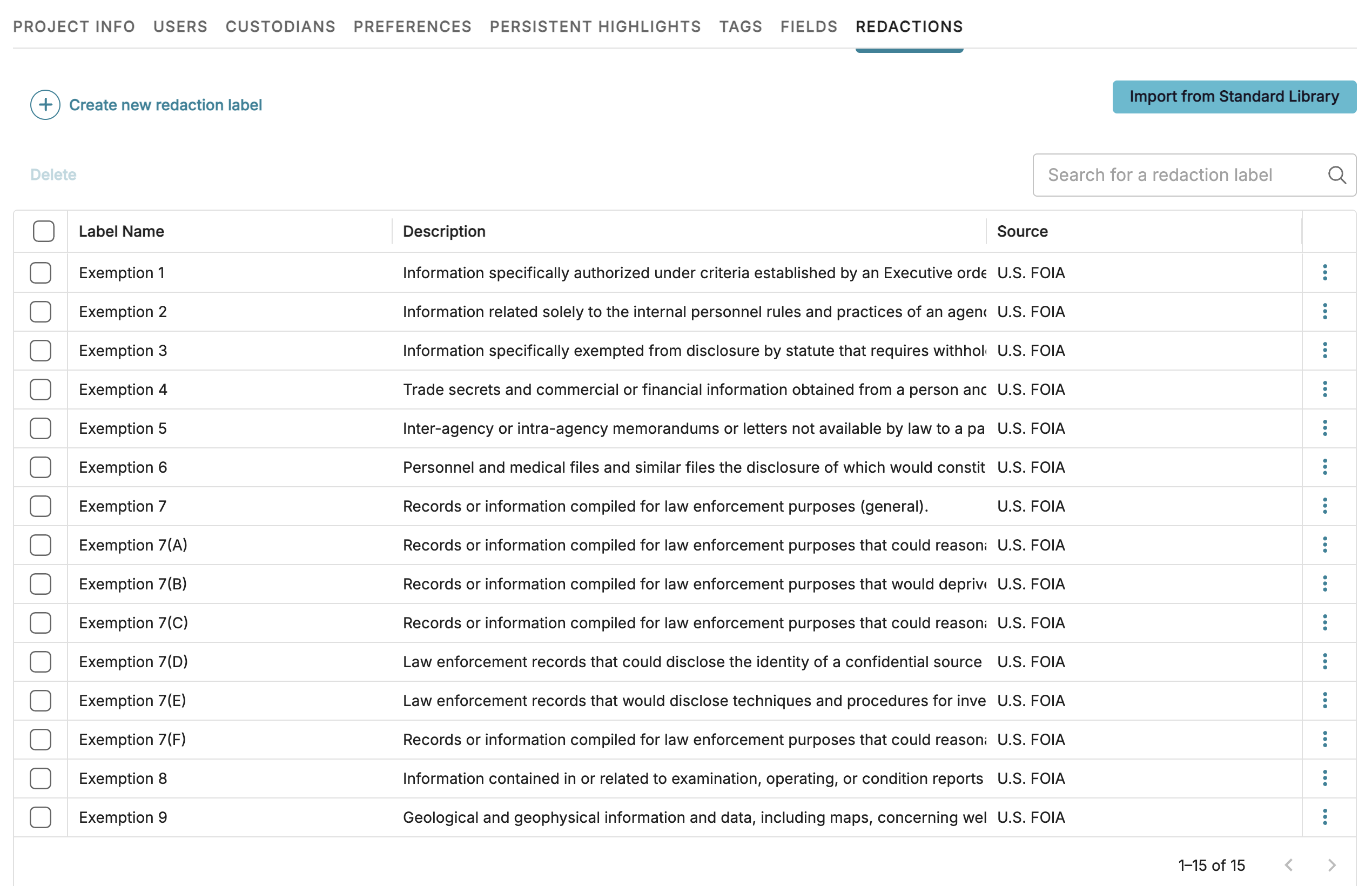
Create and manage redaction labels for your project in a single, dedicated space. The Redaction tab lets you organize your redaction labels according to your jurisdiction to ensure compliance and consistency during redaction.
Standard label sets
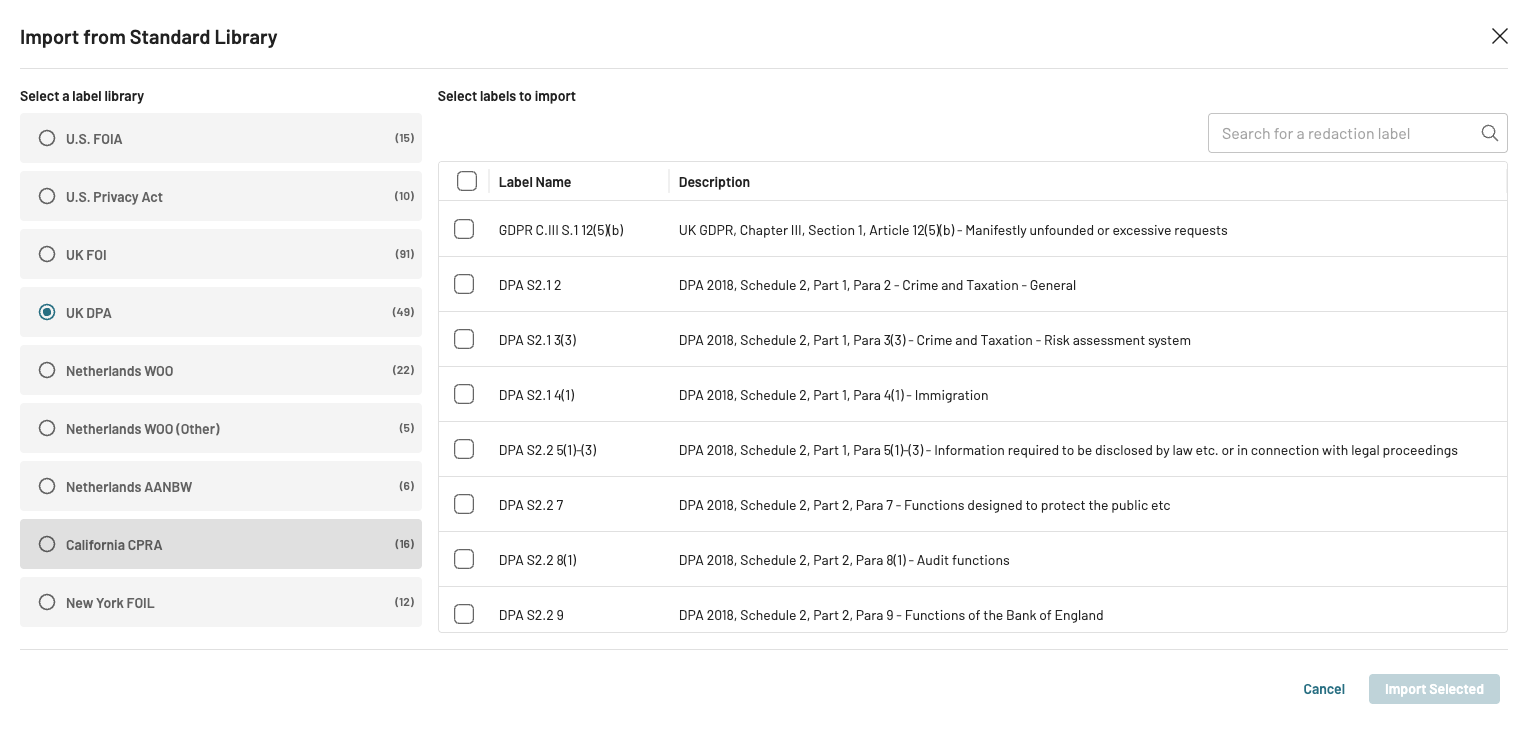
Logikcull now includes pre-generated libraries of common laws in the US, UK, and Netherlands, so you can import exemption codes/redaction labels directly into your project. Notable label sets include:
US Freedom of Information Act (FOIA)
US Privacy Act
UK Freedom of Information (FOI)
UK Data Protection Act (DPA)
Netherlands Wet open overheid (Woo)
Netherlands Aanbestedingswet 2012 (AanbW)
Various US states, which have their own state-level legislations
All standard label sets can be further customized to your needs in the Redactions tab.
Project stages and assignees
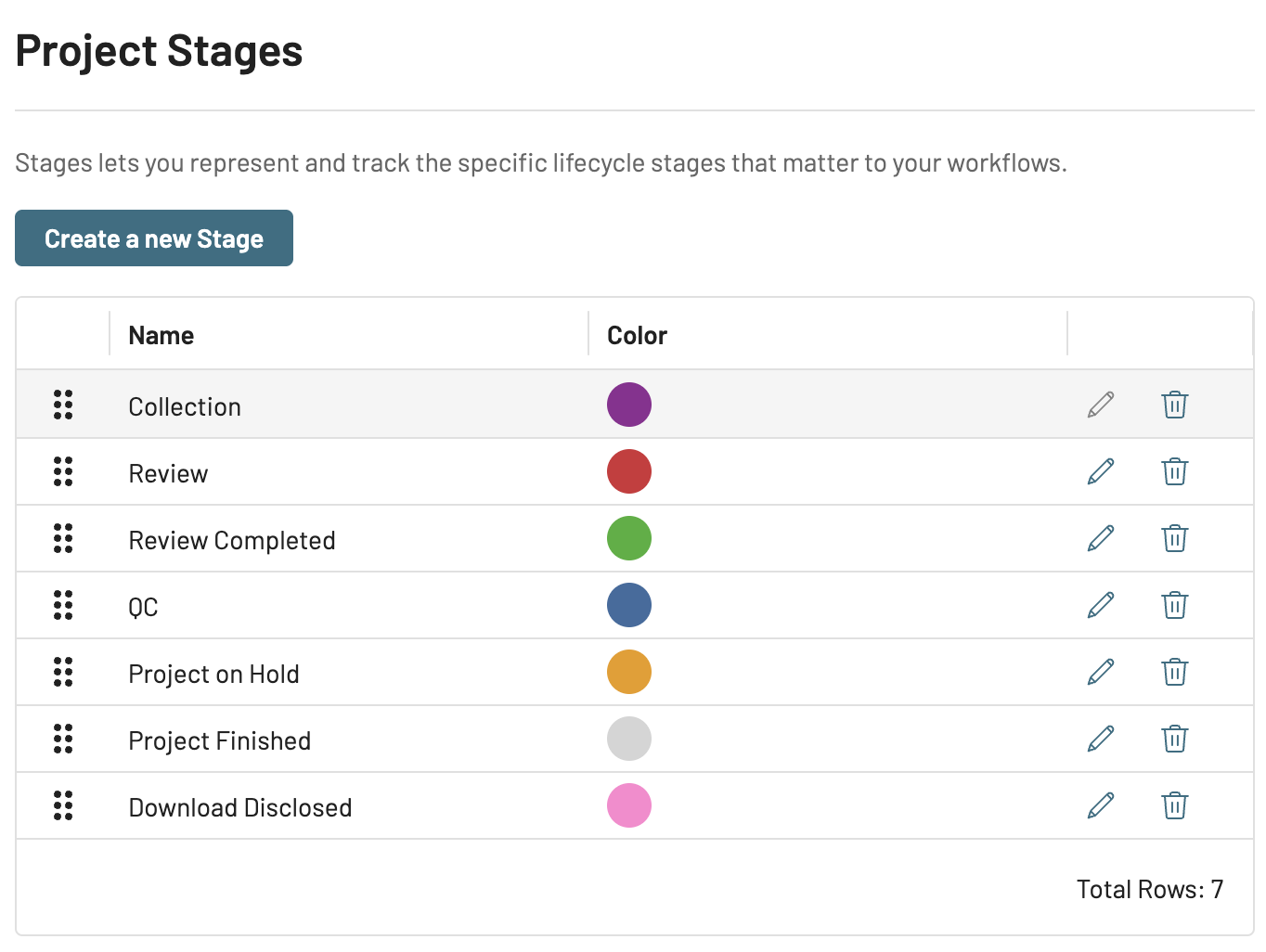
Improve project management by defining stages for your projects, which can be changed as you progress through your workflows. Each stage can be designated its own color for easy visual association. Project stages can be created, edited, or deleted from your account’s Preferences tab.
You can also assign an active user to a project, serving as a single point of contact for decision-making or accountability purposes. Both a project’s stage and a project’s assignee can be added, changed, or removed from the Project Info tab.
Project stages and assignees are visible in the My Projects page, providing you with an overview of the assignees and statuses of your projects all in one place. You can also filter your projects by either of these values for quick searching.
.png)
Regex searches in Doc Viewer
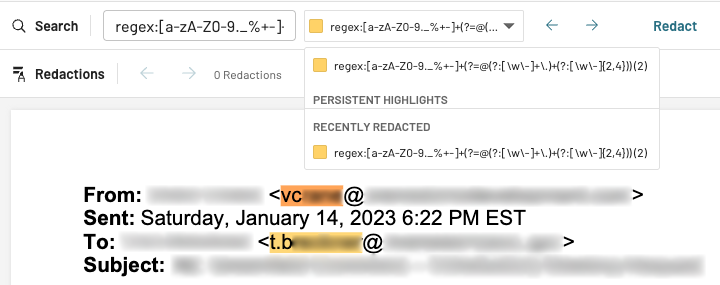
You can now perform regex searches within Document Viewer, allowing you to highlight patterns instead of specific terms. Regex searches must be preceded by regex: so the search bar knows you intend to perform that kind of search.
For example, a search for the regex expression regex:[a-zA-Z0-9._%+-]+(?=@(?:[\w\-]+\.)+(?:[\w\-]{2,4})) will search for content that looks like a valid email domain, then highlight the local part of the address (content before the @ sign).
Highlighted search content can then be easily bulk-redacted using the Redact button. Regex searches are also implementable in the Persistent Highlights tab.
PII auto redaction
Use the Auto-Redact toggle to instantly redact detected PII when opening a document or pressing the  Next document button. Auto-Redact will also auto-save your redactions for a more streamlined review.
Opening up a document with saved auto-redactions will not apply exact dupe redactions over a pre-existing redaction.
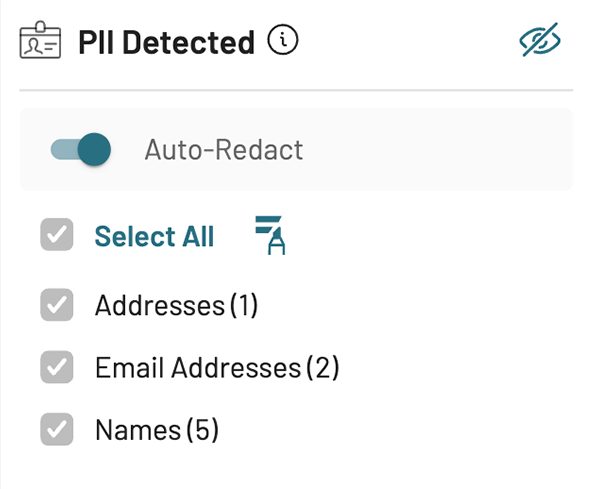
Expanded PII detection
Logikcull’s PII has been enhanced to include additional PII types:
AGE | SWIFT_CODE |
CA_HEALTH_NUMBER | UK_NATIONAL_HEALTH_SERVICE_NUMBER |
CA_SOCIAL_INSURANCE_NUMBER | UK_NATIONAL_INSURANCE_NUMBER |
INTERNATIONAL_BANK_ACCOUNT_NUMBER | UK_UNIQUE_TAXPAYER_REFERENCE_NUMBER |
IP_ADDRESS | URL |
LICENSE_PLATE | USERNAME |
MAC_ADDRESS | US_INDIVIDUAL_TAX_IDENTIFICATION_NUMBER |
PASSWORD |
Other fixes and tweaks
Multiple Redaction Labels: Allow for the use of multiple redaction labels for a single redaction.
Project Templates – Redaction Label Cloning: Redaction labels are saved inside project templates and cloned when creating a new project off of a template.
Color Rebranding: Implemented a new, more vibrant teal color scheme to Logikcull’s UI.
Create Saved Search Issue: Fixed an issue where enabling Ask AI prevented the ability to create a Saved Search for that project.