Updates in feature releases, product improvements, and bug fixes.
Ask AI Enhancements
This release introduces several improvements to Ask AI, improving intelligence, administrative visibility, and user control across projects.
Gensearch Service Integration
Ask AI is now powered by the Gensearch Service, improving the intelligence, accuracy, and relevance of AI-generated responses within projects.
The Ask AI search workflow now includes:
Query Embedding Generation – Converts user questions into embeddings using the same model used for document embeddings, ensuring semantic alignment and accurate retrieval.
Boolean Parameter Integration – Applies filters and Boolean search parameters when querying filtered document sets or the full project corpus.
Chunk Retrieval and Re-Ranking – Retrieves relevant document segments and prioritizes the most contextually relevant content.
Text Generation – Synthesizes retrieved information into a structured AI-generated response grounded in project data.
This integration improves response quality, contextual understanding, and precision, helping legal teams trust and rely on AI-powered discovery workflows.
This release introduces several improvements to Ask AI, giving administrators and reviewers greater visibility, control, and flexibility when using AI-powered insights within their projects.
Ask AI Session Reporting for Admins
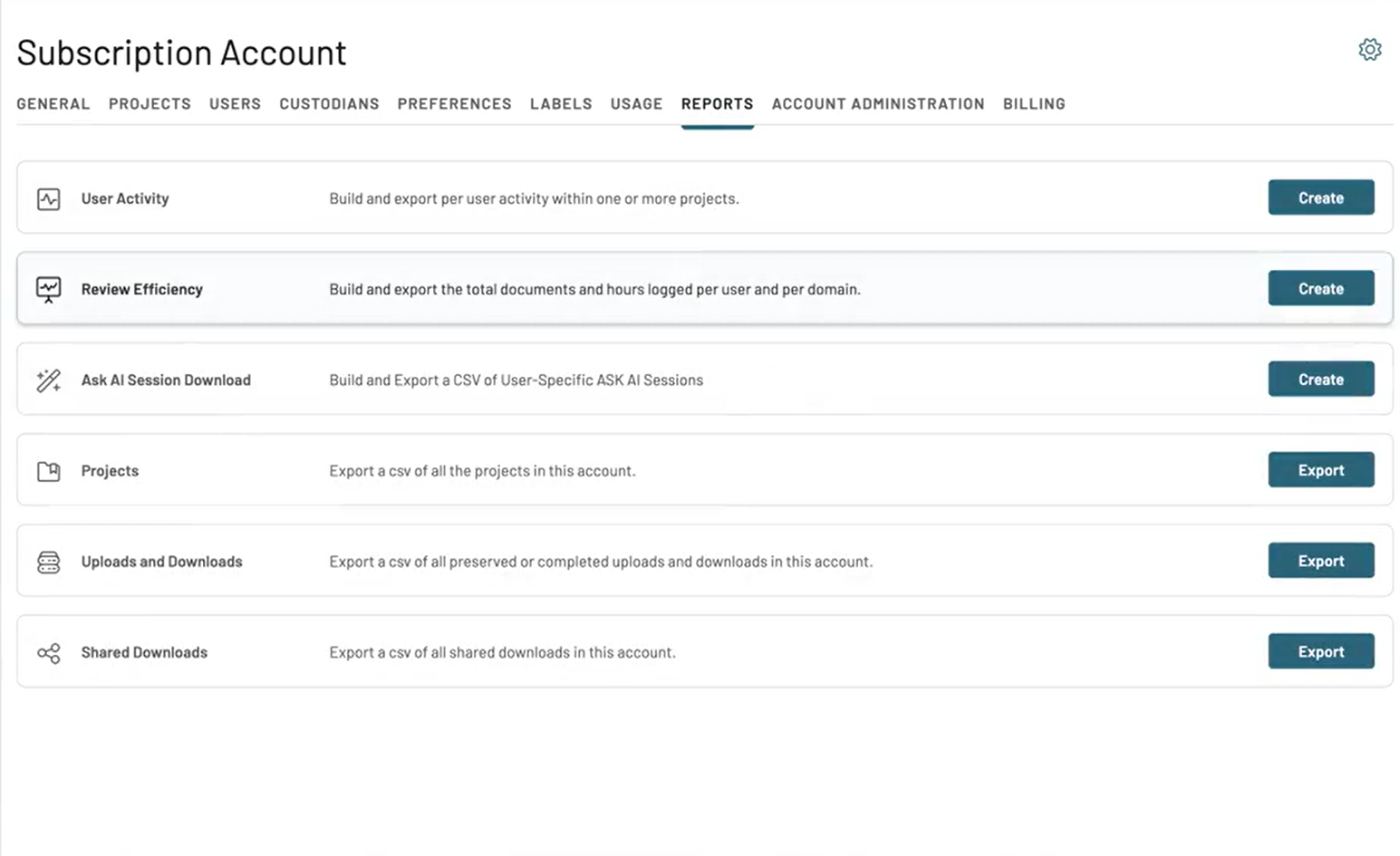
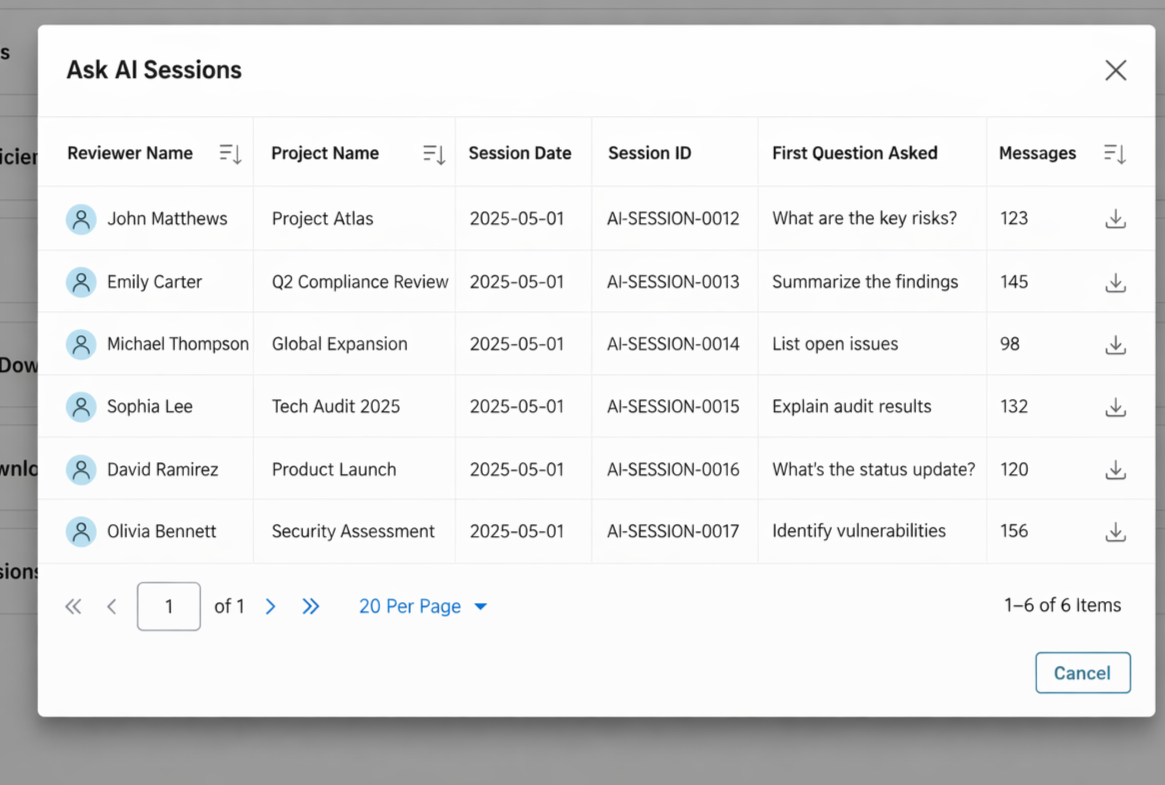
Admins and Account Owners can now generate Ask AI Session Download to review activity across their projects. After clicking Create Report, a session table loads displaying Ask AI session details, allowing administrators to review and download session activity.
Ask AI Session Activity Visibility
Admins can now view and download Ask AI question-and-answer activity generated by reviewers within their projects. This allows teams to retain records of insights generated by Ask AI and share them with other team members when needed.
Ask AI Session Download Controls
Users now have clearer download options when exporting Ask AI session data. When clicking Download inside a session, users can choose between:
Download This Session – exports only the current Ask AI session
Download All Sessions – exports all sessions associated with the project
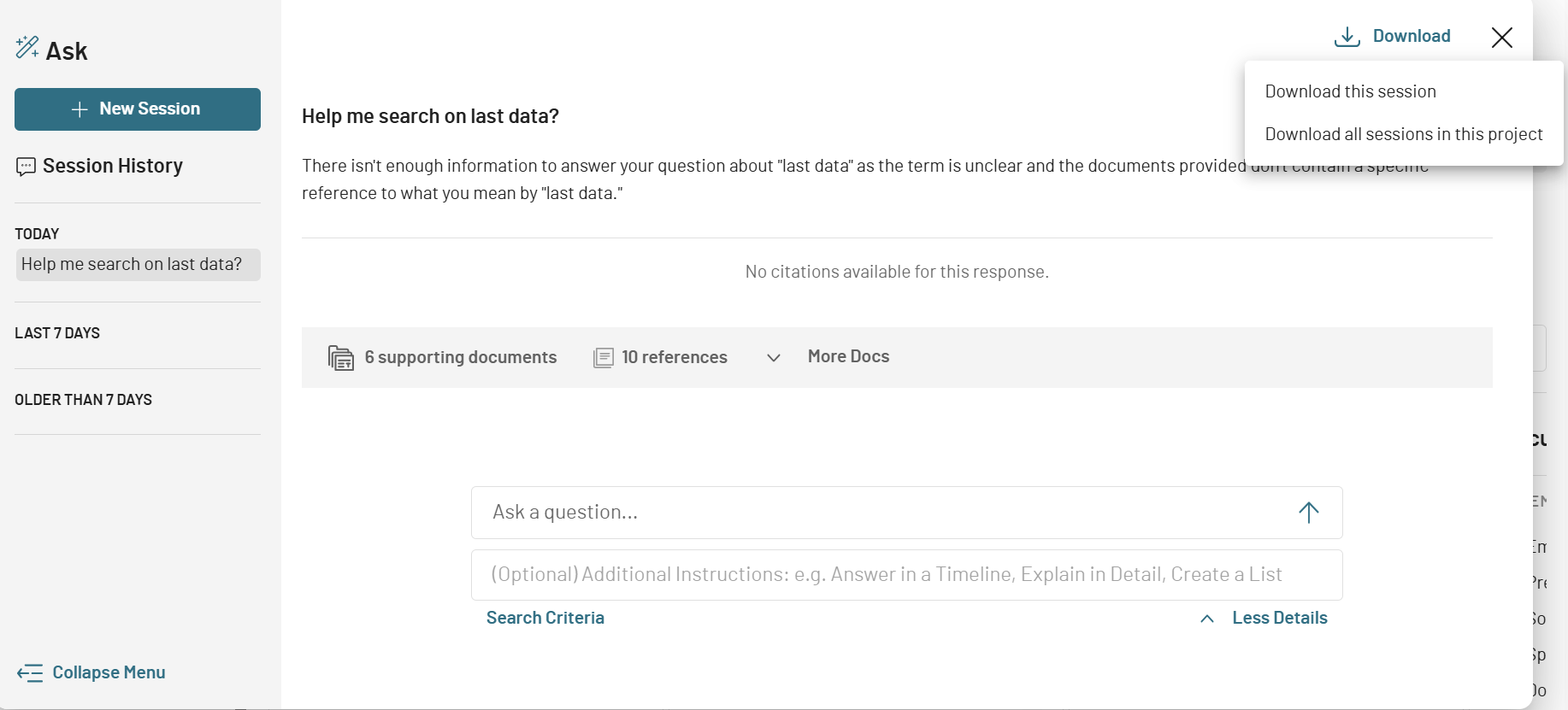
This ensures users export exactly the information they expect.
Project-Level Ask AI Controls
Project Admins can now enable or disable Ask AI at the project level when the feature is available for their account. This allows organizations to control which projects can use AI-powered analysis.
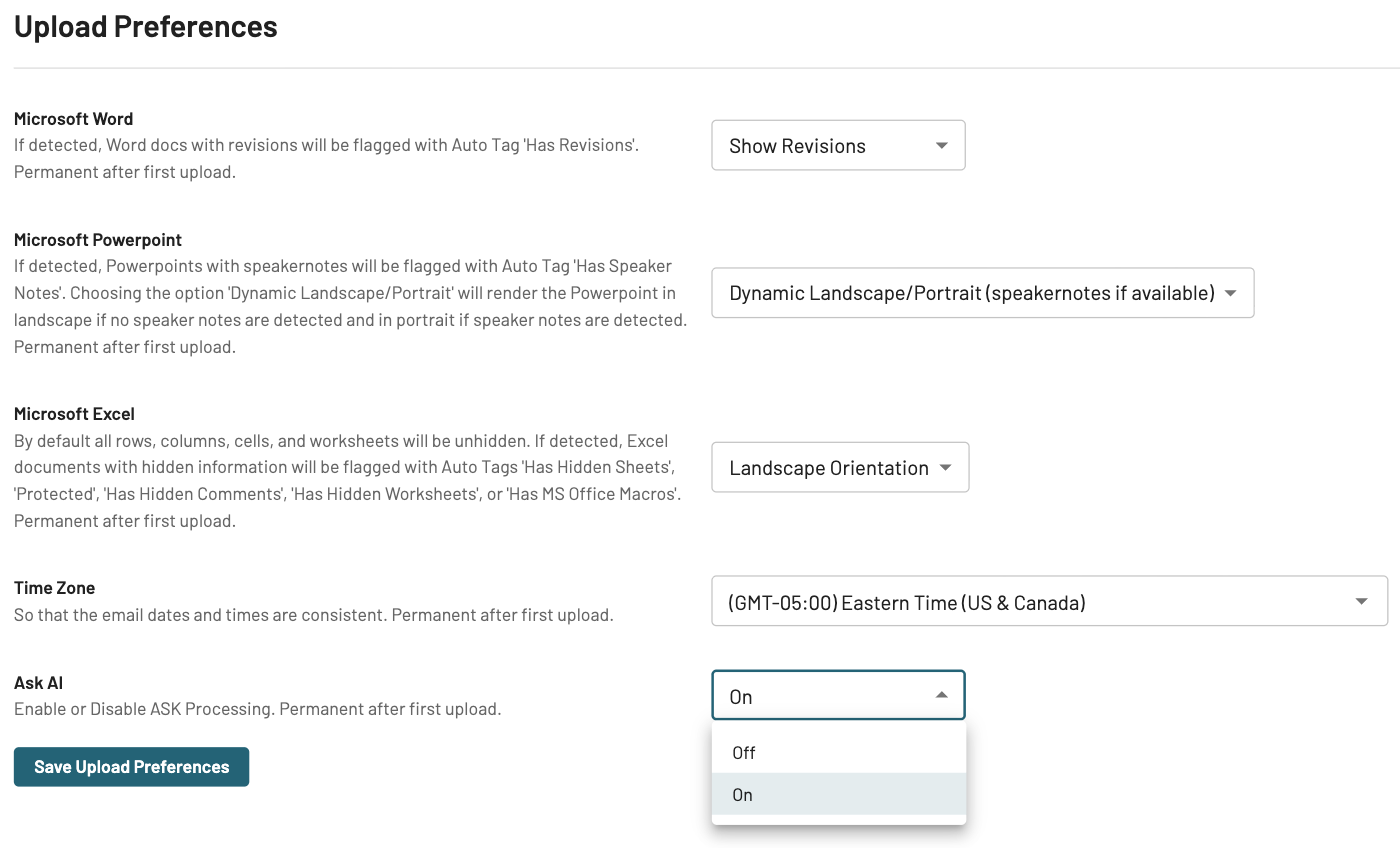
These enhancement provides improved visibility into Ask AI usage and supports administrative oversight across projects.
Logo Update
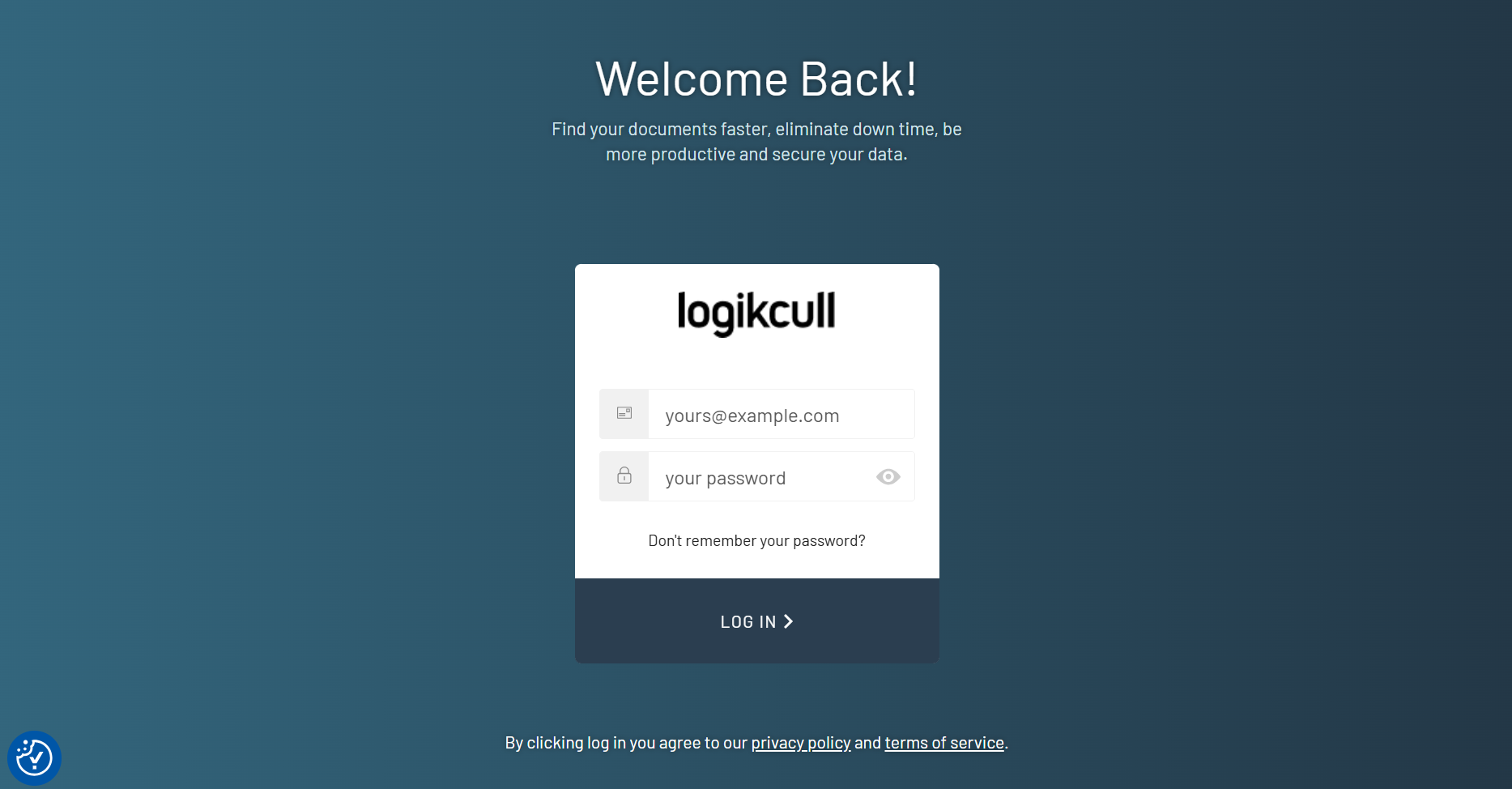
As part of an upcoming Logikcull brand refresh, the platform logo has been updated in the upper-left corner of the application and on the login page. This is a minimal visual update, with a broader rebranding effort planned for future releases.
Other Fixes and Tweaks
Map Teams Fields into Chat Filter: Users can now map Teams fields directly into chat filters, enabling more precise and contextual searches. Field names are used exactly as they appear in the Onna loadfile export.
Redaction Label Selection – Download Requirement: Resolved an issue where users could not properly apply redactions based on redaction labels during downloads, ensuring productions are not over-redacted and giving users more precise control over redaction workflows.
Document Copy – Thread ID Overlay Errors: Fixed an issue where documents with overlayed metadata failed to copy. The Document Copy task now correctly handles Thread Info Overlay, preventing stalls or errors caused by mismatched thread_id metadata.
Reference Document Count – Display Accuracy: Resolved an issue where reference document counts initially displayed as zero. Counts now show correctly the first time, without requiring additional clicks.
Multi-File Upload – Space Character Rename Issue: Fixed a bug preventing users from entering space characters when renaming uploads in the Multi-File Upload table. The rename function now works correctly across all rows without jumping.
Multi-File Upload – Avoid Re-Zipping Previously Zipped Files: Updated the Multi-File Upload workflow to prevent already-zipped files from being re-zipped when additional files are added, improving performance and reducing unnecessary processing.
Multi-File Upload – Intermittent Error on Second File: Fixed a transient error state where the second file in a two-file upload briefly displayed a failure state despite ultimately succeeding. This ensures consistent upload feedback for multi-file uploads.
Advanced Sort – Permission Enforcement: Resolved an issue where Pro users could see the Advanced Sort option but could not create sorts due to missing backend permissions. The UI now correctly matches backend authorization, showing the feature only to users with permissions.