Updates in feature releases, product improvements, and bug fixes
LGK Introduces Ask (Early Access)
LGK introduces Ask, a Generative AI-powered feature that lets users ask natural-language questions about their project data and receive AI-generated answers grounded in the documents within their project.
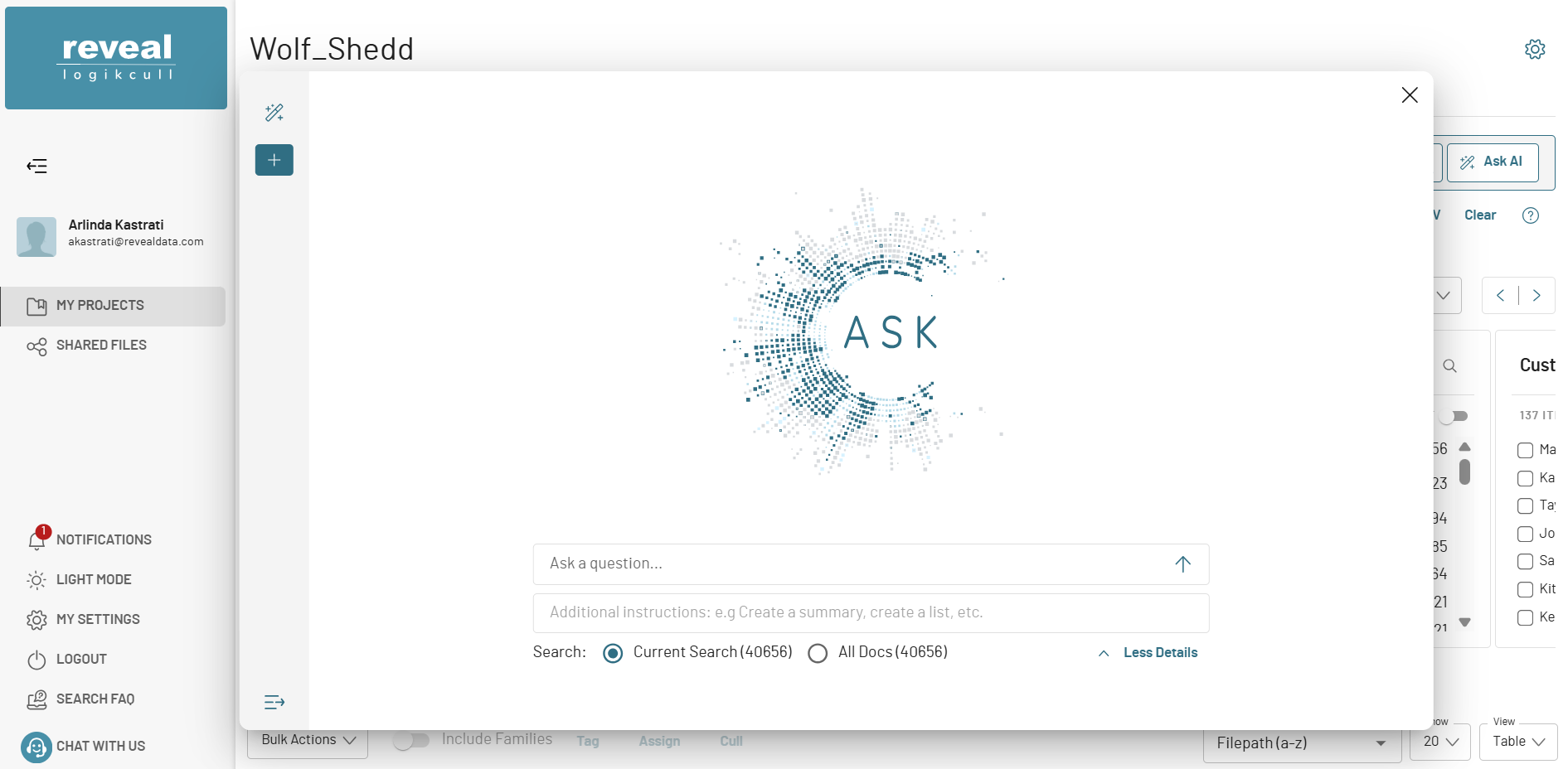
Ask brings eDiscovery workflows into the next generation by:
Providing direct, cited answers from the full project corpus or filtered document sets
Surfacing up to 100 semantically similar documents for additional context
Synthesizing information across multiple sources into a single, structured response
Increasing trust in AI through transparent document-level citations
Ask helps legal teams and investigators save time, uncover insights that traditional keyword searches might miss, and centralize relevant information in one place.
Availability: Ask is available as an add-on feature and can be enabled at the instance (MSA) level. This Early Access release may be updated prior to General Availability.
Bulk Upload Actions
Users can now move or cancel multiple uploads at once using the Multi-File Upload table. The “Uploads Selected” indicator shows the number of rows selected, giving teams full visibility and control over large upload batches. This streamlines multi-upload management and reduces repetitive tasks, saving time on large projects.
Active & Paused Holds
Holds management is now clearer with separate cards for active and paused holds, along with a total live billable holds calculation. Users can quickly see their current capacity, track live holds, and make informed decisions without switching views or performing manual calculations.
Other Fixes and Tweaks
Bulk Custodian Update – Multi-File Upload Table: Added a new Custodian input field to allow users to update the custodian for all rows in the Multi-File Upload table at once.
Bulk Upload Actions Controller: Implemented a new controller to handle bulk actions for uploads, including endpoints to cancel multiple uploads or move multiple uploads in a single request.
Upload Selected & Bulk Actions – Multi-File Upload Table: Added an “Uploads Selected” indicator showing the number of selected rows, and introduced bulk actions for “Move Uploads” and “Cancel Uploads” to streamline multi-upload management.
Advanced Sort Validation – Redaction Labels: Added extra validation for nested or deeper sorting fields in Advanced Sort to prevent invalid requests from being sent to the backend.
Multi-File Upload – React Hook Form Migration: Migrated the multi-file upload modal to React Hook Form and fixed an issue where custodian, file name, or company cells would drop when new files or rows were added.
Multi-File Upload Custodian Validation: Added validations in the create upload modal to ensure each upload row has a custodian assigned and prevent submission until all custodian fields are populated.
Active & Paused Holds – Separate Cards & Total Live Billable Calculation: Introduced separate cards for active and paused holds and added a calculation for total live billable holds, giving users better visibility and management of their account capacity.
Onna Account Creation Capability: Added server-side functionality to create Onna accounts and link them to Logikcull accounts, laying the foundation for integrated workflows.
Upload Complete Notification Feature Flag: Introduced the feature flag to automate notifications for reviewers, removing the need for users to email project members manually after each upload.
Upload Processing Report – Memory Limit: Fixed an issue where generating upload processing reports for very large uploads could exceed Mongo query memory limits, causing report generation to fail and return an error to the user.
Rendered Email PDF – Text Overlap Issue: Resolved a defect in the email-to-PDF rendering pipeline that caused overlapping text in certain converted emails, ensuring visual fidelity and accurate OCR representation of original content.
Advanced Sort List – Display Sort Parameters: Updated the Advanced Sort list to display sort parameters alongside sort names, improving clarity and helping users distinguish between similarly named or complex sort configurations.
Legal Hold Survey – Yes/No Response Accuracy: Corrected an issue where “Yes/No” survey responses were saved incorrectly, ensuring that selected answers now match the responses reflected in survey reports.
Billing Report – All-Time Usage Accuracy: Fixed an edge case where uploads spanning multiple months were excluded from all-time usage statistics, standardizing report logic to ensure accurate billing calculations.
Document Viewer – Page Count Display Truncation: Resolved a display limitation where document page counts were truncated in the viewer across multiple browsers and display settings, ensuring accurate and consistent page visibility.