Do-overs
If you made a mistake, you can re-create your download simply by selecting "Download" on the same saved search.
Printing or viewing endorsed/Bates versions of downloaded documents
To view the produced/downloaded version of your document images in the document viewer, you have the ability to toggle between versions. Read our guide for viewing and printing produced versions of documents here.
I don't see expected endorsements on the produced version of my document.
If you still don't see endorsements on your produced version, you may have missed adding endorsements in Step 3 of the download.
Are Text files produced one file per document, or one file per page?
If you select to include Text files, they will be created on a 1:1 basis per document, regardless of the image type selected (for example, TIFF files are created for each page, but the Text file will still be based on the entire document).
How do I view the details about my download?
All the selections made during the download process are recorded and available for later review from the Downloads tab.
Simply hover over the vertical dots and select "more info" on the download you wish to review.
Can I delete a download?
Download Deletion can be completed by a Project Admin, Account Admin, or Account Owner. View user access levels and descriptions here.
In the Downloads tab, click on the ellipses ( ... ) button to the right of the download and select "Delete Download".
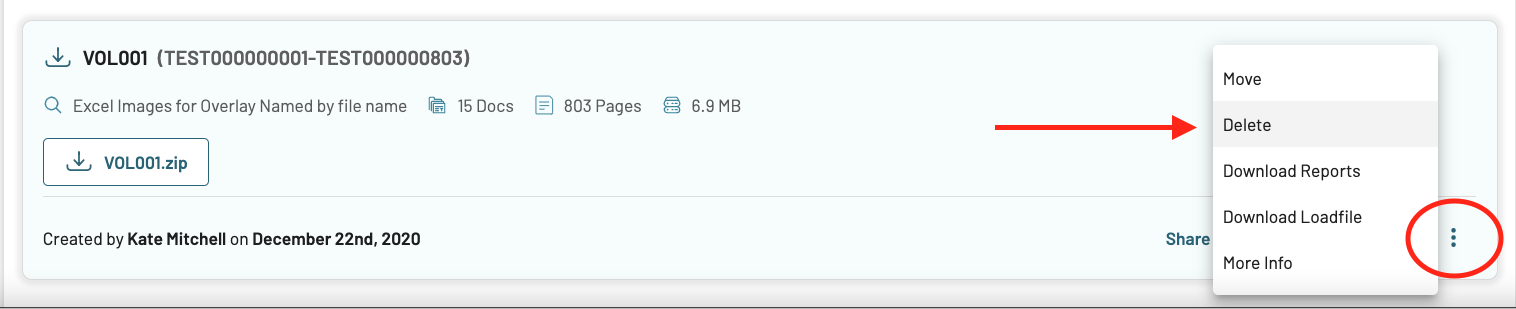
Once deleted, you will no longer have access to the deleted Download. The Download tag/document identifiers associated with the Download will also be removed. You will receive a Download deletion email like this:
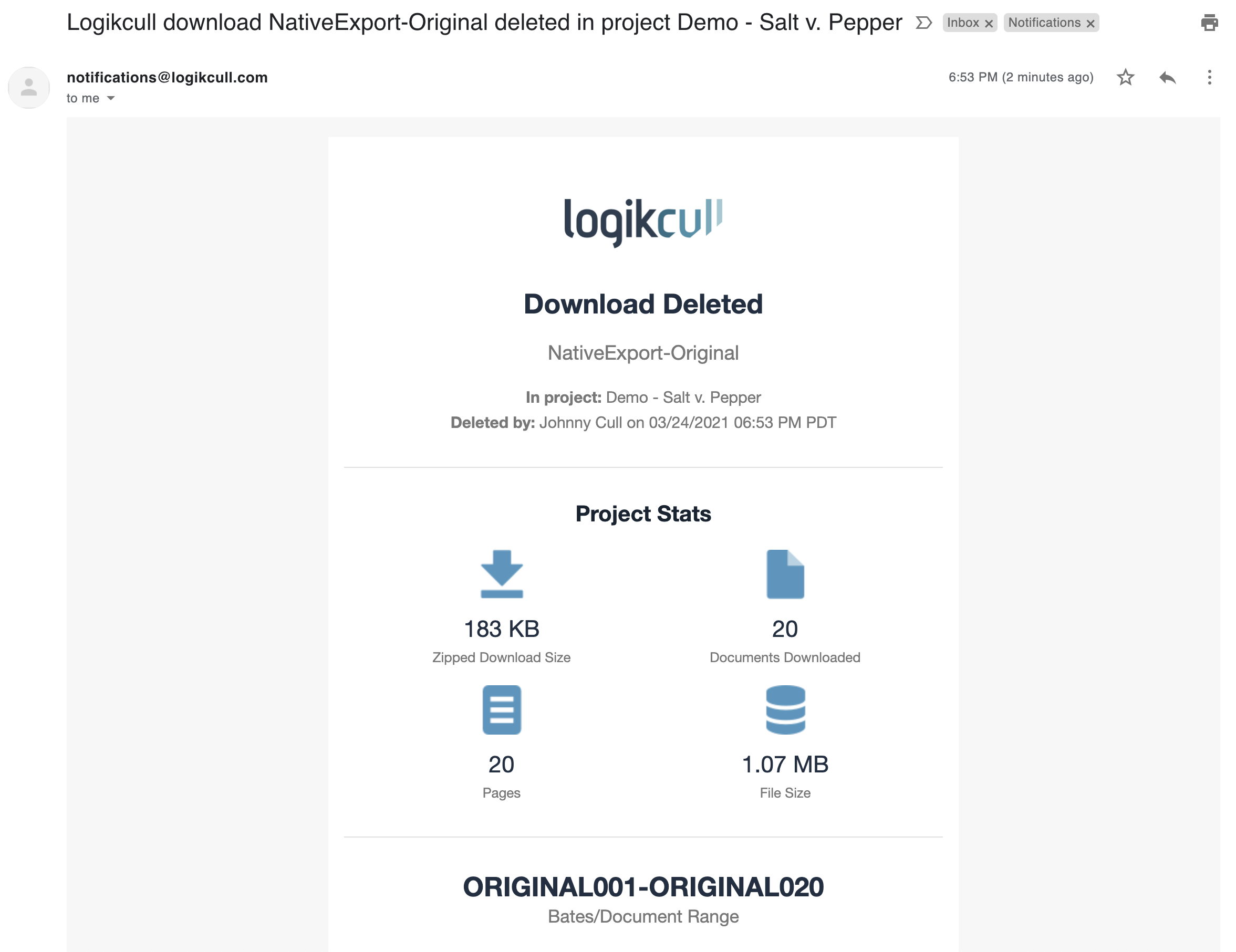
If this was a mistake, you can always re-create the Download.
Important
If you delete a download that has been shared, the ShareSafe link will no longer work for the recipient.