Items included in the April 2026 release.
Key Feature Highlights
Sync History
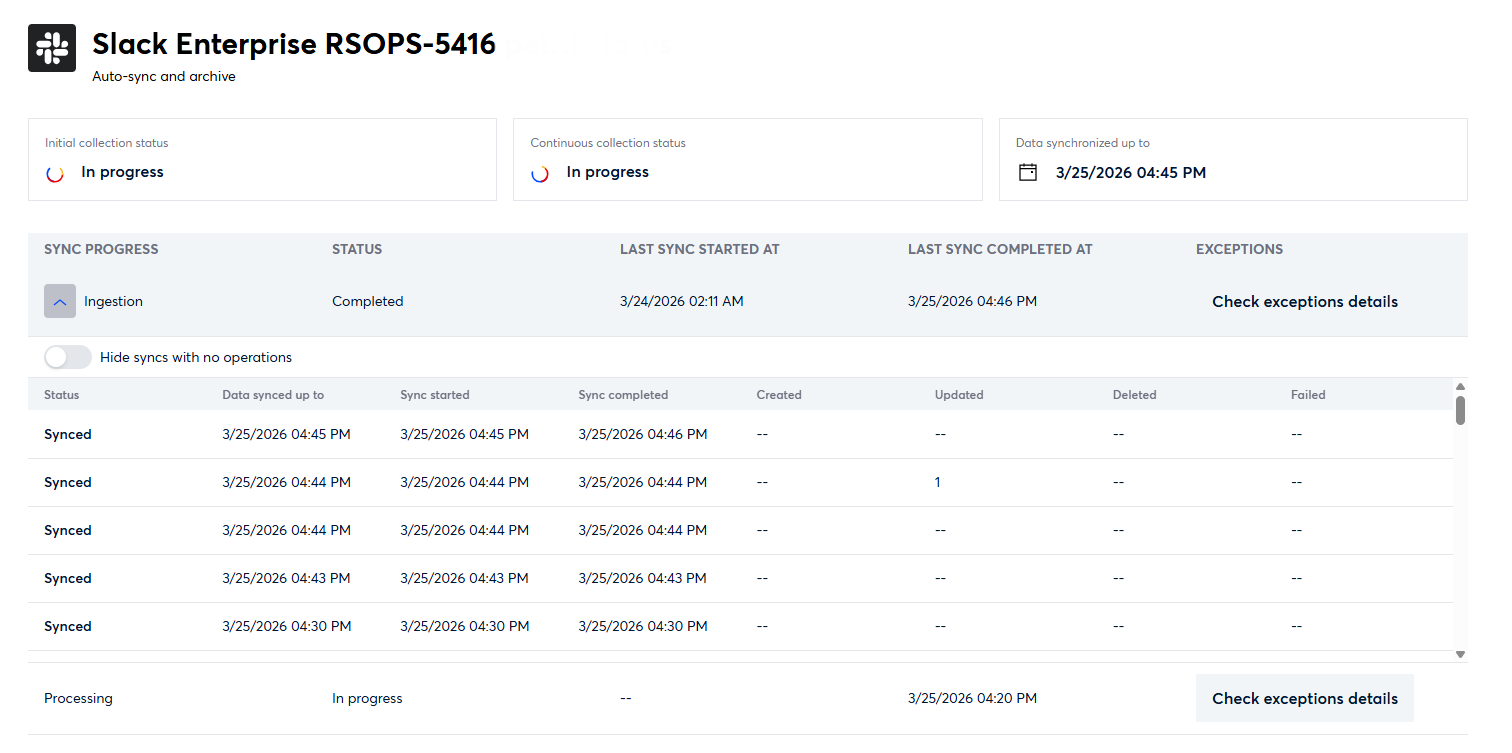
The Sync Status page now surfaces a full ingestion history so users can see exactly what happened across their recent syncs. When a sync completes — successfully or with resource errors — a new history entry is appended recording counts of created, updated, deleted, and failed resources. Up to 50 entries are retained, with the oldest rolling off as new ones arrive.
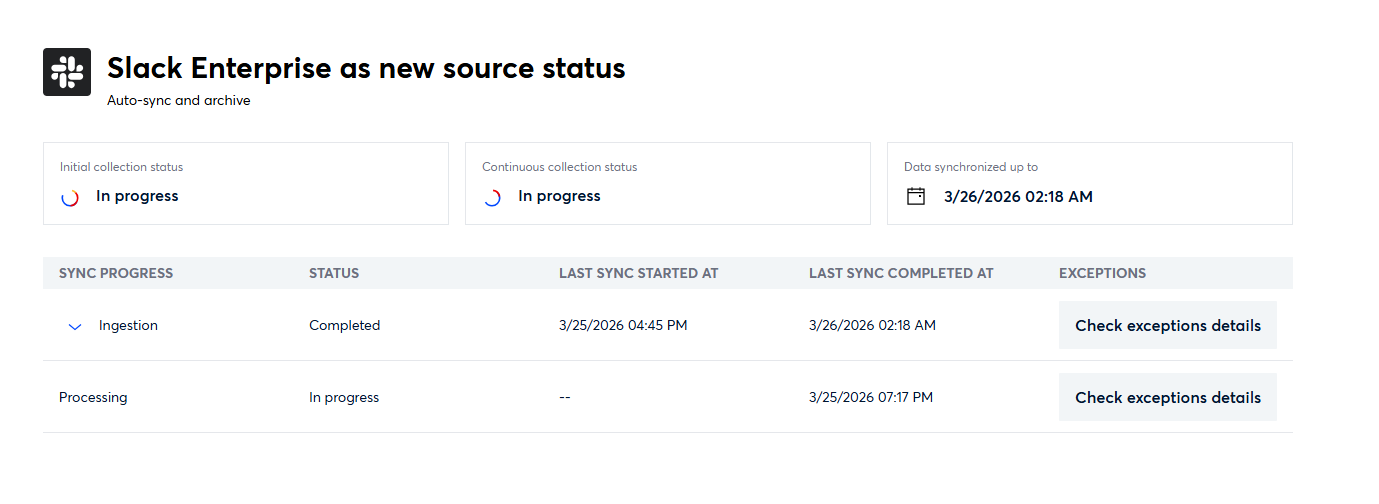
The history panel is collapsible and the expand option only appears when history entries exist. While browsing, the header row and toggle button remain pinned on scroll. A toggle lets users hide rows with no activity; if filtering removes all rows, a fallback message indicates no modifications were found across recent runs.
Data Synchronized Up To
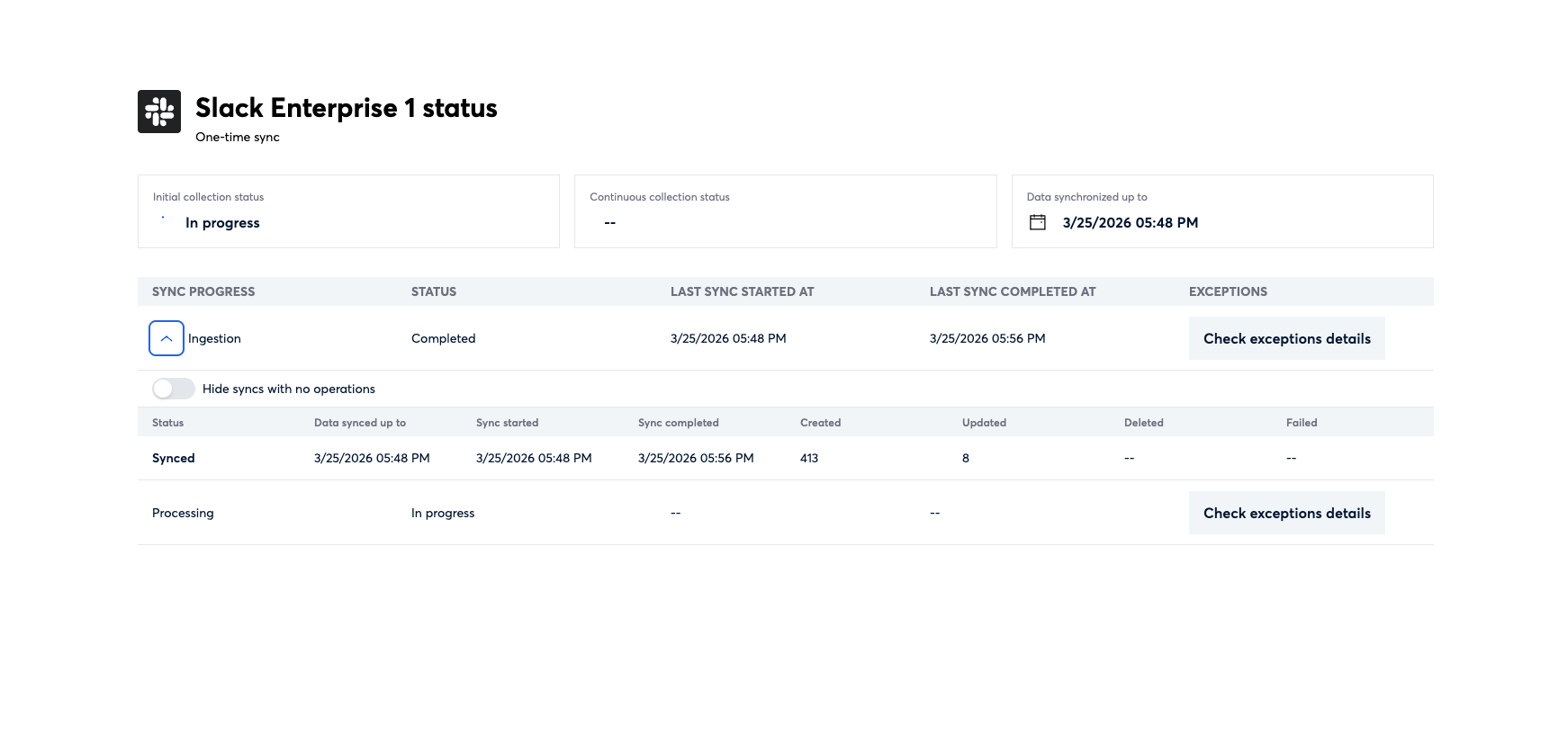
The Sync Status page previously showed "Last sync completed at," which reflected when the sync process finished — not when the data was actually current to. For large enterprise syncs spanning many channels and custodians, this gap could be significant and misleading. The page now displays a "Data synchronized up to" date, accurately reflecting the cutoff date and giving users a true picture of their data currency.
Synchronization Timeline
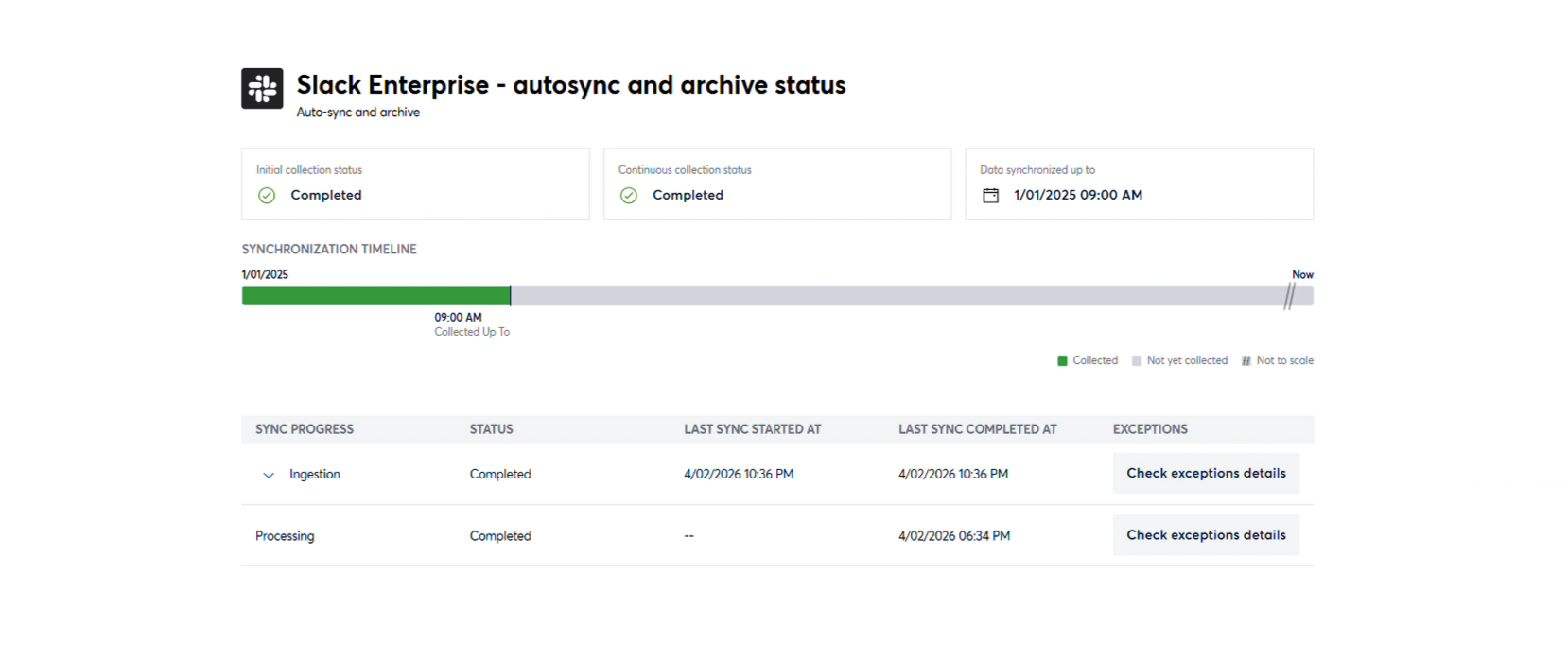
The Sync Status page now includes a visual Synchronization Timeline for recurring datasources, giving users a clear, at-a-glance picture of their data collection progress. The timeline is divided into color-coded segments representing data that has been fully collected, data currently being collected, and data not yet started. Tooltips on each segment provide additional context, making it easy to understand exactly where a datasource stands at any point in time.
Google Gemini Incremental Sync
The Google Gemini connector now supports recurring incremental syncs in addition to one-time collection. Each sync run collects only new and updated content since the last run, keeping ingested data current while eliminating redundant collection. This makes Gemini a fully supported ongoing data source within Onna.
Release Detail
Issue Type | Category | Description |
|---|---|---|
New Feature | Connect & Collect | Added sync history tracking to the Sync Status page. Completed syncs now append a history entry with created/updated/deleted/failed resource counts, capped at 50 entries with automatic rolloff. The panel is expandable, header-pinned on scroll, and includes a toggle to hide no-activity rows with a fallback message when all rows are filtered. 4164 (S6) |
New Feature | Connect & Collect | Replaced the "Last sync completed at" timestamp on the Sync Status page with a "Data synchronized up to" field that reflects the actual data cutoff date used by the spyder at the start of each run, providing an accurate representation of data currency. 4154 (S6) |
New Feature | Connect & Collect | Removed the |
New Feature | Connect & Collect | Sync Status page now includes a visual "Synchronization Timeline" for recurring syncs, giving users an at-a-glance view of their datasource's collection progress. The timeline displays three color-coded segments representing data that has been fully collected, data currently being collected, and data not yet started. Tooltips on each segment provide additional context. The timeline is not shown for one-time syncs. 4182 (S6) |
New Feature | Connect & Collect | The Google Gemini connector now supports incremental syncs in addition to one-time collection. Recurring syncs will only collect new and updated content since the last run, reducing redundant data collection and keeping ingested content up to date over time. 4245 (S7) |
Fixed Issues
Administration
4206 (S7) Fixed an issue where deleting a site and confirming the action would redirect users to the Sign in page with the deleted site still selected. The Sign in page now correctly reflects the updated site list after deletion.
Connect & Collect
4287 (S6) Fixed an issue where the "Hide syncs with no operations" toggle on the Sync History panel retained its filtered state after the panel was collapsed and re-expanded. The toggle now correctly resets to off and displays all rows when the panel is reopened.
4222 (S6) Resolved a discrepancy where the unprocessed file count shown in the UI did not match the count in the CSV export for the same dataset. The source of truth has been validated and both surfaces now report consistent counts.
4390 (S7) Fixed an issue where users were unable to navigate past the 5th level of a folder hierarchy when selecting folders during Box Enterprise data source setup. Users can now drill down through all available folder levels without interruption.
4281 (S7) Fixed an issue where the Data synchronized up to timestamp remained empty on the Sync Status page after a Slack datasource sync completed successfully. The timestamp now updates correctly upon completion.
4163 (S7) Fixed an issue where filtering the repository list by alphabet when adding a GitHub data source caused all repositories to disappear. Clearing the filter did not restore them. Repositories now filter and display correctly, and clearing the filter restores the full list as expected.
Exports
3578 (S6) Fixed an issue where the origin type of resource field in exported metadata for Microsoft Teams resources incorrectly was displayed. Exports now reflect the correct origin type for Teams data across all export types, including Logikcull and CSV reports.
Administration
4248 (S6) Resolved an issue where users shared on a Workspace, Data Source, resource, or export were not visible in the Manage Members modal. Shared users now appear correctly after sharing any of these entities.