Items included in the May 2026 release.
Slack Block Kit Collections Support
Onna now fully captures and indexes bot-generated, workflow, and AI-driven Slack messages. Previously, these messages were either flattened into plain text or inconsistently represented, risking loss of meaning during legal review and eDiscovery. Structured content — including formatted text, media, and interactive elements such as buttons and dropdowns — is now preserved and fully searchable within Onna.
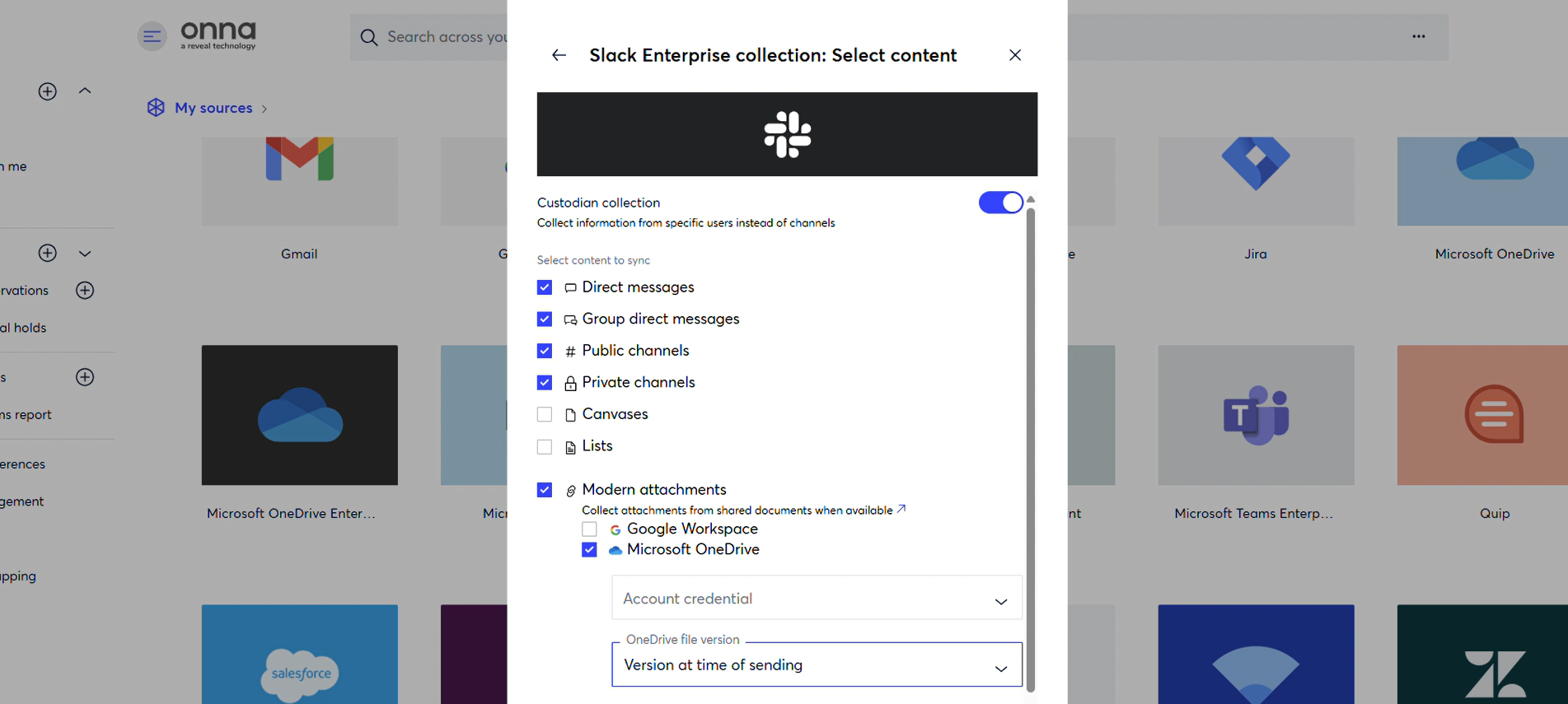
OneDrive File Version at Time of Sending in Slack
When a OneDrive file is shared in a Slack message, Onna can now collect the version of that file as it existed at the time the message was sent, rather than always collecting the most current version. This ensures the document is preserved exactly as it was when it was shared — a critical capability for legal review and eDiscovery accuracy. This option can be enabled per data source based on your collection needs.
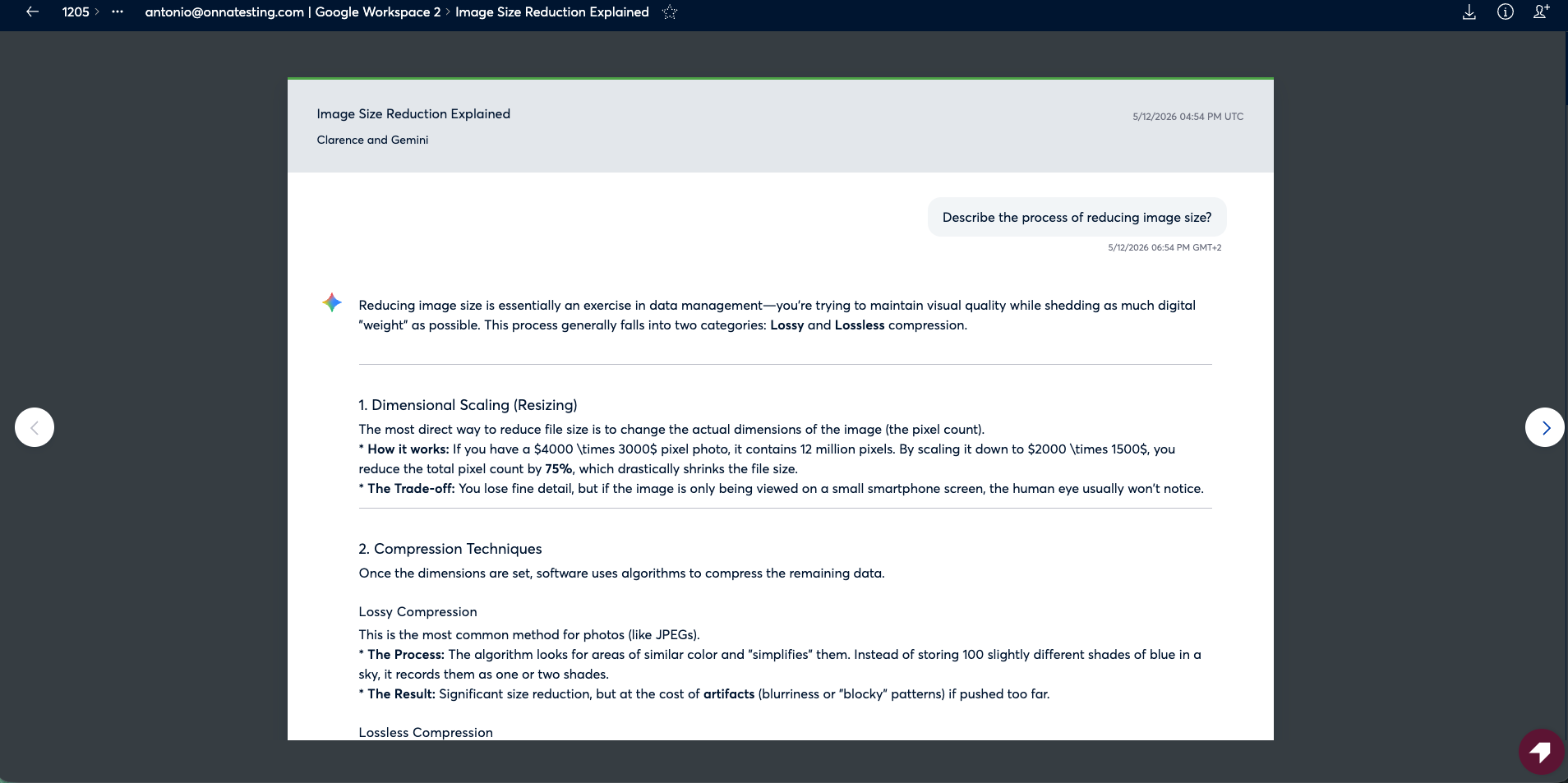
Gemini Conversation Rendering
Synced Google Gemini conversations can now be viewed in a clean, readable format within Onna. The full conversation history is displayed with proper formatting, making it easy to follow the flow of prompts and responses during review. This also extends to other AI chat connectors, ensuring a consistent reading experience across AI-generated content.
Faster Slack Enterprise File Collections
Slack Enterprise file collections for custodian-based data sources are now significantly faster. Onna now takes advantage of Slack's user-level filtering when retrieving files, reducing the volume of data processed during each collection run.
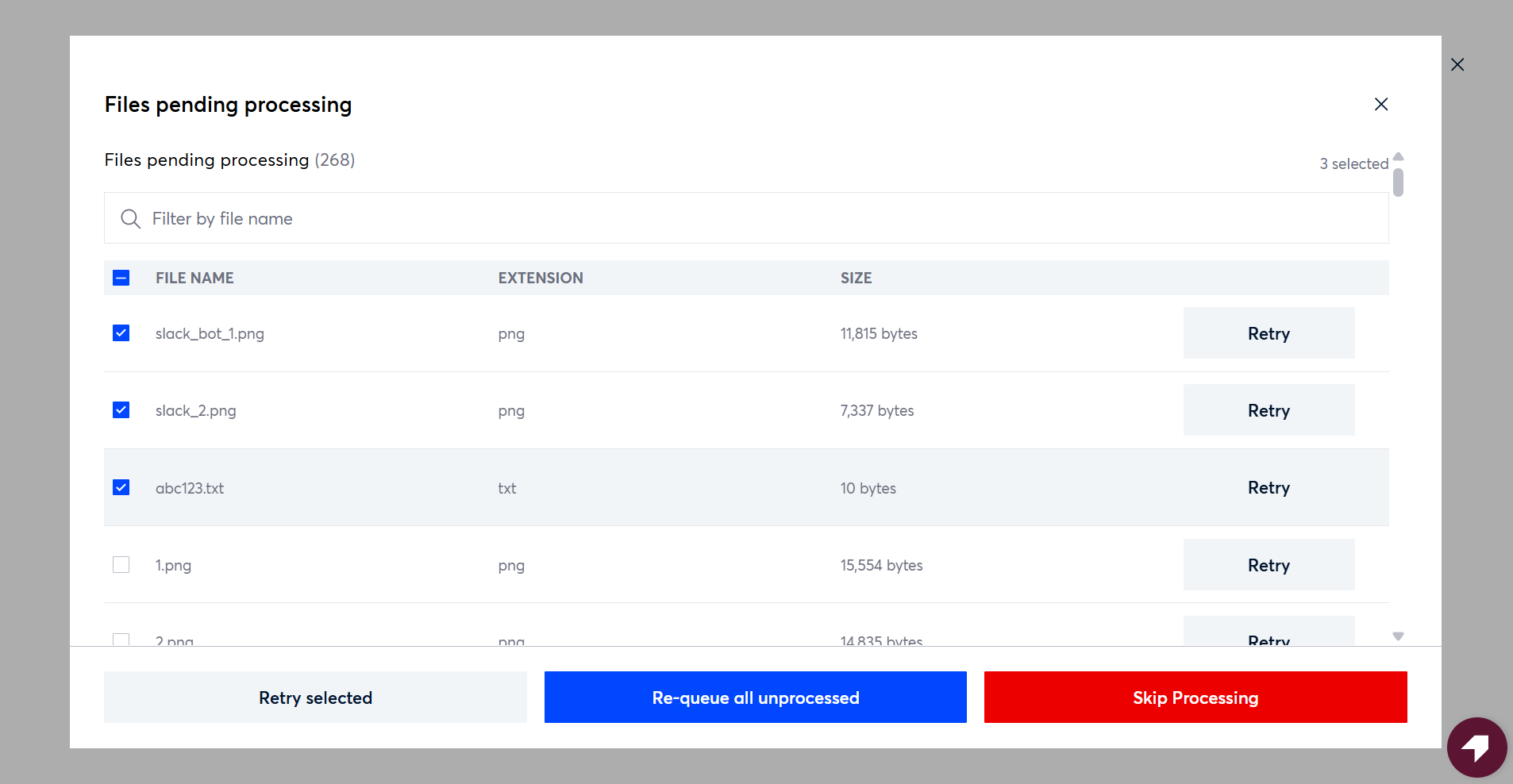
Skip Processing for Datasource Resources
Users can now manually skip resources that are stalled during processing directly from the Sync Status screen. When a sync appears stuck — due to large files, complex resource types, or items with many embedded children — you can target specific resources and skip them rather than waiting indefinitely. Skipped resources are marked as Completed, remain downloadable and exportable, and are subject to full audit logging. If a skipped resource later completes processing naturally, Onna automatically applies full-text extraction and removes the skipped status with no manual action required.
Release Detail
Issue Type | Category | Description |
|---|---|---|
New Feature | Connect & Collect | Box data source metadata collection has been updated so that shared link information is now available in both places it is referenced within Onna. When a file is not shared from Box, shared link fields will correctly appear as empty. No changes are required on the user side. 4434 (S8) |
New Feature | Connect & Collect | The Zendesk connector has been updated to meet Zendesk's latest authentication requirements, ensuring uninterrupted access and token handling across multiple active sources. 4389 (S8) |
New Feature | Connect & Collect | Onna now captures bot-generated, workflow, and AI-driven Slack messages in full, preserving their structure and meaning. Formatted text, media, and interactive elements are stored and made searchable, ensuring these messages are accurately represented in legal review and eDiscovery workflows. 3831 (S8) |
New Feature | Connect & Collect | When a OneDrive file is shared via Slack, Onna can now optionally collect the version of that file closest to the time the message was sent, rather than the current version. This ensures document preservation reflects the state of the file at the time of sharing. 4320 (S9) |
New Feature | Connect & Collect | Synced Google Gemini conversations now display in a clean, structured format within Onna. The full conversation history is rendered with proper formatting, making AI-generated content easy to read and review. 4471 (S9) |
New Feature | Connect & Collect | Users can now skip resources stalled in processing from the Sync Status screen, marking them as Completed without waiting for retries to exhaust. Skipped resources remain downloadable and exportable, and are tracked in the audit log. If a skipped resource later completes processing, full-text extraction is applied automatically. 4350 (S9) |
Updated Feature | Connect & Collect | The document viewer has been updated to correctly render formatted content for AI chat connector resources, including Gemini and ChatGPT conversations. Content that previously displayed as unformatted text now renders as intended. 4277 (S9) |
Updated Feature | Connect & Collect | Slack Enterprise file collections for custodian-based data sources now use user-level filtering, significantly improving collection speed by reducing the amount of data processed per run. 1923 (S9) |
Fixed Issues
Connect & Collect
4442 (S8) Resolved an issue where data collection processing would stall unexpectedly despite content being available to sync. The service now recovers automatically when issues occur, resumes processing without interruption, and no longer requires manual restarts to get back on track.
4390 (S8) Fixed a regression where users were unable to navigate past the 5th level of the folder hierarchy when setting up a Box Enterprise data source. Folder drill-down now supports up to 20 levels as previously intended.
4293 (S8) Resolved an issue where Google Workspace Vault syncs were producing sync errors without generating export requests. The connector now correctly initiates Vault exports before attempting to sync, and syncs complete without errors when a valid matter and export configuration are present.
4319 (S8) Fixed an issue where the source type filter in search results grouped all generic connector types under a single label when multiple generic sources were present. Each data source type now appears as its own distinct filter option.
4560 (S9) Resolved an issue where Gmail collections were ignoring folder-level sync filters, causing content from Drafts, Spam, and Trash to be collected even when those folders were explicitly unchecked. Only selected folders are now collected as configured.
4558 (S9) Corrected a behavior on the Sync Status page where the "Expanded" step was being marked as complete before processing had fully finished. It now only updates to complete once the processing phase is done, giving users an accurate picture of sync progress.
4550 (S9) Addressed an issue where previewing a Dropbox file caused the entire Onna interface to become unresponsive. File previews for Dropbox now load correctly without affecting the rest of the UI.
4464 (S9) Resolved a bug where Google Workspace data sources using Google Vault would mark all user accounts as "Failed to sync" when more than one account was included. Multi-user Google Vault data sources now sync successfully across all included accounts.
4444 (S9) Addressed missing cloud storage links in Slack transcripts that were not appearing after syncing into Onna. Links now display correctly in Slack transcript views as expected.