Items included in the June 2026 release.
Note
Content marked with an asterisk ( * ) is Feature Flagged. These features are included in this release but currently turned off by default. It will not appear in your environment unless it is manually enabled by Reveal. Contact your Customer Success Manager if you’d like to learn more or request access.
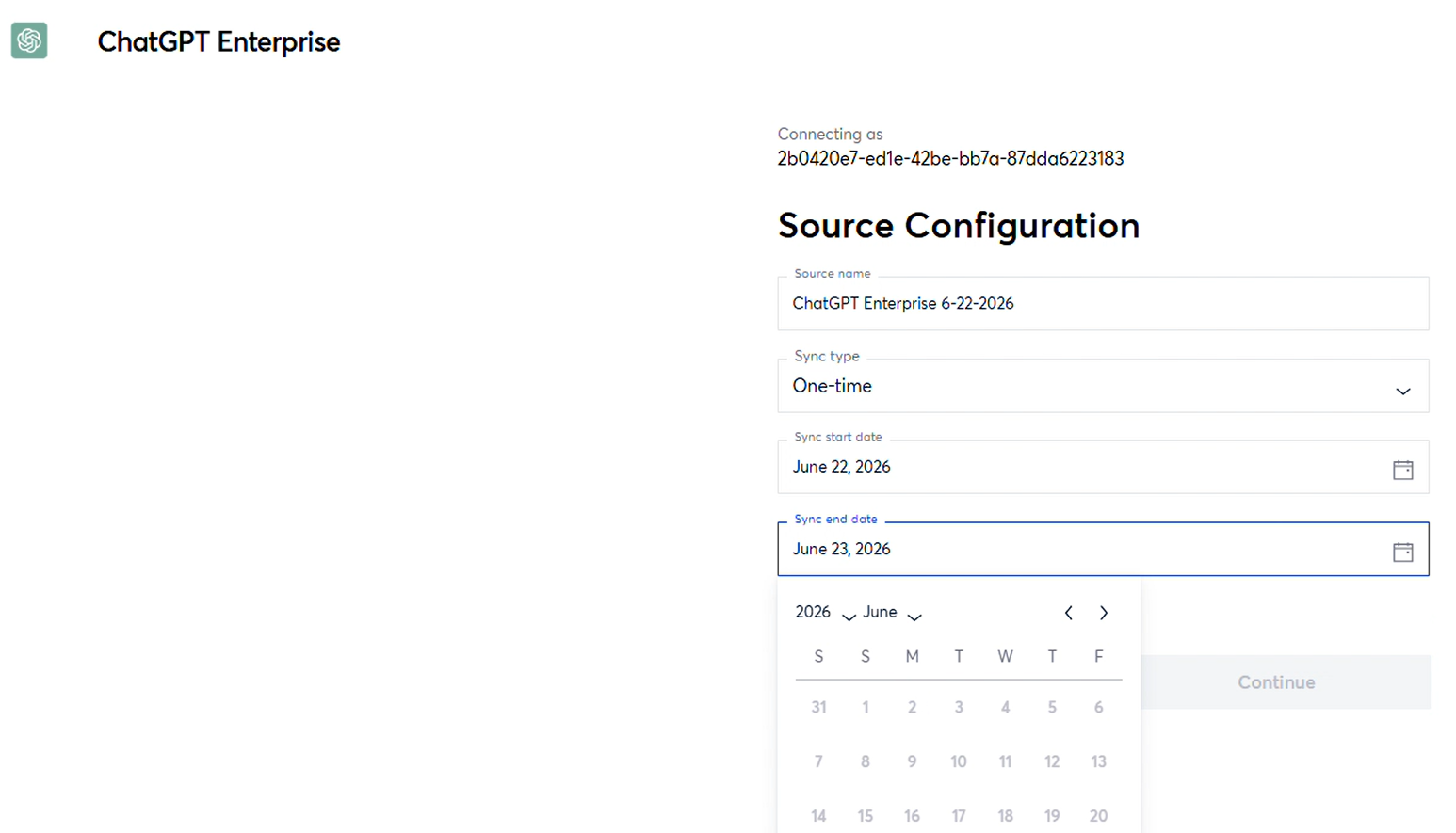
ChatGPT Connector*
Onna now supports ChatGPT as a new connector. With this initial release, you can connect a ChatGPT account and collect conversation data, which can then be searched, reviewed, and exported using the same workflows as your other Onna data sources. Conversations display in a clean, readable format that mirrors the ChatGPT interface, making it easy to follow the flow of prompts and responses during review. This release focuses on conversation data as the foundation for the connector.
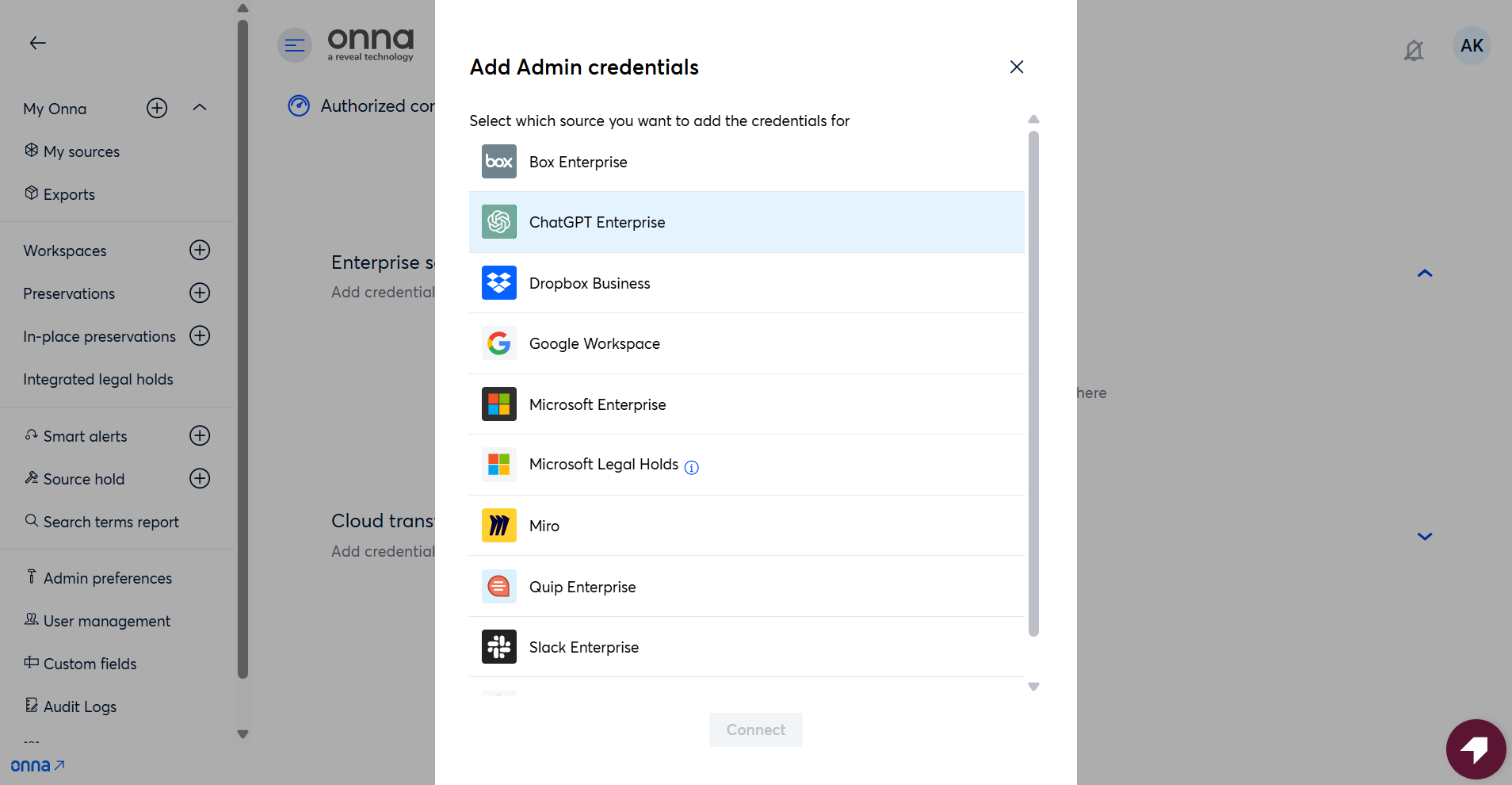
Collect Google Drive Files as They Existed When Shared in Slack*
Organizations can now preserve historical versions of Google Drive files shared through Slack.
Previously, when a Google Drive file was referenced in a Slack message, Onna collected only the current version of the file. This could result in collected content differing from what recipients originally viewed if the file was modified after it was shared.
With this release, administrators can choose to collect the version of a Google Drive file that most closely matches the time the Slack message was sent. Onna automatically retrieves the file's version history and selects the version that existed when the file was shared.
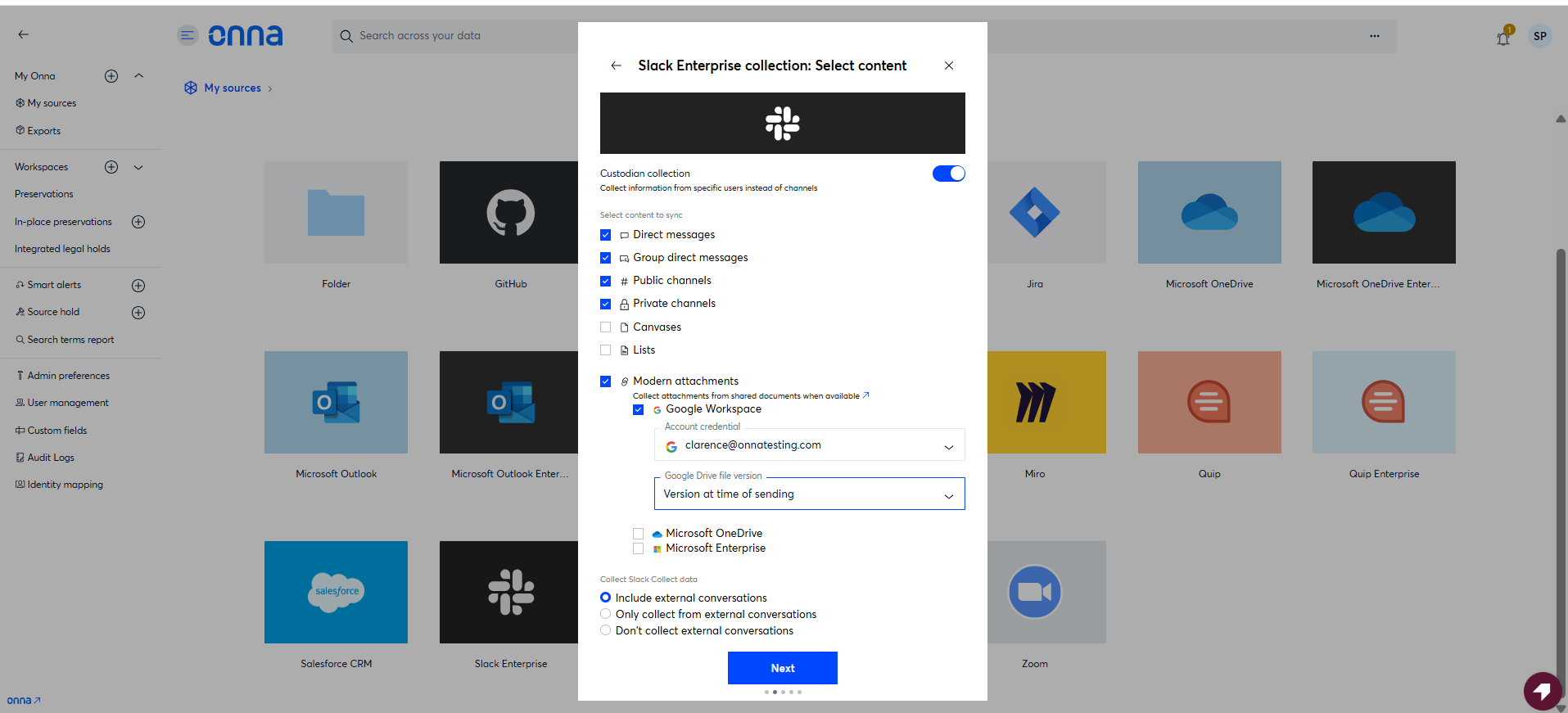
Manual Skip Processing for Stalled Resources
Users can now manually skip resources that are stalled during processing directly from the Sync Status screen. Selected resources are marked as “Processing Skipped by User” after confirmation, allowing syncs to continue without waiting for processing retries to complete. Skipped resources remain downloadable and exportable, are fully audited, and will automatically complete full-text extraction if processing finishes successfully at a later time. Resources that complete processing while the skip action is being performed are not affected, and users are informed of the final outcome for all selected items.
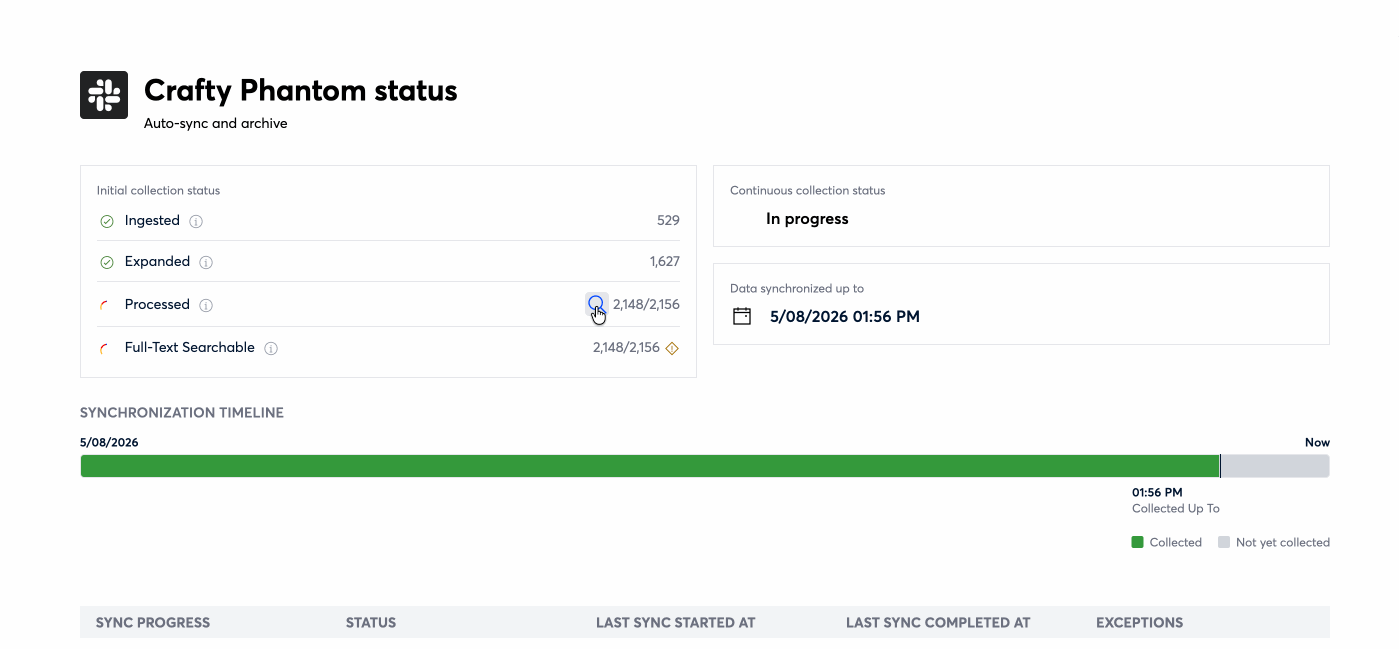
End-Date Picker for One-Time Syncs
One-time syncs in the source configuration flow now include an end-date picker. The picker appears only when a one-time sync is selected, defaults to the current date, and prevents you from choosing an end date earlier than the sync's start date or set in the future. Syncs now collect data through the end of the day on the selected date, giving you tighter control over the exact time range captured.
Release Detail
Issue Type | Category | Description |
|---|---|---|
New Feature | Connect & Collect | Onna now supports ChatGPT as a new connector, allowing ChatGPT conversation data to be collected, searched, reviewed, and exported alongside other Onna data sources. 3193 (S12) |
New Feature | Connect & Collect | The Sync Status page now provides a detailed breakdown of the initial collection process, allowing users to see how resources are progressing through each stage of collection and processing. Instead of relying on a single overall status, users can now view item counts for individual stages, making it easier to understand whether a sync is actively progressing. In addition, processing exceptions and ingestion failures are now surfaced directly within the collection statistics, providing quicker access to troubleshooting information when issues occur. 4207 (S10) |
New Feature | Connect & Collect | One-time syncs in the source configuration flow now include an end-date picker, which defaults to the current date and restricts selection to dates on or after the sync start date. Collected data extends through the end of the selected end date. 4829 (S12) |
Updated Feature | Connect & Collect | Organizations now have greater control over how Google Drive files are collected within Slack eDiscovery collections. When configuring a collection, administrators can choose whether to collect the current version of a Google Drive file or the version that existed when the file was originally shared in Slack. This setting is saved as part of the collection configuration and is also displayed within the Information Panel for greater transparency after collection setup. 4554, 4555 (S10) |
Updated Feature | Connect & Collect | Confluence pages and Jira tickets now render more accurately in the Document Viewer. Previously, certain content could appear improperly formatted because styling information was not fully applied during rendering. With this update, users can view Confluence and Jira content with improved formatting, including proper styling, icons, and emojis. Generated and downloaded files now more closely match the content displayed in the preview. 4738 (S11) |
Updated Feature | Connect & Collect | Slack transcripts now correctly render previously unsupported block types, including Alert, Card, Carousel, Input, Plan, Task Card, and Context Actions, instead of displaying them as generic or incomplete content. 4535 (S12) |
Updated Feature | Administration | Users can now receive email notifications when copy actions finish processing. Previously, users needed to manually verify whether a copy operation had completed successfully. With this update, email notifications are automatically sent when a copy action either completes successfully or encounters a failure. 4564 (S10) |
Updated Feature | User Interface | The Onna application has been updated to reflect the latest company branding. Updated logos and branding assets have been applied throughout the platform to align the application experience with the recently launched Onna brand identity. These updates provide a more consistent visual experience across Onna products and communications. 4561(S10) |
Fixed Issues
Administration
4681 (S10) Resolved an issue where file name filtering within the Files Pending Processing modal required an exact match before results were returned.
4791(S11) – Fixed an issue where the Help Center Knowledge Base widget failed to load from the user menu.
4073(S11) – Improved frontend responsiveness by removing blocking network requests that could delay page rendering, particularly in environments with large volumes of data.
Connect & Collect
4856 (S10) Resolved an issue where Gmail messages could appear under an incorrect folder classification after synchronization. Messages now correctly reflect their Gmail category.
4397(S10) Resolved an issue affecting certain Google Drive resources that could result in inconsistencies between collected and exported file counts.
4747(S11) – Fixed an issue where Slack reaction badges could overflow beyond the page width instead of wrapping within the message container. Reactions now wrap onto additional lines and remain fully visible within the available page width.
4643(S11) – Fixed an issue that caused newly created Dropbox Business Auto-sync data sources to fail synchronization immediately after creation.
4889 (S12) Resolved an issue where navigating into a subfolder would intermittently display "This source is still empty" and return no search results, despite data being present and searchable at the parent folder level. Subfolders now consistently display their contents, and subfolder-scoped search returns matching results as expected.
Export
4702(S11) – Fixed an issue where Group Identifier settings in export templates were not retained when the template was reused. Saved selections are now correctly restored whenever the template is applied to a new export.
4815 (S12) Fixed an issue where the eDiscovery metrics CSV export would hang indefinitely when a data source had no recorded owner. Data sources without an owner are now handled with a fallback value, allowing the export to complete successfully.