Locations are specific sites (e.g. police department, public library, school) within your agency that a request can be attributed to. Once added, locations can be used to:
Route requests to the right members with routing rules.
Make labels available only for certain locations.
Limit which requests each member can see, using location scoping.
Important
Locations are for internal use only. There isn’t a way for requesters to select a location while filling out the request form.
Locations are managed by Admins in the Locations tab via Settings >  Locations.
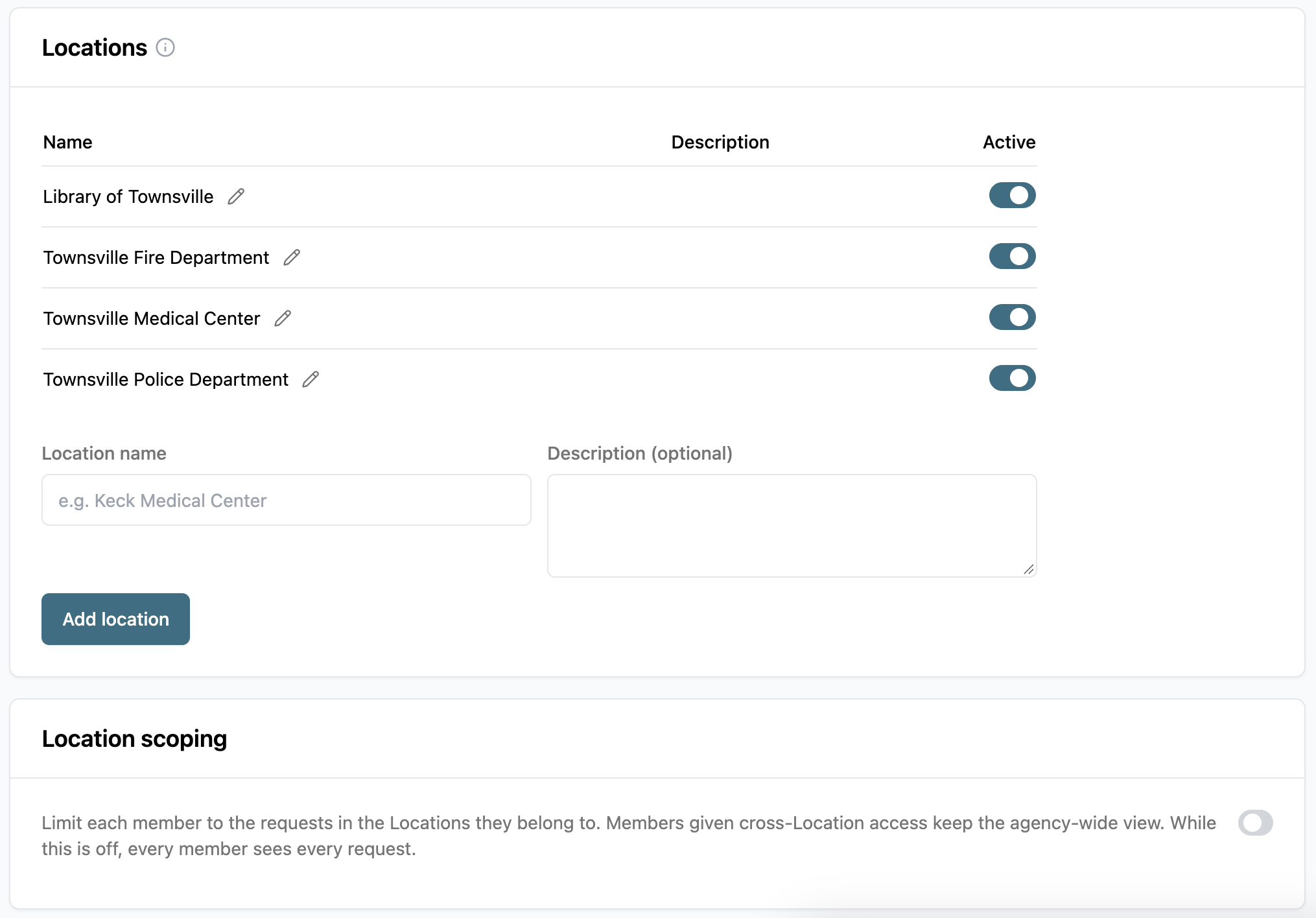
The locations list shows each location’s name, its description, and whether it’s active.
Add a new location
To add a new location…
Location name: Type a name for your location.
Description: Optional. Type a short description of the location.
Note
Descriptions can’t be edited or deleted after the location is added.
Click Add location.
Edit location name
To change a location’s name…
In the Name column, locate the location’s row.
Click the
 pencil icon next to the location’s name.
Type your new name.
Click Save.
Deactivate location
In the Active column, use the  toggle to turn a location on or off. Agents won’t be able to choose a deactivated location from any Locations dropdowns, but requests already assigned to the location will still keep it after it’s deactivated.
Location scoping
Location scoping limits each member to the requests in the locations they belong to. To turn location scoping on or off, use the toggle in the Location scoping section, below the locations list.
On – Members only see requests from their own locations given through member settings. Members permitted cross-location access, also through member settings, keep the agency-wide view and see all requests.
Off – Every member sees every request, no matter which locations they belong to.
If a member doesn’t belong to any location, and they don’t have cross-location access, then that member will not be able to see any requests.
Logikcull for Public Records will display an error if you are turning location scoping on and there are members that are not assigned to any location. You will also see a list of all members (email or profile name) that would be affected.
