From the Team Members list, click any member’s name to open up their member settings. Here, Admins can set an individual member’s Out of Office (OOO) dates, assign them locations, or designate them as a fallback assignee.
Member information
Admins can change the job title or phone number of any member. However, a member’s display name and image can only be changed by that member.
To return to the Team Members list, click  Back to members.
.png)
Out of office (OOO) status
Admins can set any member as out of office and assign a delegate to receive rerouted requests. Each member also has the ability to set themselves as out of office through their profile settings.
For instructions on how to set members as out of office, see Profile Settings.
For a diagram of how OOO delegates, locations, and fallback assignees impact request assignment, see Routing Flow Chart.
Set locations
After adding locations to your agency, they can be assigned directly to members, which limit the requests they can view and claim.
Members with no location will only see requests that are assigned to them by an Admin or automated rule.
Members with one or more locations will only see requests from their locations, or requests that have been explicitly assigned to them by an Admin or automated rule.
Members with Cross-Location access will see all incoming requests, including requests that are in the unassigned queue (requests without a location).
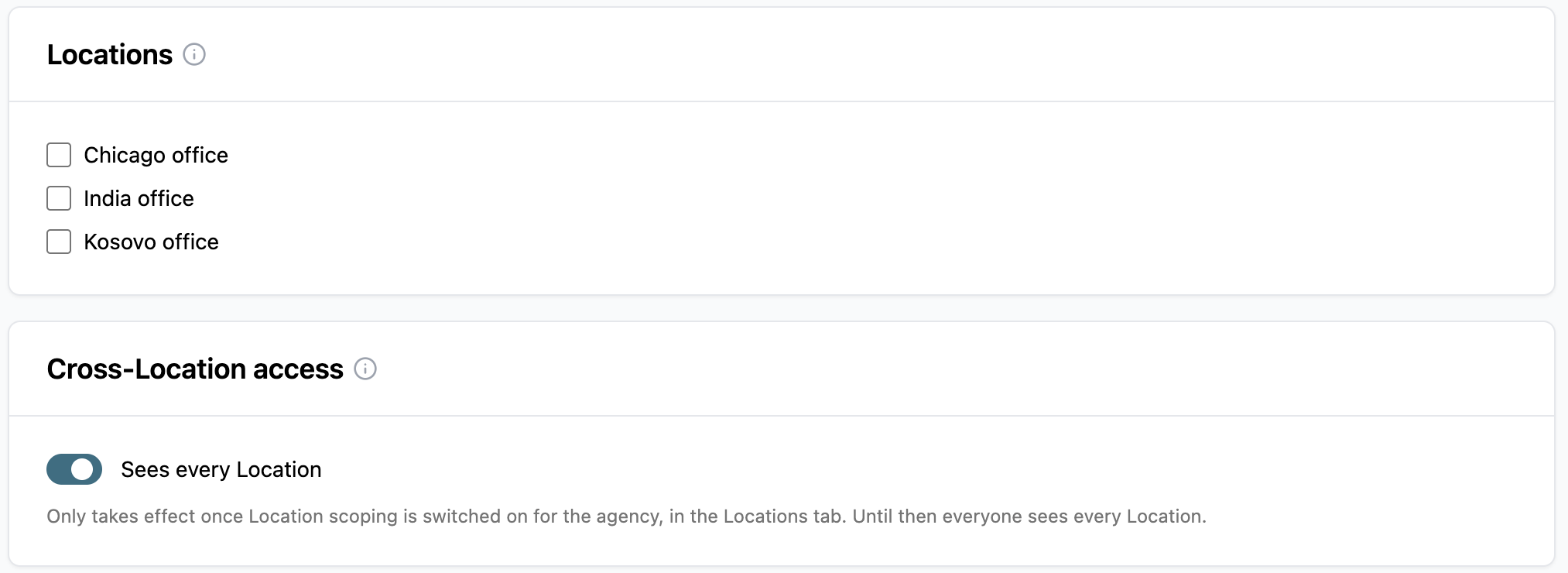
For further information on how locations function in Logikcull for Public Records, see Locations.
Set fallback assignee
The fallback assignee is designed to be the last-resort assignment for requests that do not trigger any of the routing mechanisms tied to routing rules, OOO assignees, delegates, and locations. Use the Receives requests left unassigned toggle to designate someone as a fallback assignee.
Each agency can have only one fallback assignee at a time. Turning on the toggle for a new member automatically assigns them as the fallback and removes the previous member from that role.

Note
Fallback assignees are optional. If no one in an agency is designated as a fallback assignee, requests that fail all other routing rules will end up in the unassigned queue.