The Locations tab allows you to add locations that need to be preserved in the hold. Please note that for in-place preservation, you need to set up an integration with Microsoft Purview first.
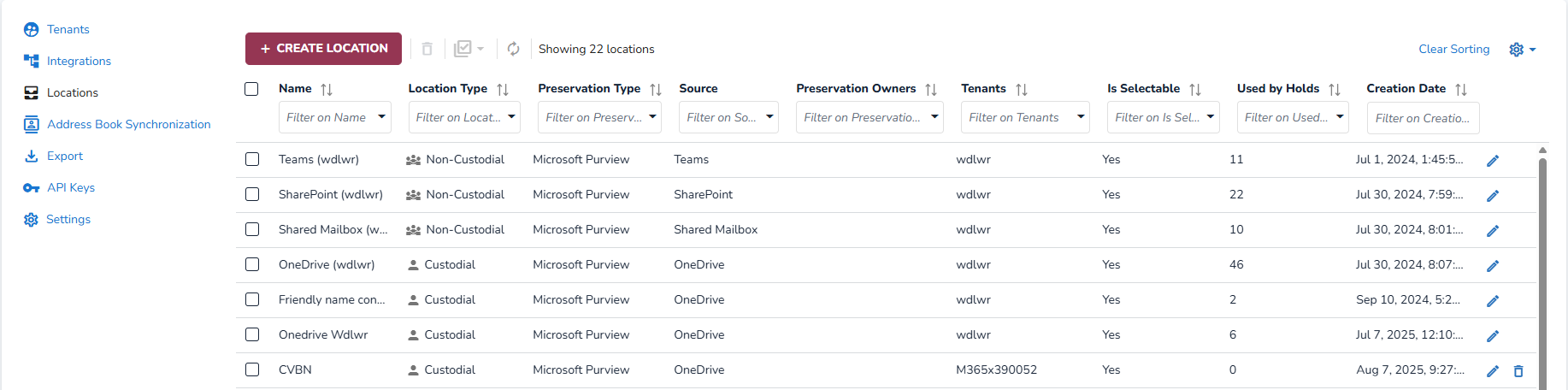
Create Location
Select Create Location.

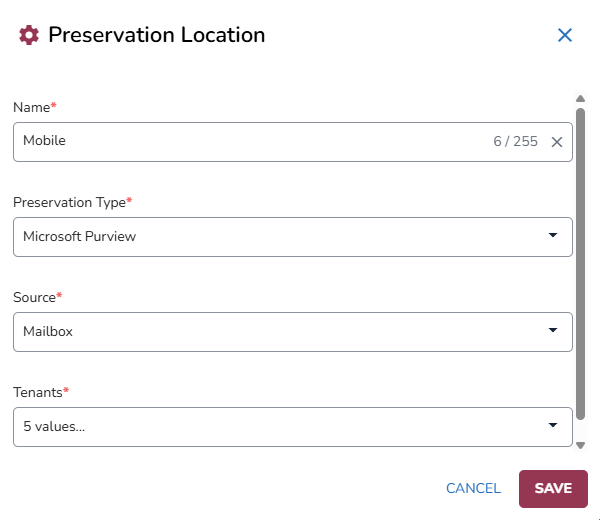
In the Preservation Location modal, define the following:
Name: The name of the preservation location.
Preservation Type: Microsoft Purview, Google Vault, and Manual.
The Preservation Type “Manual” allows Forensic Investigators or IT Administrator to manually preserve the data. Here, users can add up to five Owners using email addresses. This enables integration with IT ticketing systems by sending an email notification to Owners with details about the data that needs to be preserved, in addition to the preservation location already in place.
Source: The data source associated with the preservation (e.g.,, Mailbox, OneDrive).
and Tenant(s)
Note
Please make sure that custodians from your Microsoft Entra ID are synchronized and up to date, so that the Legal Hold is aware of the correct OneDrive locations.
Click Save.
Locations are used when creating a hold to define the data that needs to be preserved.
For more information, please refer to Preservation.