Overview
Logging in to Reveal will open the landing page, which lists all projects that a user has been added to. Note that Instance Admins can see all projects regardless of whether they have been explicitly added to them, and Company Admins can see all projects in their company without having been added to them.
In the Projects pane, you can favorite a project by pressing the  star icon, and switch between viewing all projects and only favorite projects using the rightmost Favorites / All toggle.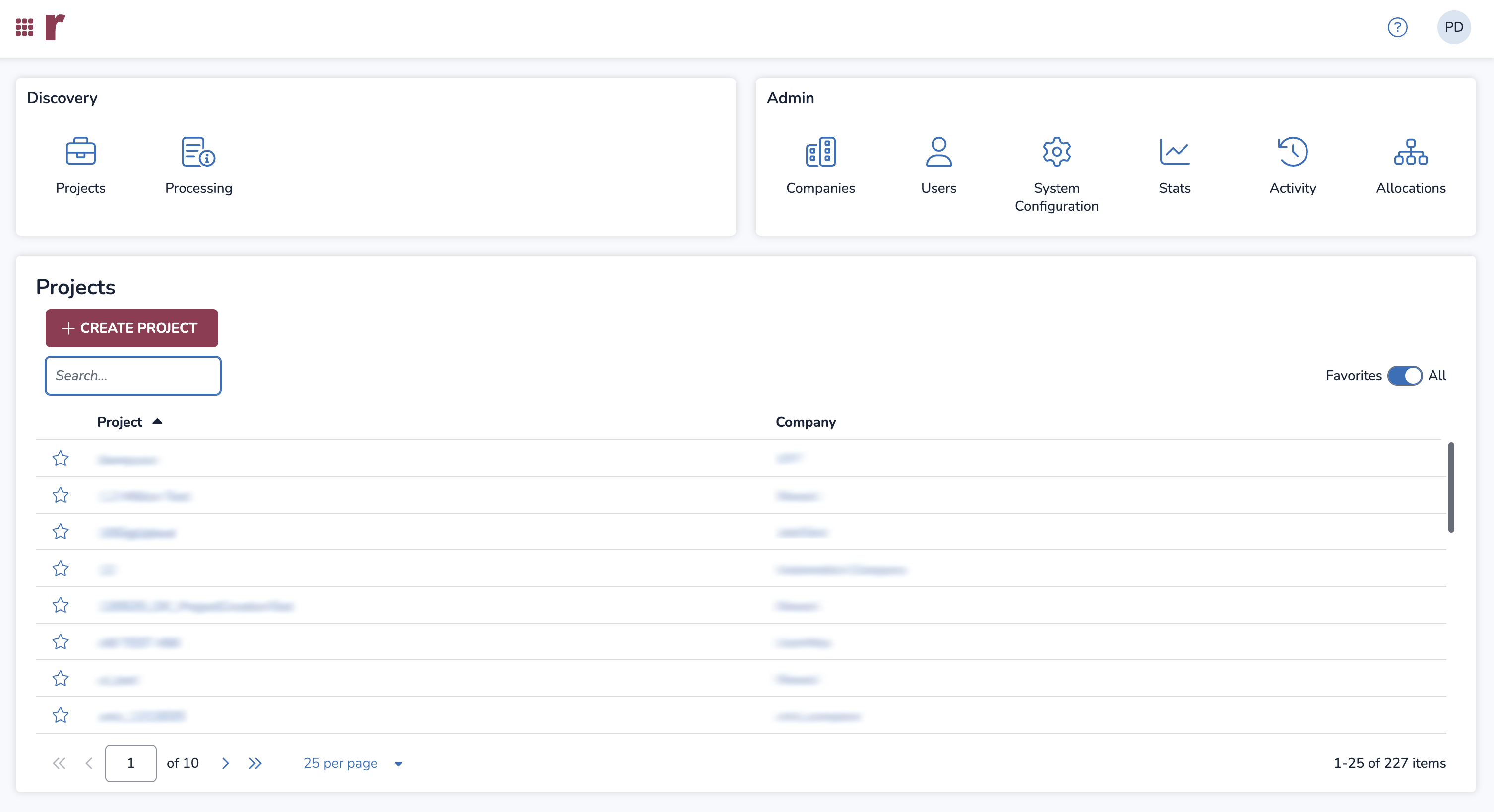
Instance Admins will also see the Discovery and Admin panes, which provide access to the following screens:
Projects: Displays projects; functions the same as the Projects pane.
Processing: View processing job history across your entire instance and edit processing templates. More information can be found in the Instance Processing Overview Screen – Web article.
Companies: Create and view companies, and access the Legacy Company Admin page. More information can be found in the Create and Manage a Company article.
Users: Create and view users across your entire instance. More information can be found in the Create a User article.
System Configuration: View and edit system configurations. More information can be found in the System Configurations article.
Stats: View Image Labeling, Transcription, Translation, and GenAI Review stats across your entire instance or select projects. More information can be found in the Instance Stats article.
Activity: Displays user activity at the instance and project level.
Allocations: View aji Unit allocations across projects, which are used during GenAI Review. More information can be found in the aji Unit Allocation – Instance Admin article.
Important
Company Admins can also see the Discovery and Admin panes, but only have access to the Projects, Companies, and Processing screens.
Home Button
Reveal’s .png) home button, in the upper-left corner of the screen, allows Instance and Company Admins to easily switch between the screens present on the landing page. Pressing the home button opens the Switcher popup, shown below.
home button, in the upper-left corner of the screen, allows Instance and Company Admins to easily switch between the screens present on the landing page. Pressing the home button opens the Switcher popup, shown below.
.png)