The Approval Workflow provides a formal review process for holds before they are issued or reissued. Matter Managers and Global Hold Managers can submit prepared holds for approval by a designated approver, with each approval recorded to track what was approved, who approved it, and when.
To enable this feature, go to Subscription > Settings and follow the steps in the Edit Approval Workflow Settings section.
The Approval Queue is where approval requests are reviewed and completed decisions are tracked. You can access it from the side Menu > Approval Queue or select the  button in the Hold Management page, in the upper-right corner. The button displays a badge showing the number of approval requests awaiting your action.
The Approval Queue screen contains two tabs: Awaiting Approval and Approval History. Both tabs remain visible to users with access to Hold Management, but the records displayed depend on the user’s relationship to the approval request and their assigned responsibilities.
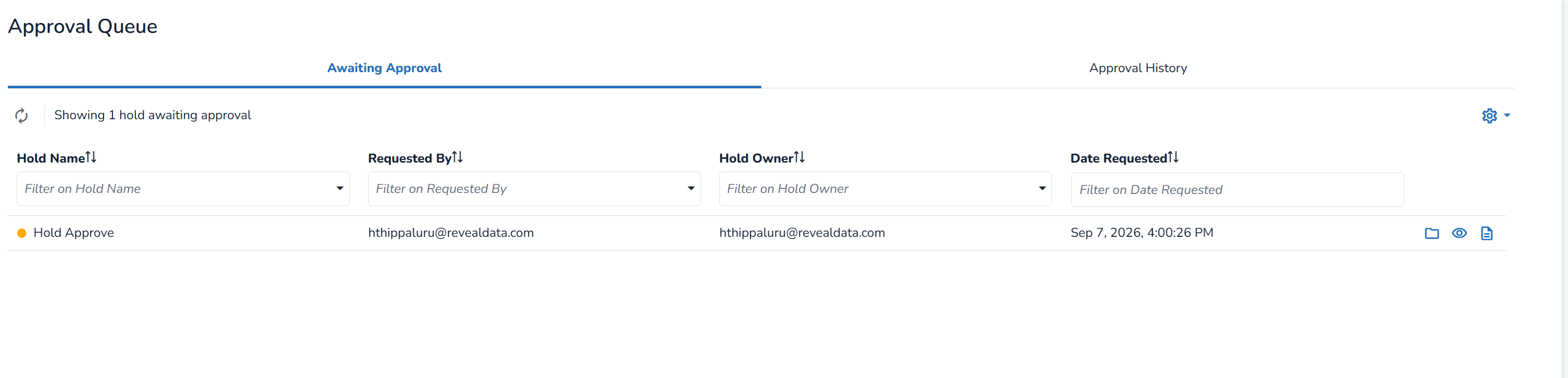
Awaiting Approval
The Awaiting Approval tab is action-based and displays only approval requests that require your action. Requests appear here for assigned approvers. If no approval requests are assigned to you, the tab remains visible. Pending requests you submit can be tracked from the Hold detail page.
Note
Requests you submit for approval do not appear in the Awaiting Approval tab.
In the Awaiting approval tab you will see all Holds to which you were added to.
In the Awaiting Approval tab, click on Review Approval
 for the Hold you want to review.
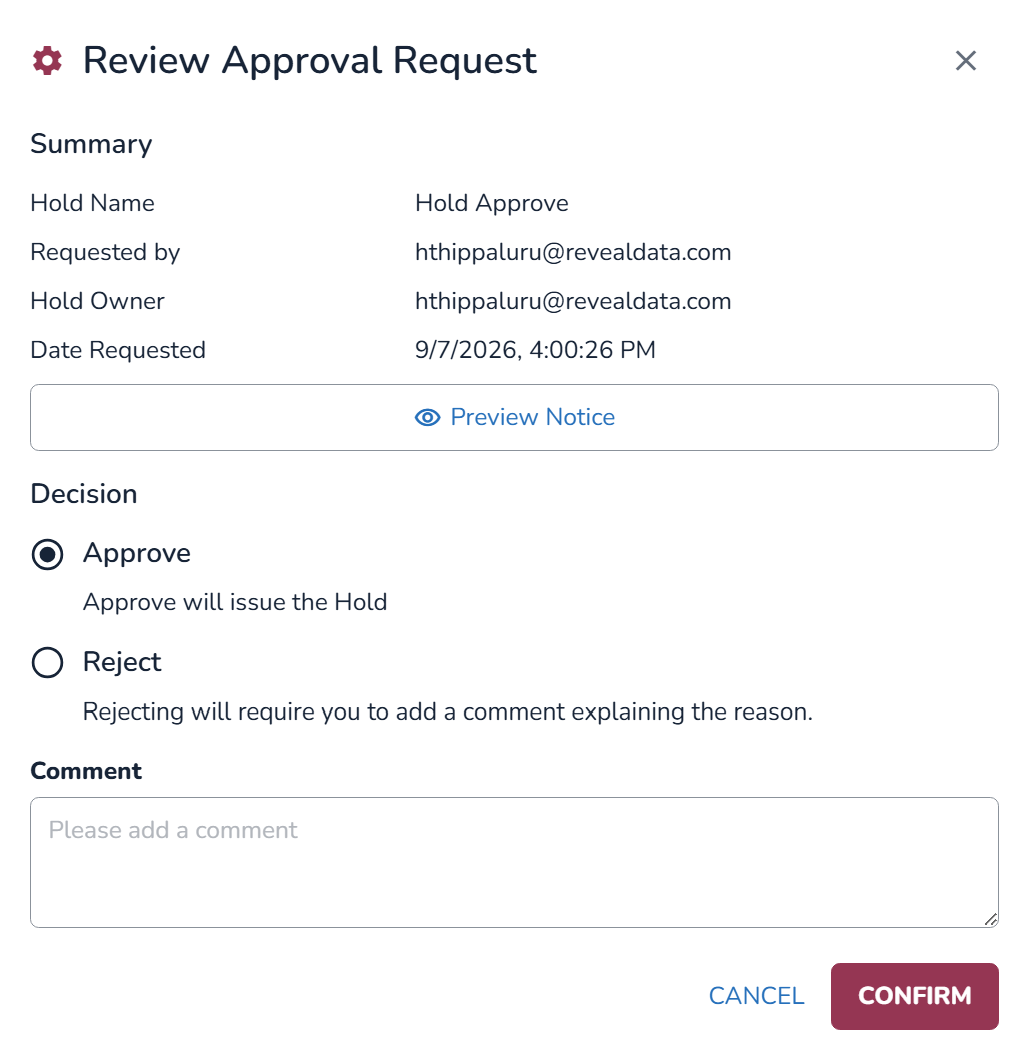
The Review Approval Request modal will open up. Here, you have a brief Summary of the Hold Name, who it was requested by, who is the Hold Owner, and the date it was requested on.
Click on Preview Notice to see the full request.
Choose if you want to Approve or Reject the request.
If the request is approved, the hold is automatically issued or reissued. The request is removed from Awaiting Approval and recorded in Approval History with a status of Approved.
If the request is rejected, it is removed from Awaiting Approval and recorded in Approval History with a status of Rejected. if you select rejected, you must add a comment explaining why.
Click on Confirm.
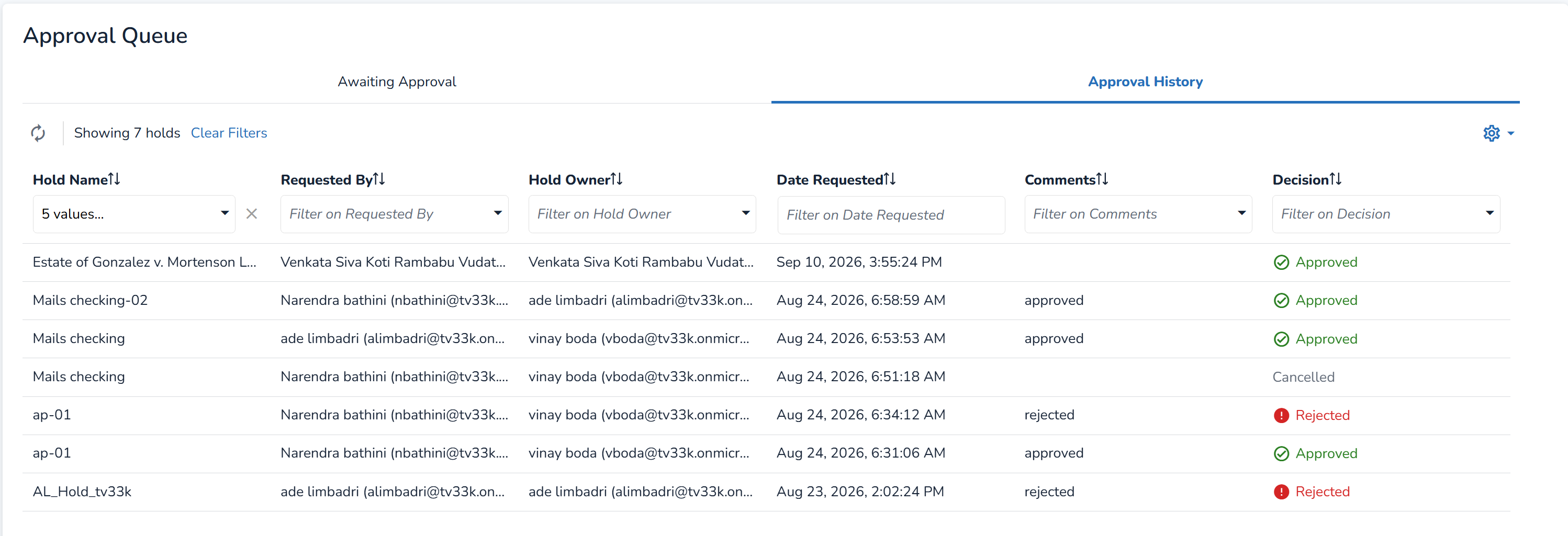
Approval History
The Approval History tab provides the permanent audit and tracking record for completed approval workflows. It includes requests with a status of Approved, Rejected, or Cancelled.